The diagrams behind the Agriculture Information System, and the prototype
screens built from them. Phase 1, for the Department of Agriculture.
14 diagrams and 63 screens. This is a
non-functional prototype: the screens are mocked over demonstration data and nothing
here saves a record. Every name, reference, date and figure was generated at random.
The design
What AIS runs on, what it stores, who may do what in it, and how the
department's paper records are brought in. These four questions were settled before any
screen was drawn, and the screens further down are built on the answers.
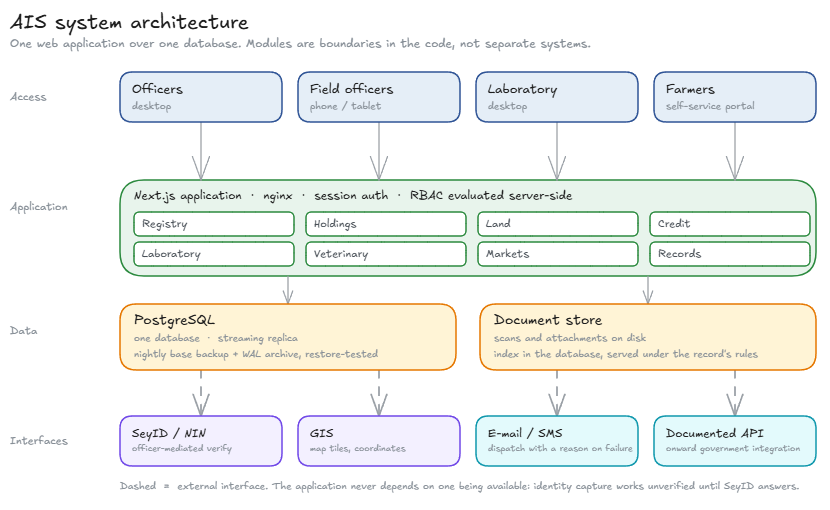
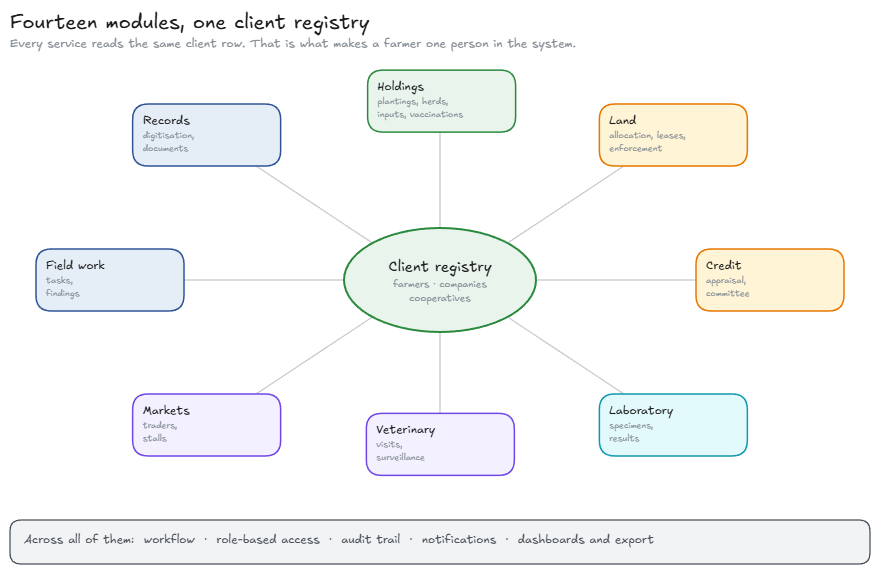
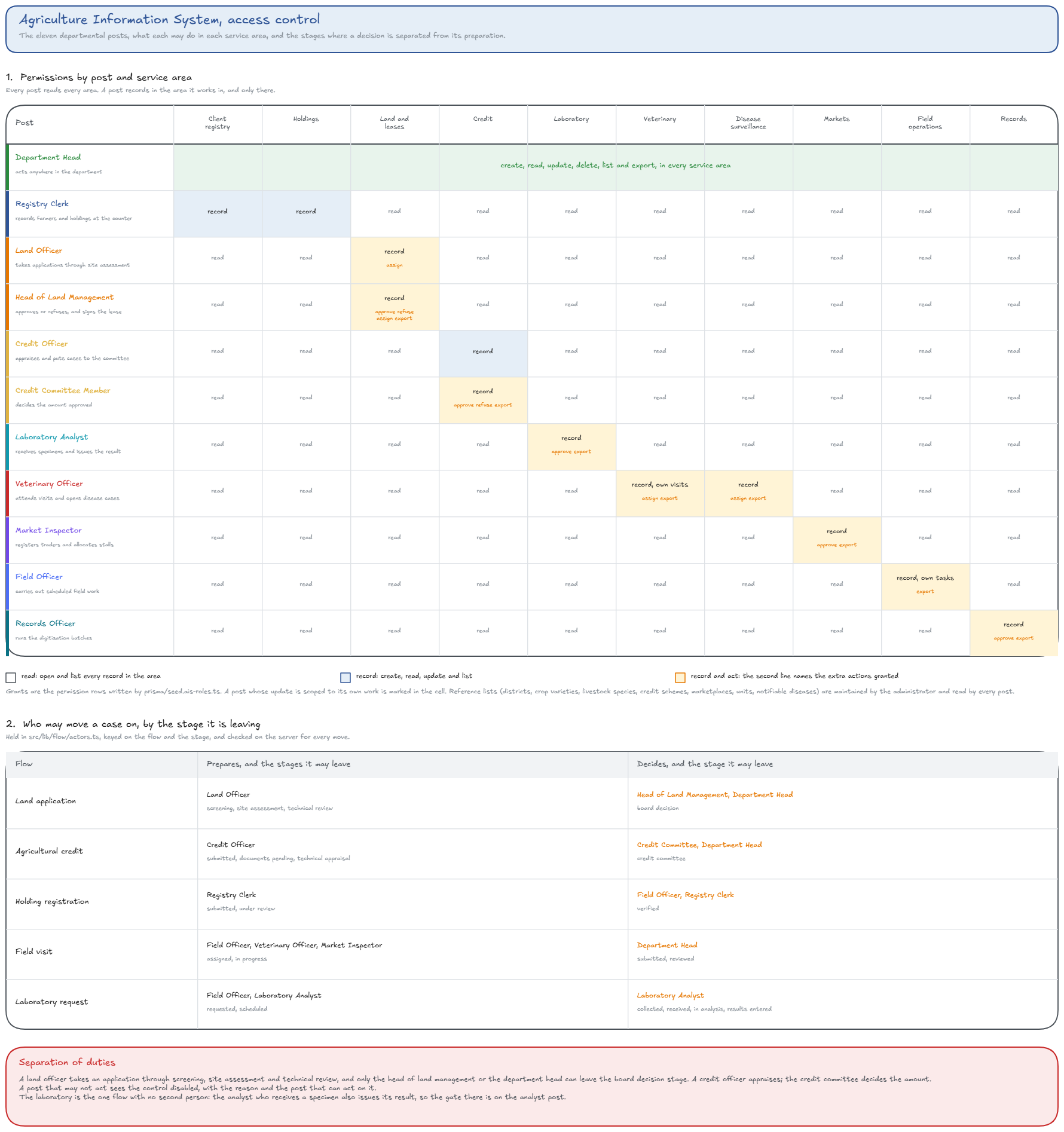
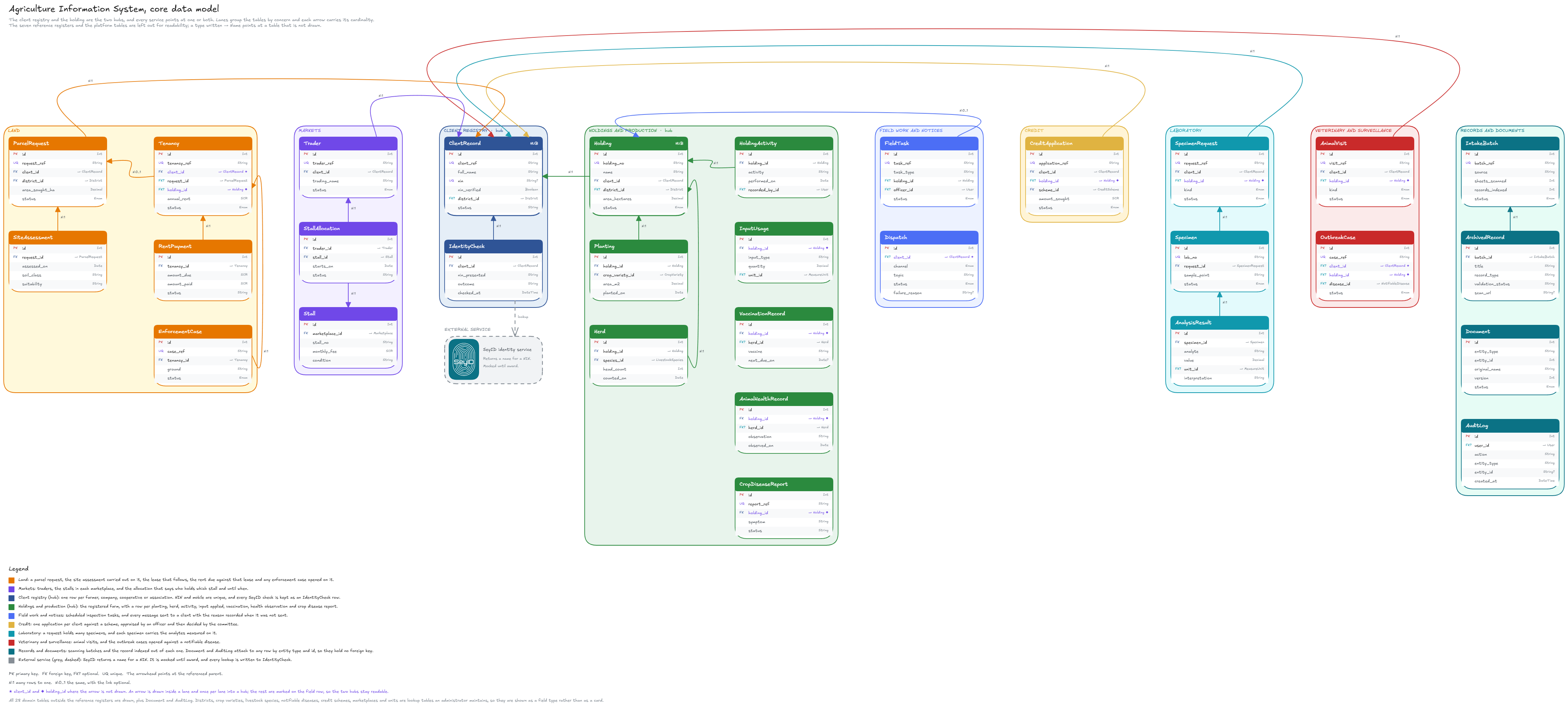
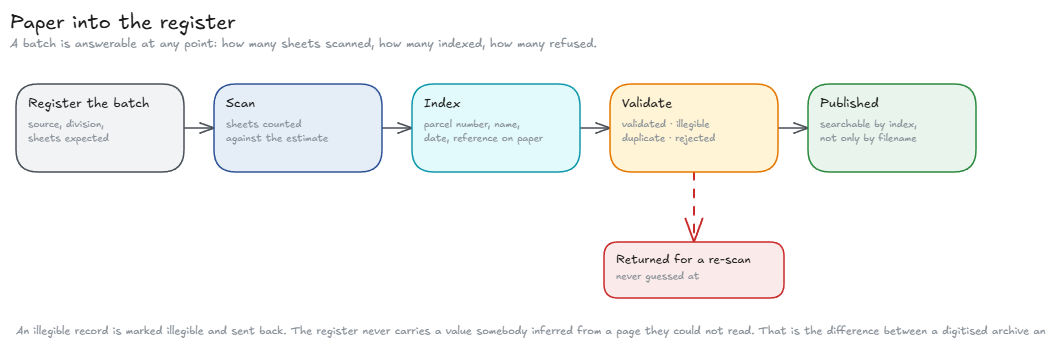
System architecture: how the parts of AIS fit together.Module map: the Phase 1 modules and how they group.Roles and permissions: each post in the department against each service area.Data model: every table and the relations between them.Digitising the paper records: scanning, indexing, validation, and where a scan ends up.
How a case moves
AIS handles four kinds of case: a land application, a credit application,
a laboratory request, and the registration of a holding. Each one is a numbered process
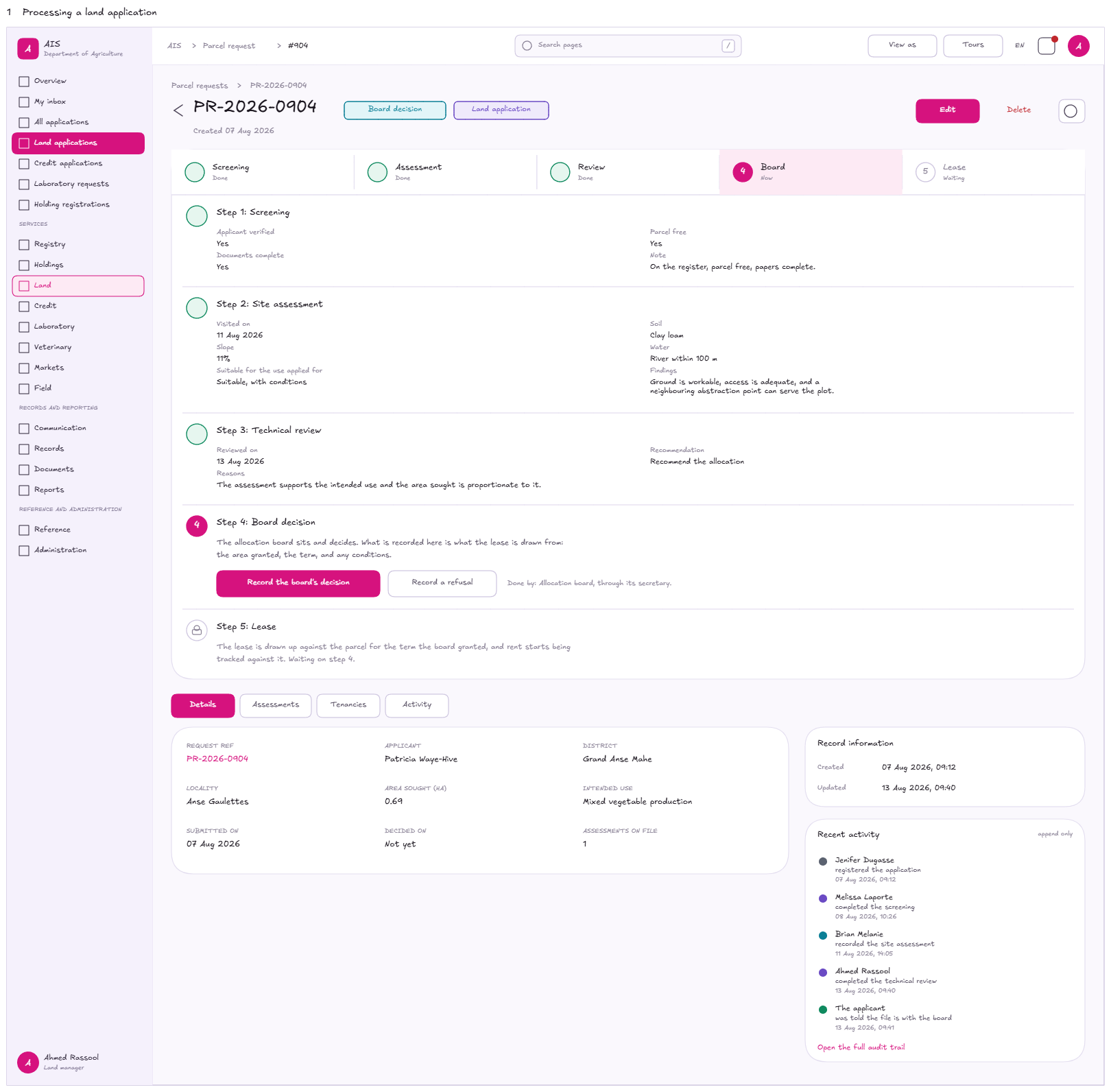
living on the record's own page. A finished step reads back what it recorded, the step
that is due has the action on it, and the steps after it say what they are waiting for.
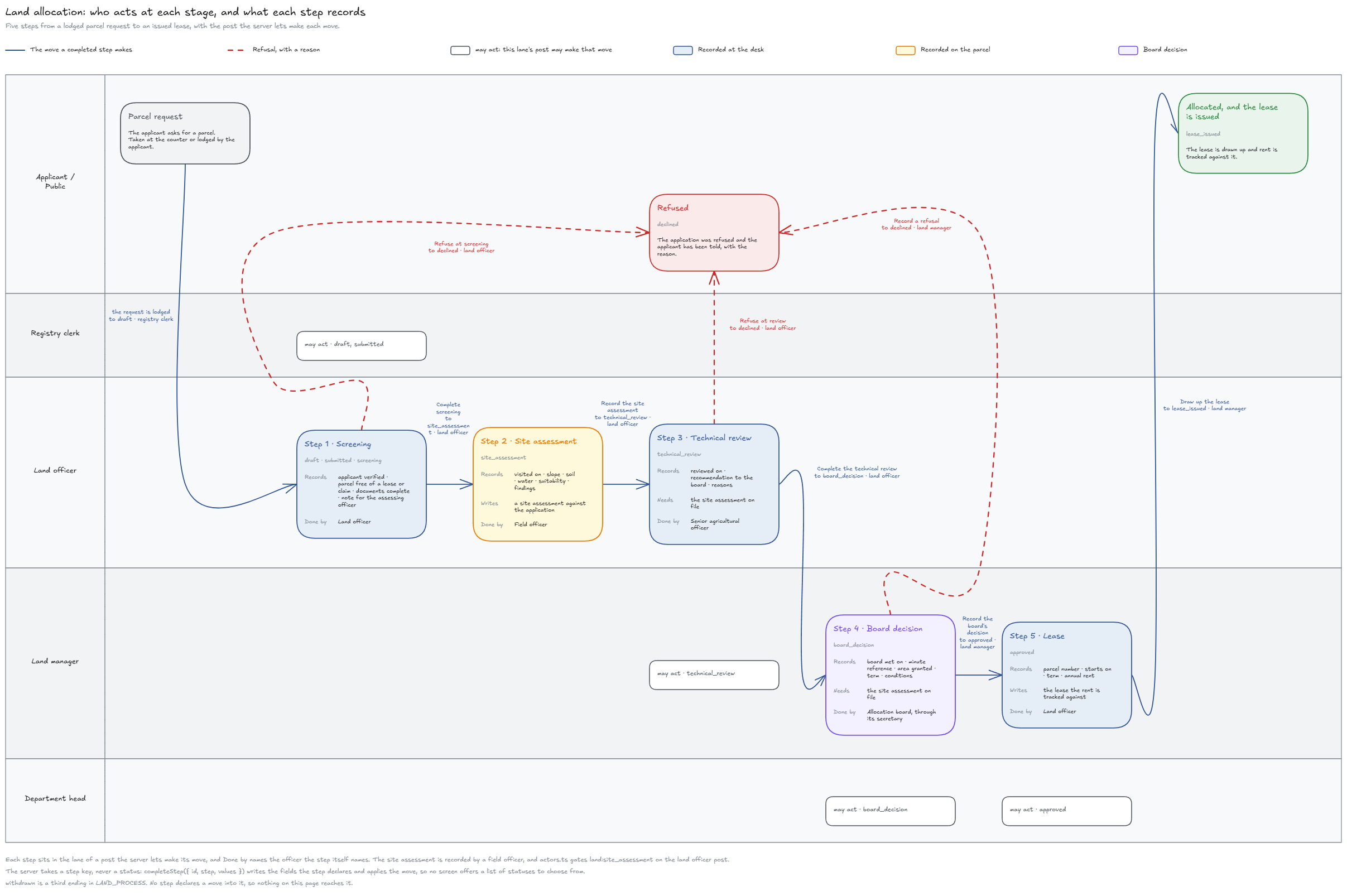
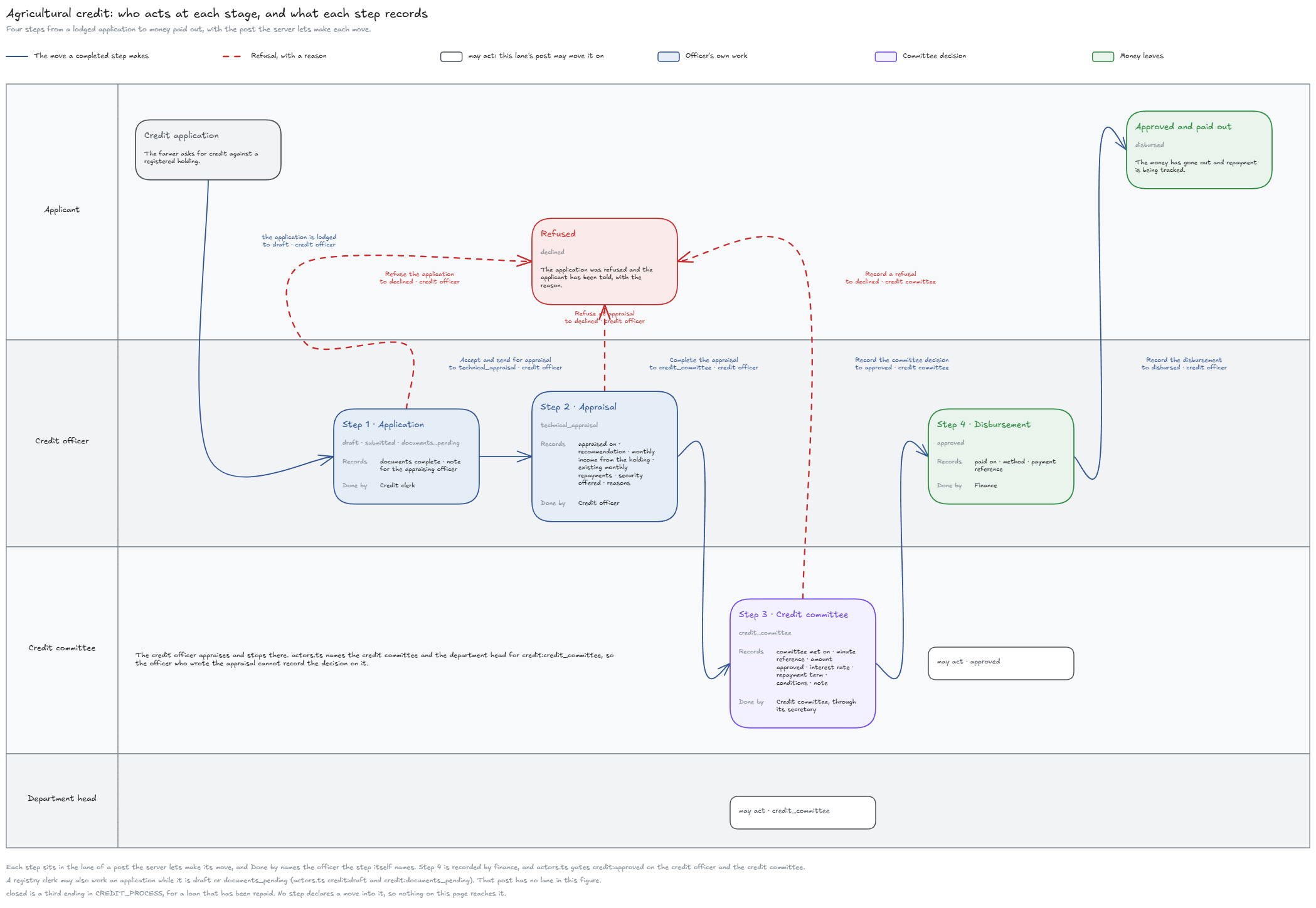
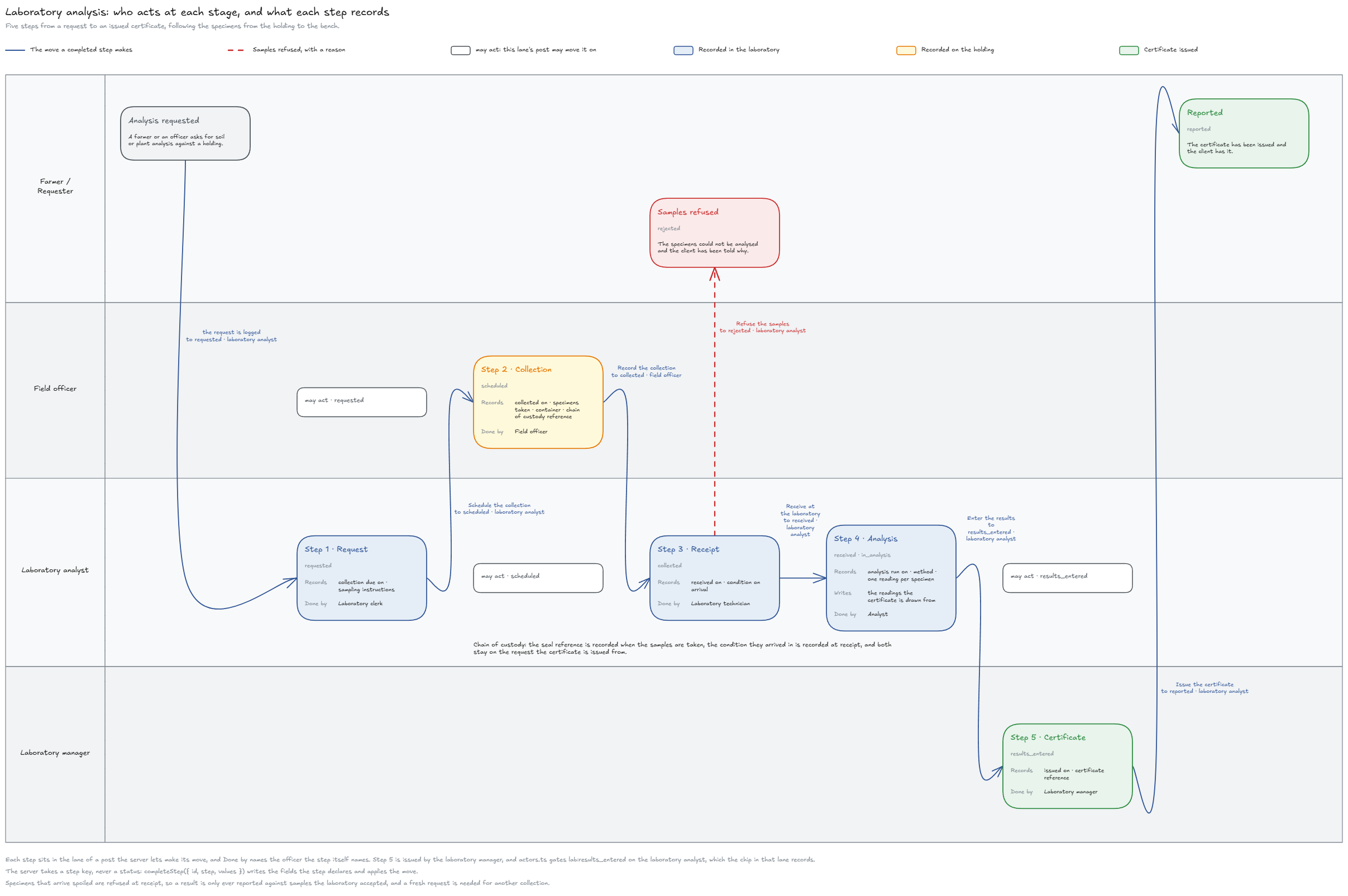
No user is ever asked to pick a status. The four drawings below set out those steps; the
frames after them are the screens the steps were drawn for.
The four case lifecycles
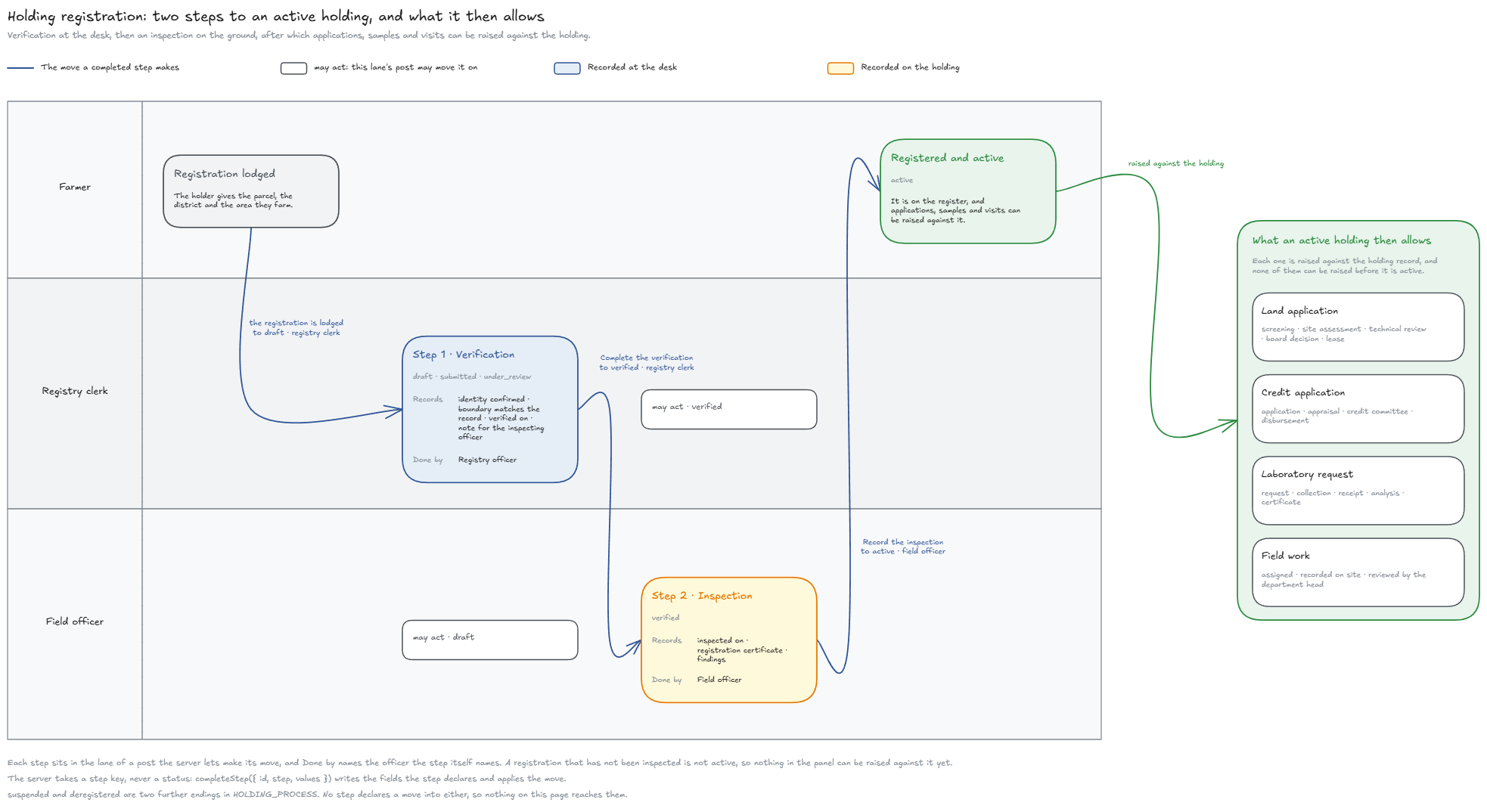
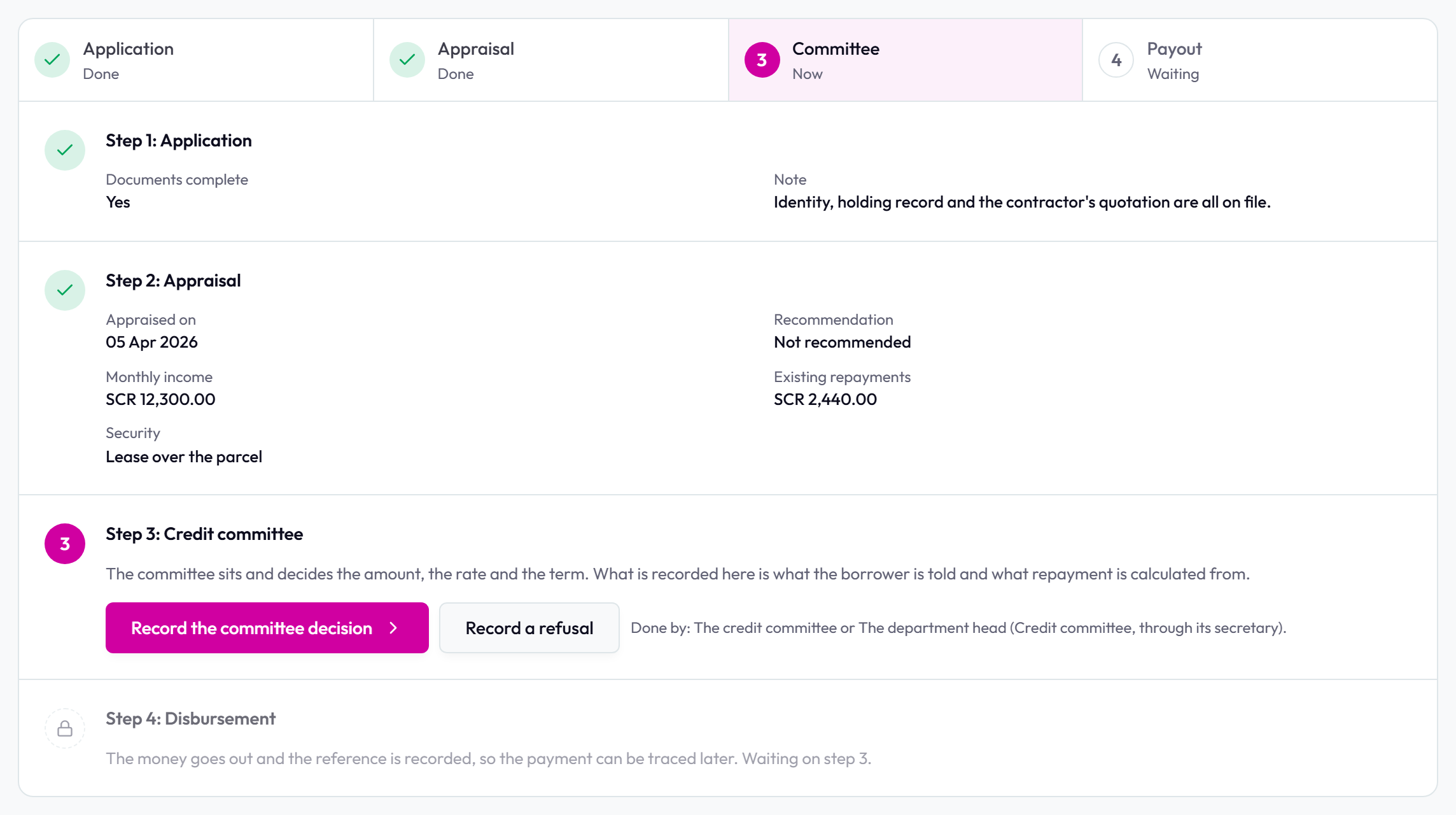
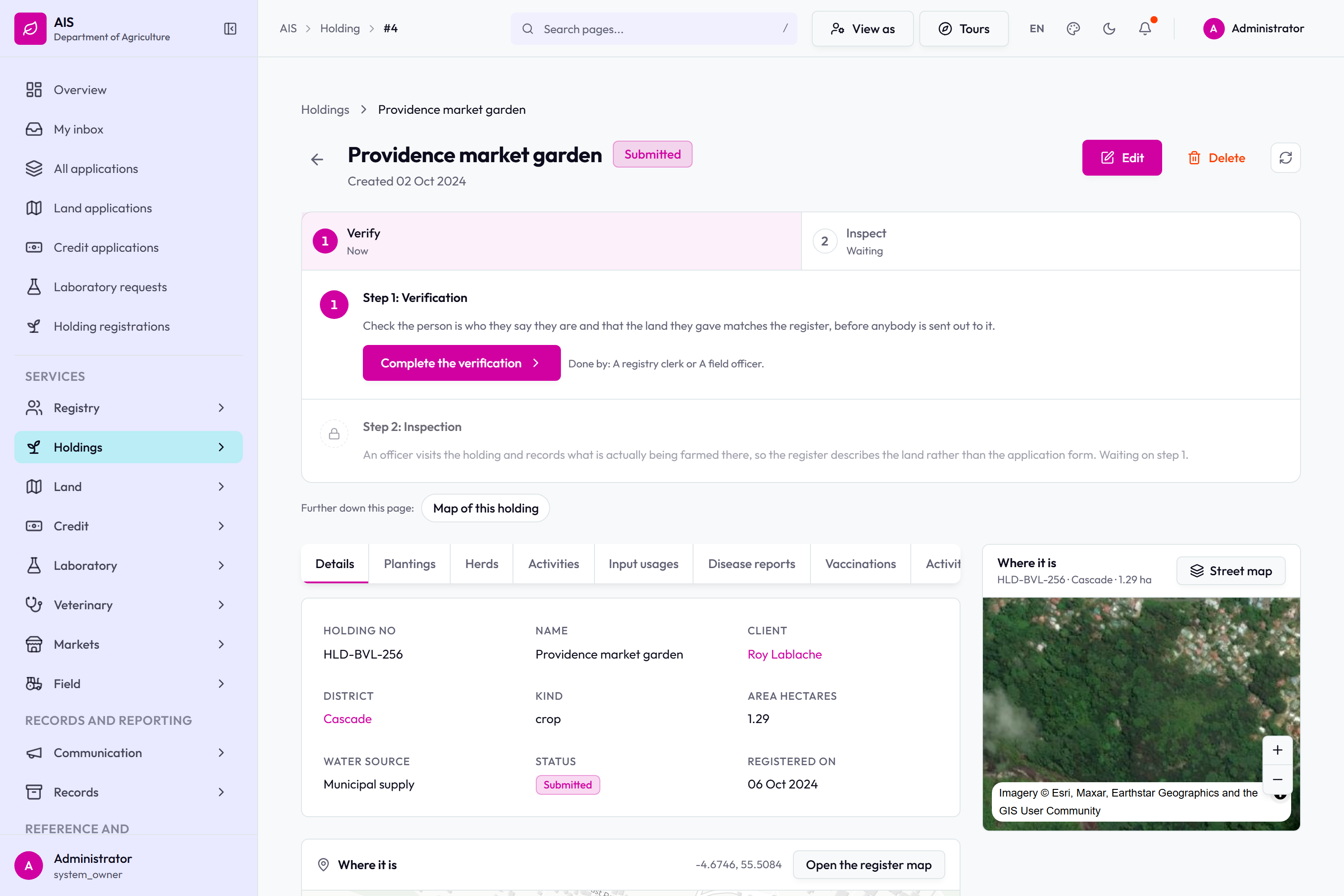
A land application: screening, site assessment, technical review, board decision, lease.A credit application: application, appraisal, credit committee, disbursement.A laboratory request: request, collection, analysis, results, certificate.Registering a holding: verification, inspection, then active on the register.
Screen frames
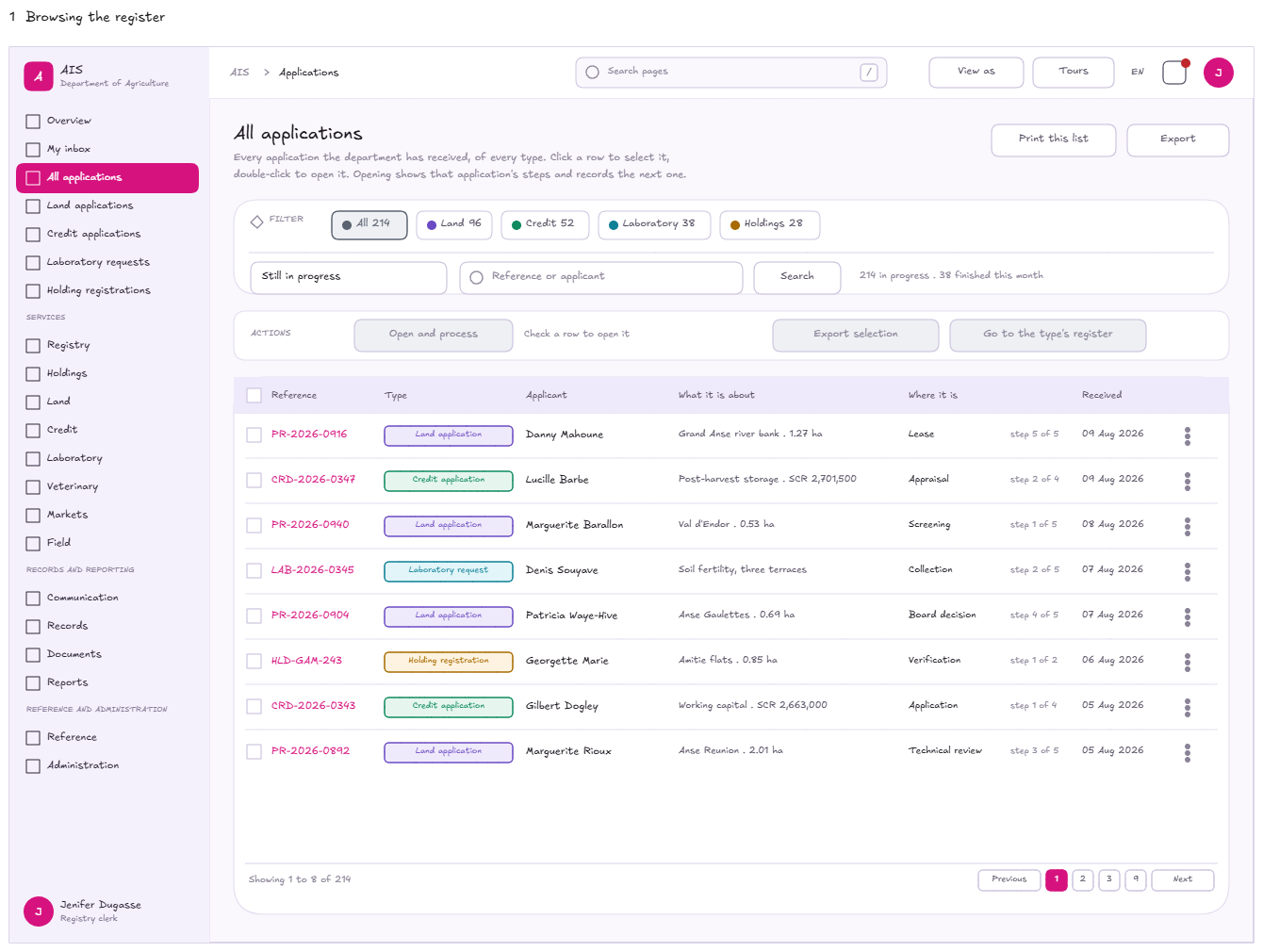
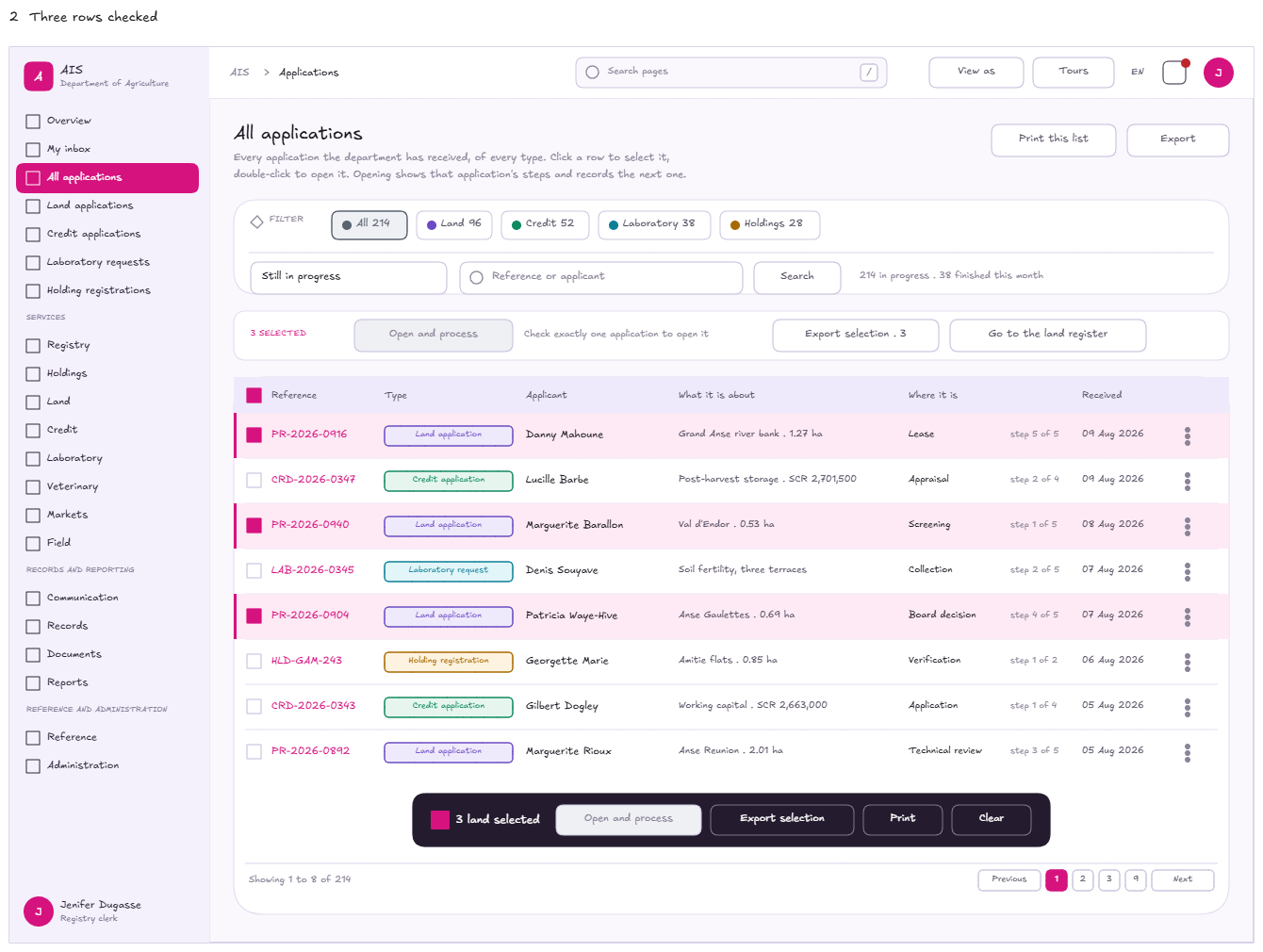
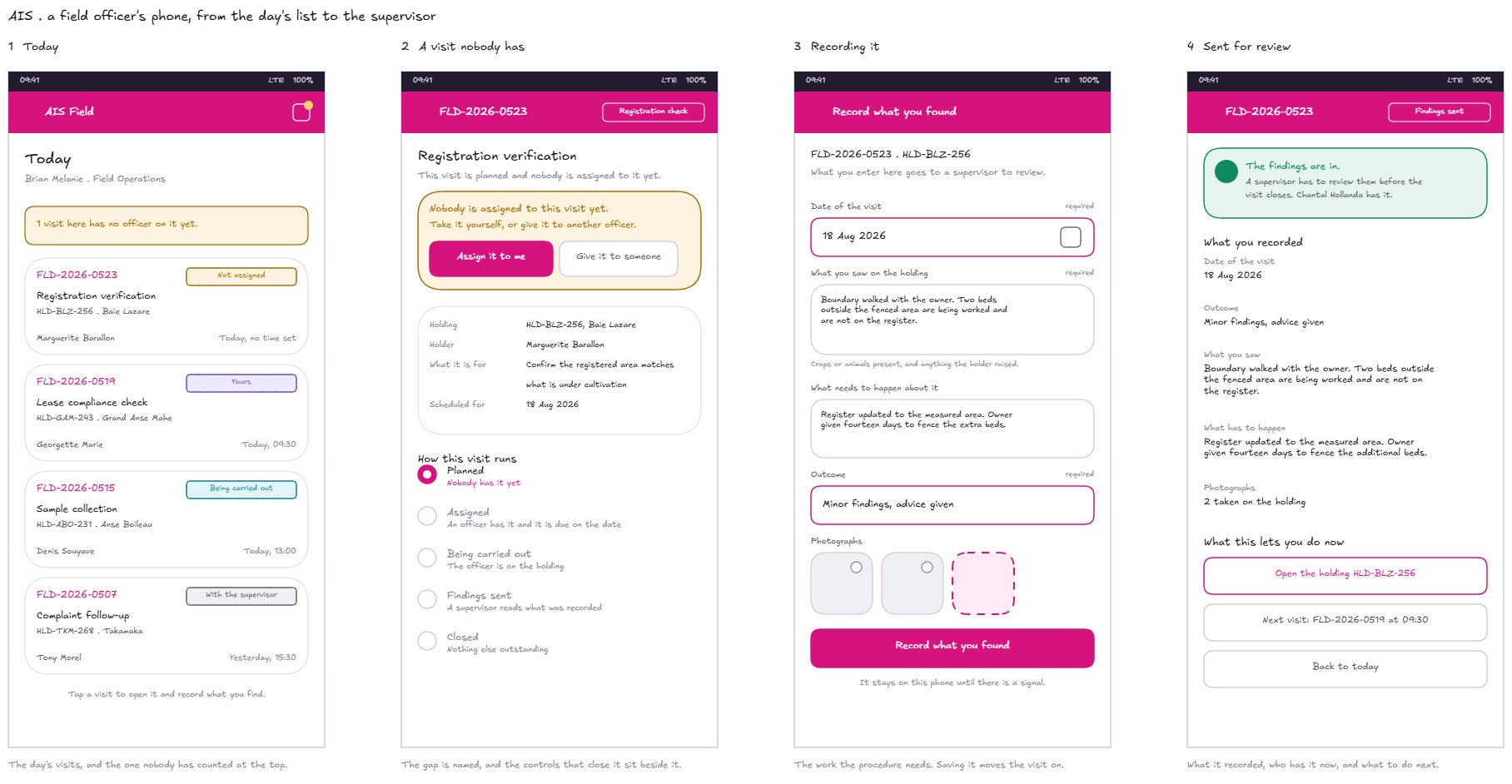
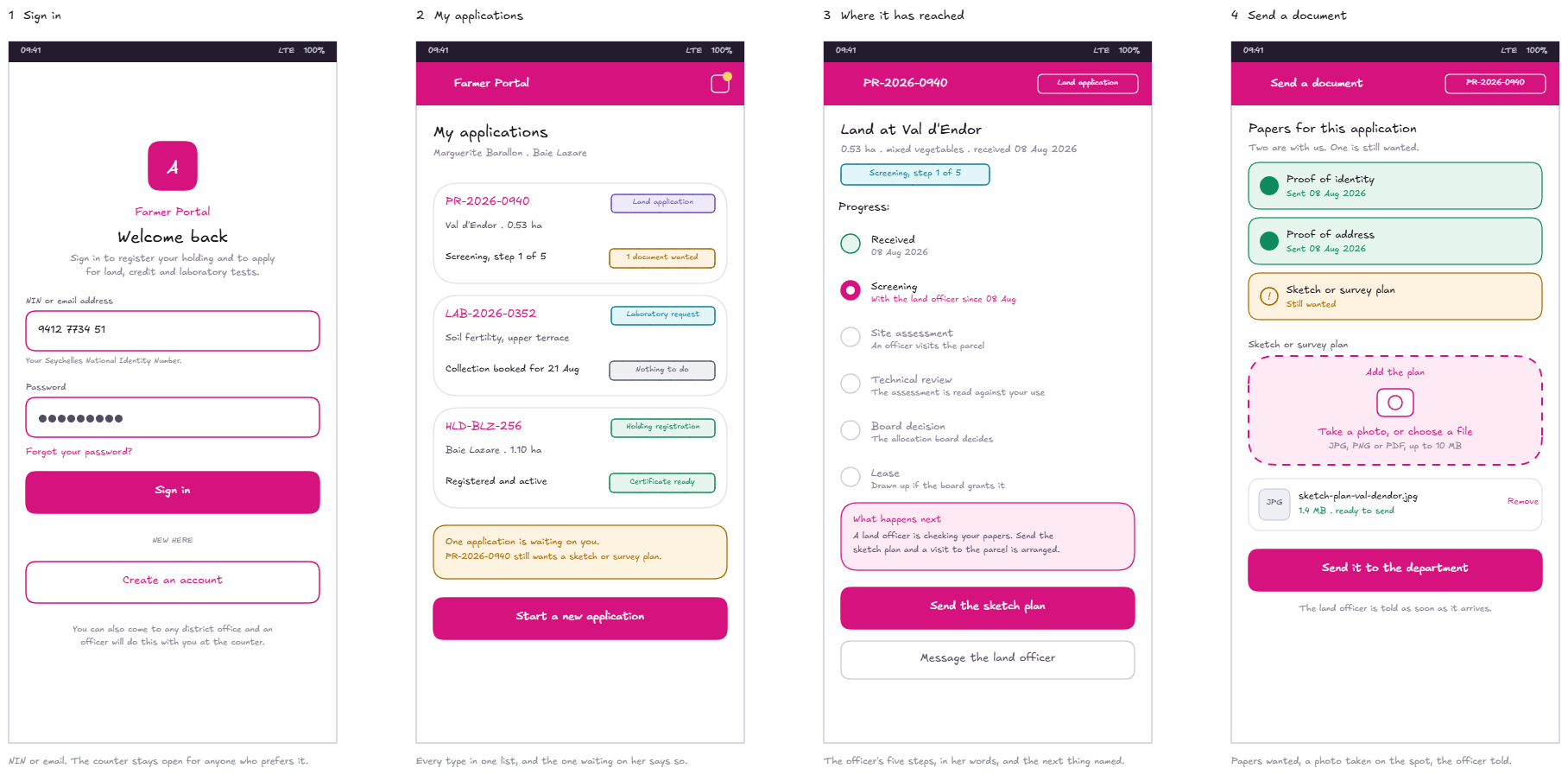
The applications register, first frame.The applications register, second frame.The land processing page and its numbered steps.The officer's screens on a phone.The farmer's screens on a phone.
The officer's screens
What an officer at the Department works in. Every register paginates,
filters and exports; every record opens on a page of its own; and the button that moves
a case is the form that records the work behind it.
Where the day starts
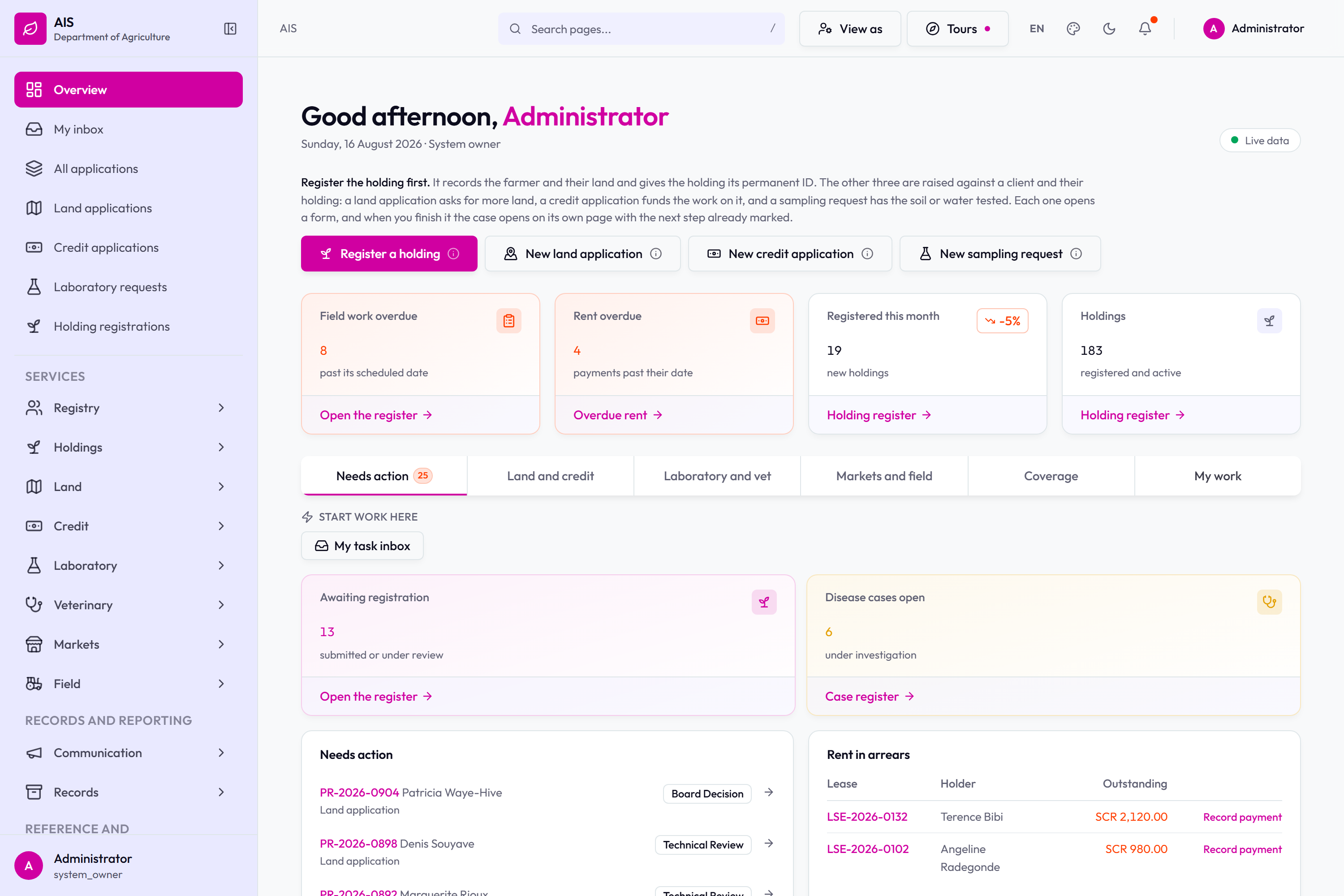
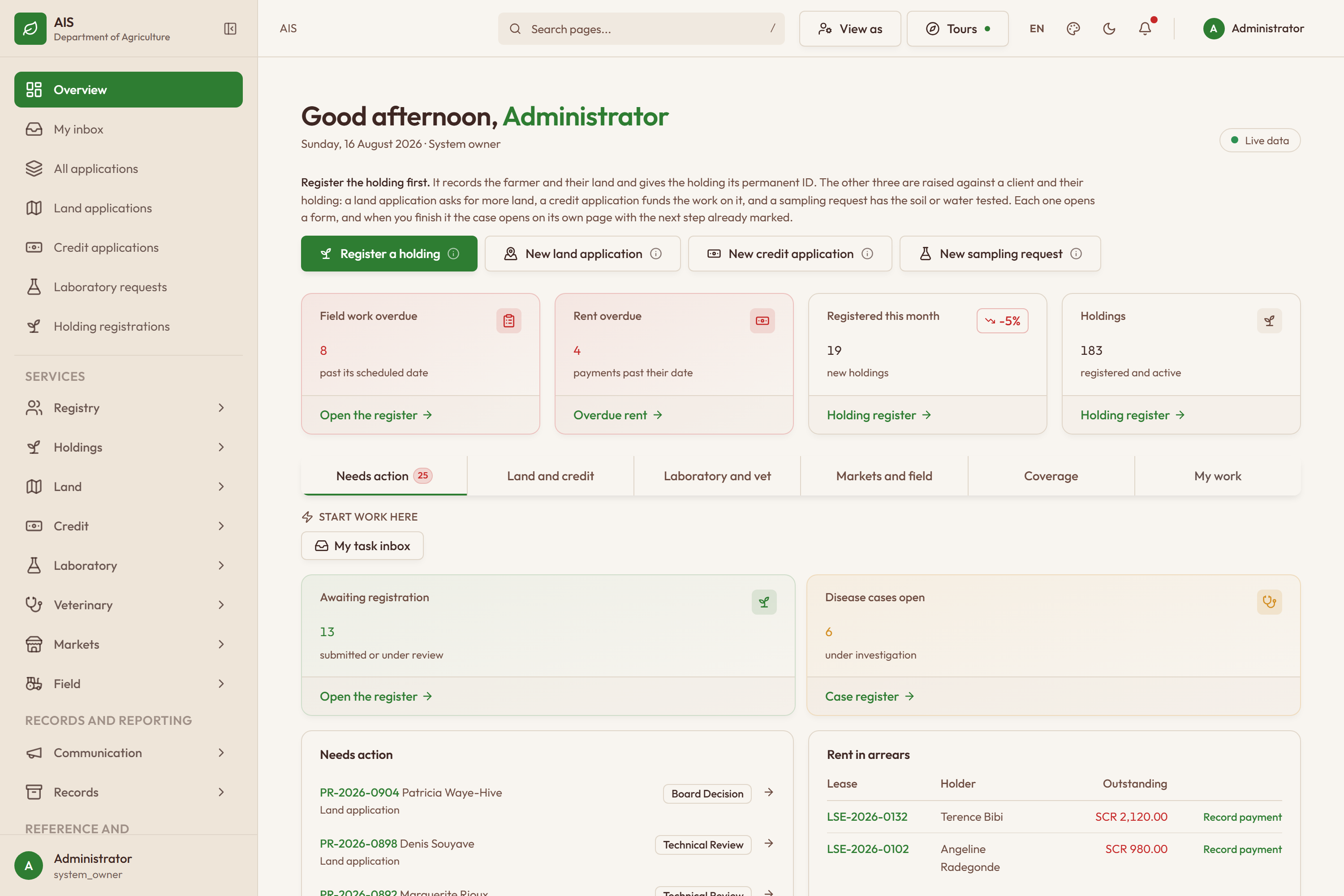
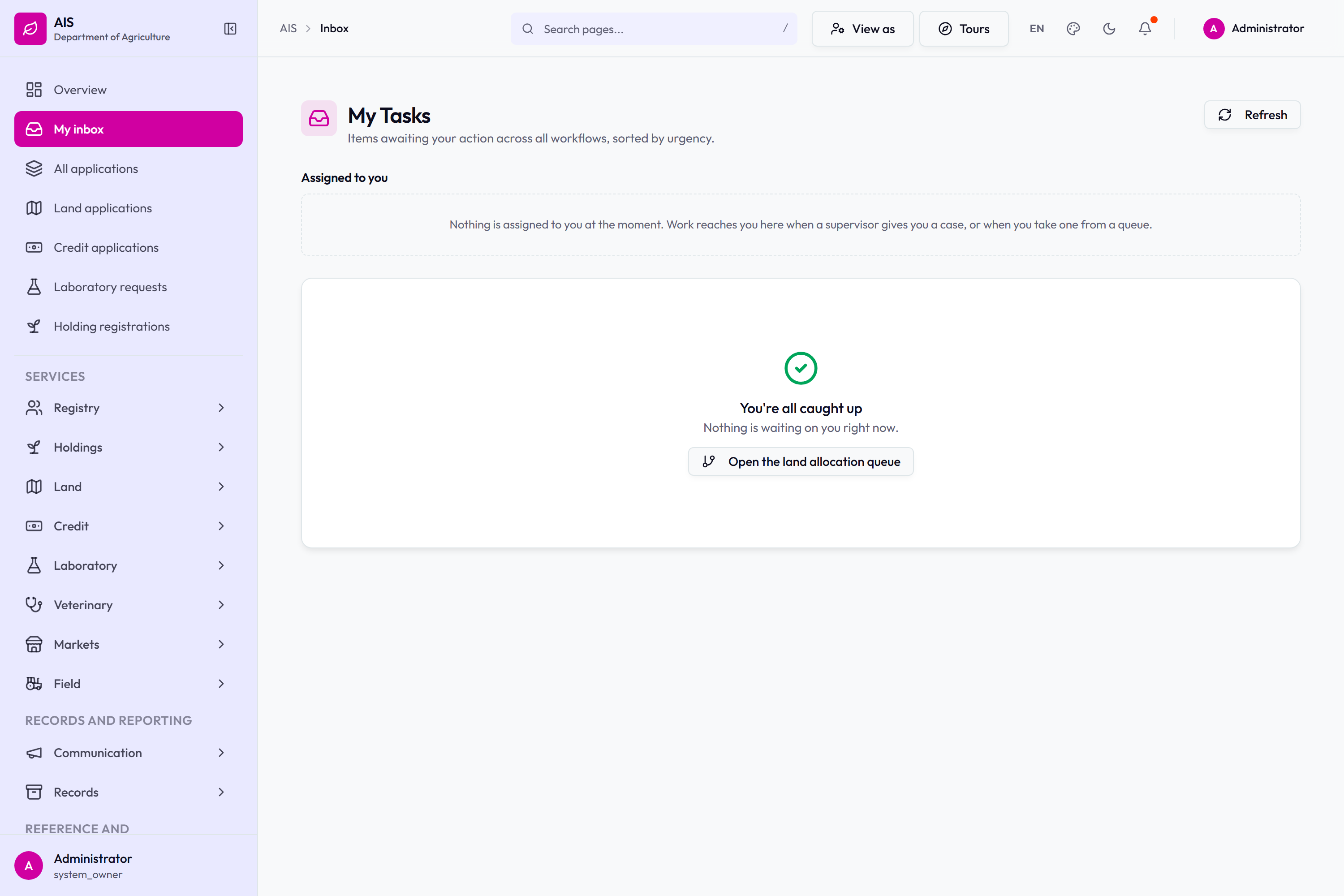
The overview: counts across the services and what is waiting.The same overview in the second colour theme.My tasks: what is assigned to you, and the queue to open when nothing is.The toolbar: View as, Tours, language, theme, dark mode, notifications and the signed-in account.
Applications across every service
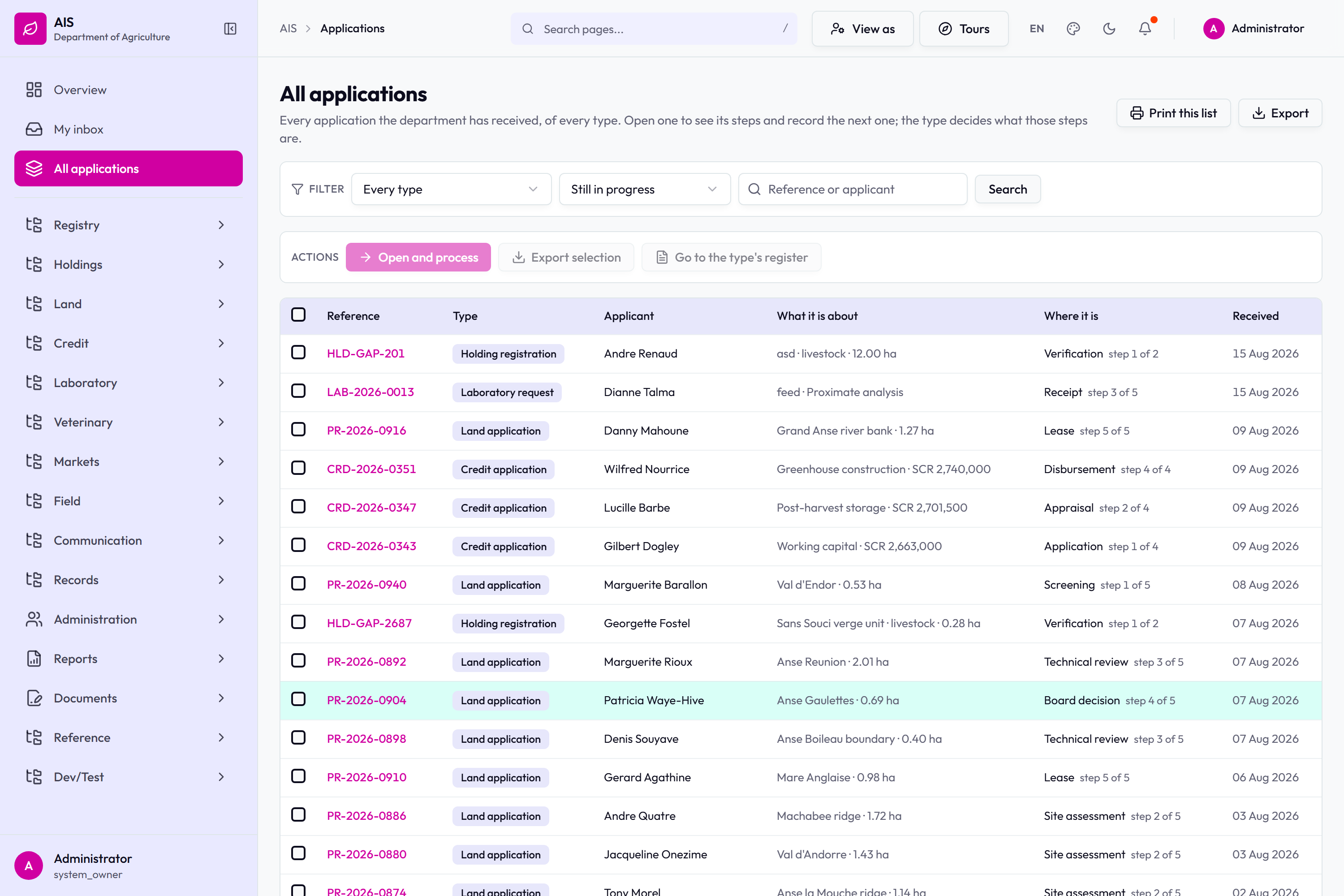
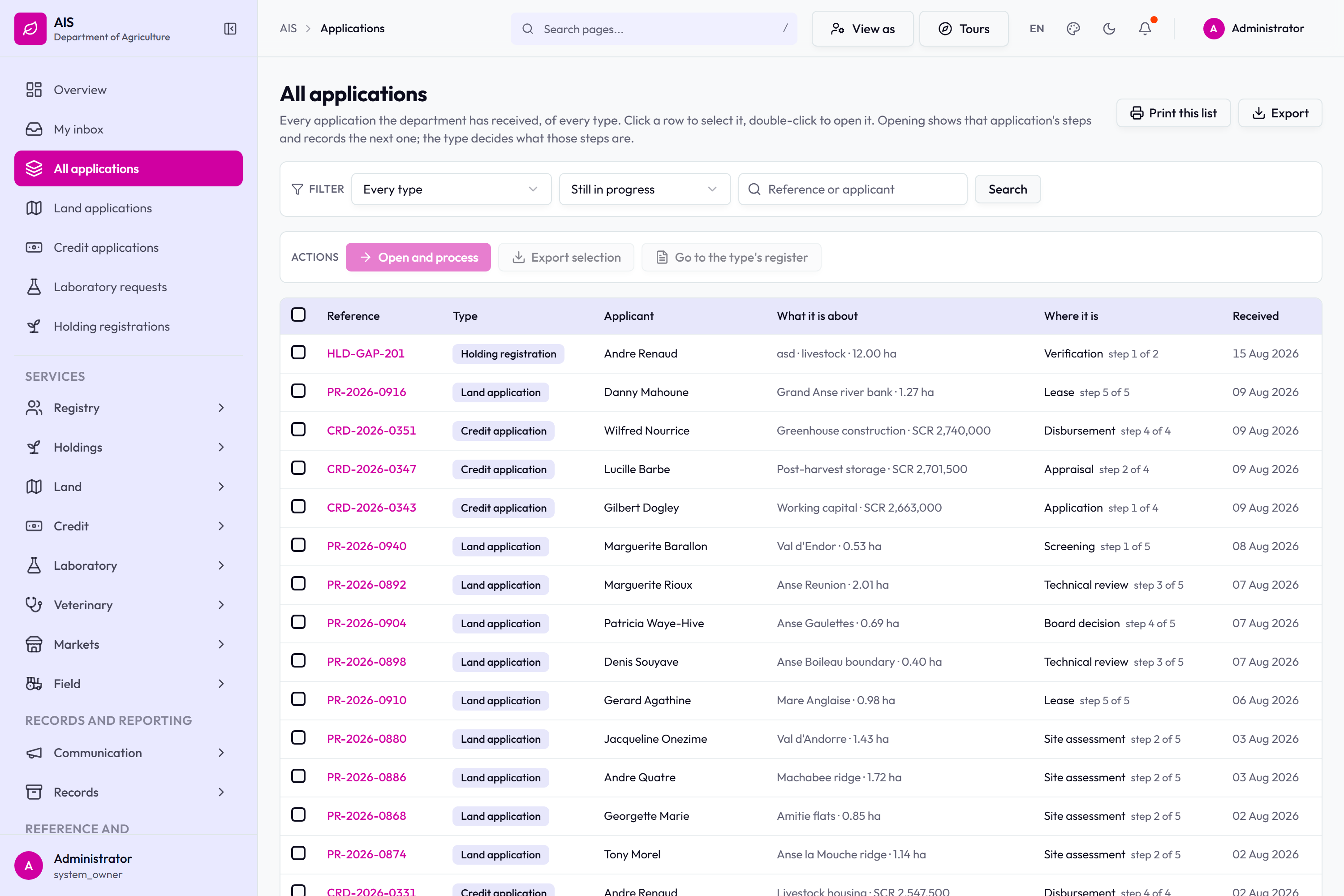
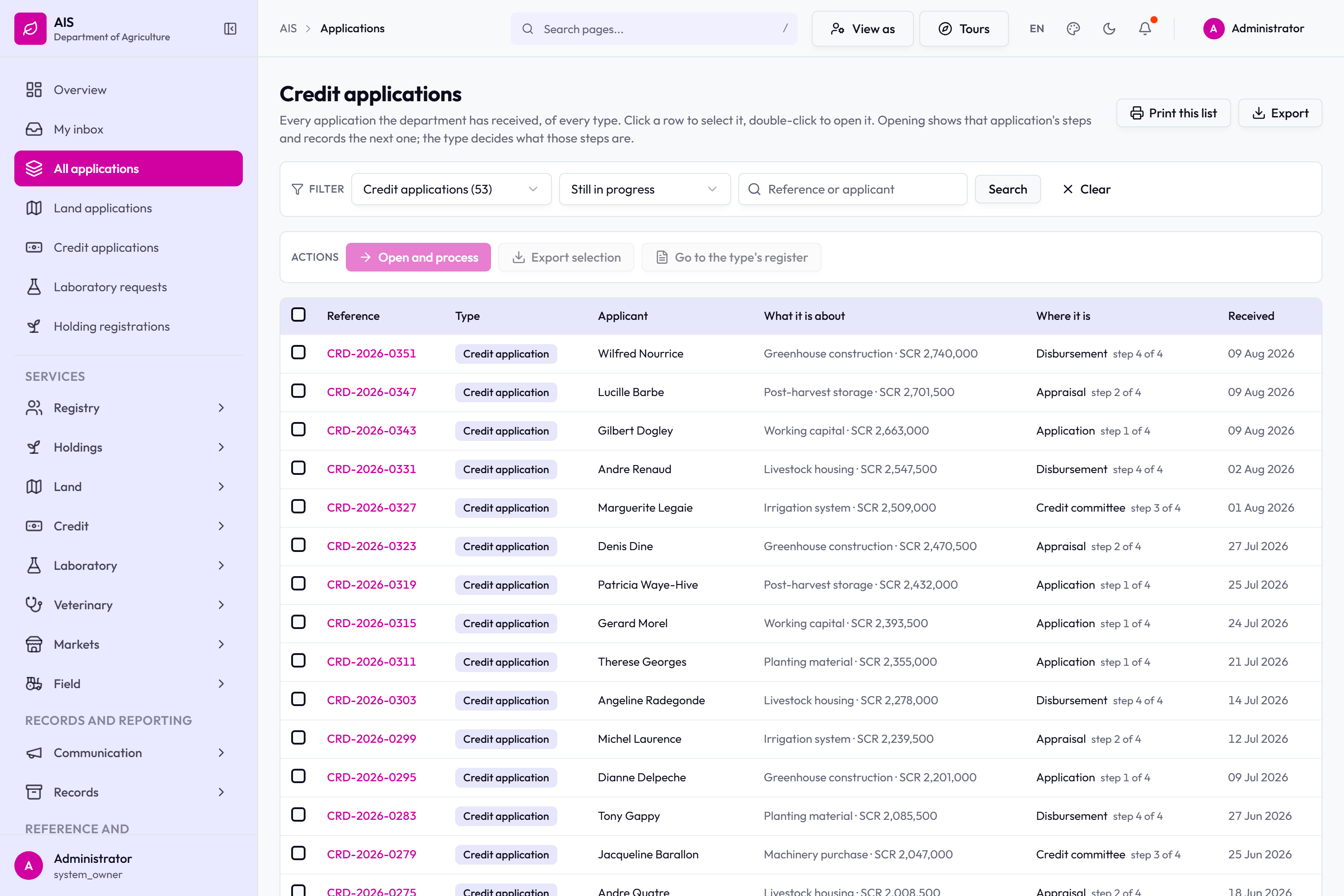
All applications: land, credit, laboratory and holding registrations in one register.The same register with its filters and column controls.The register filtered to credit applications.
Land applications and leases
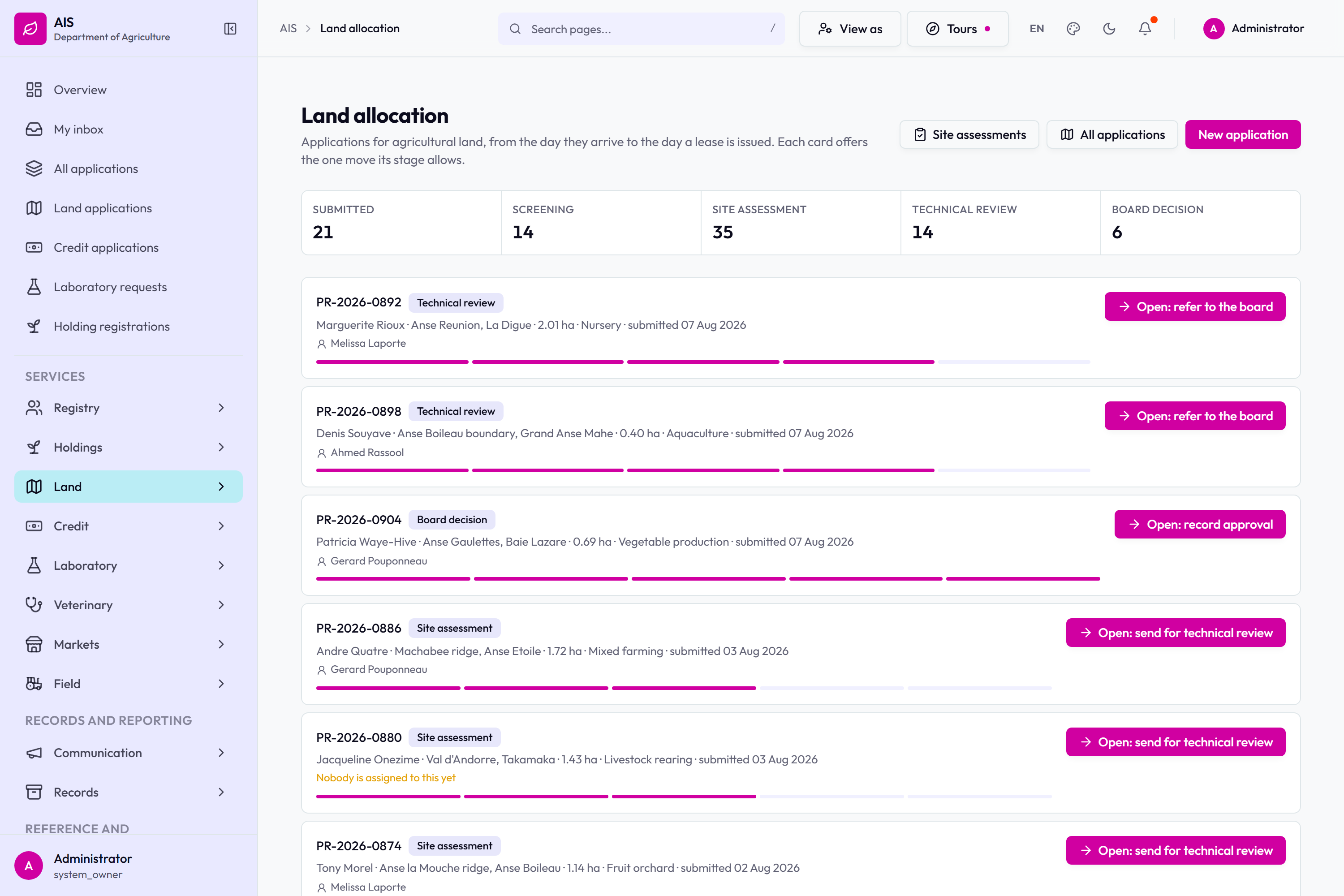
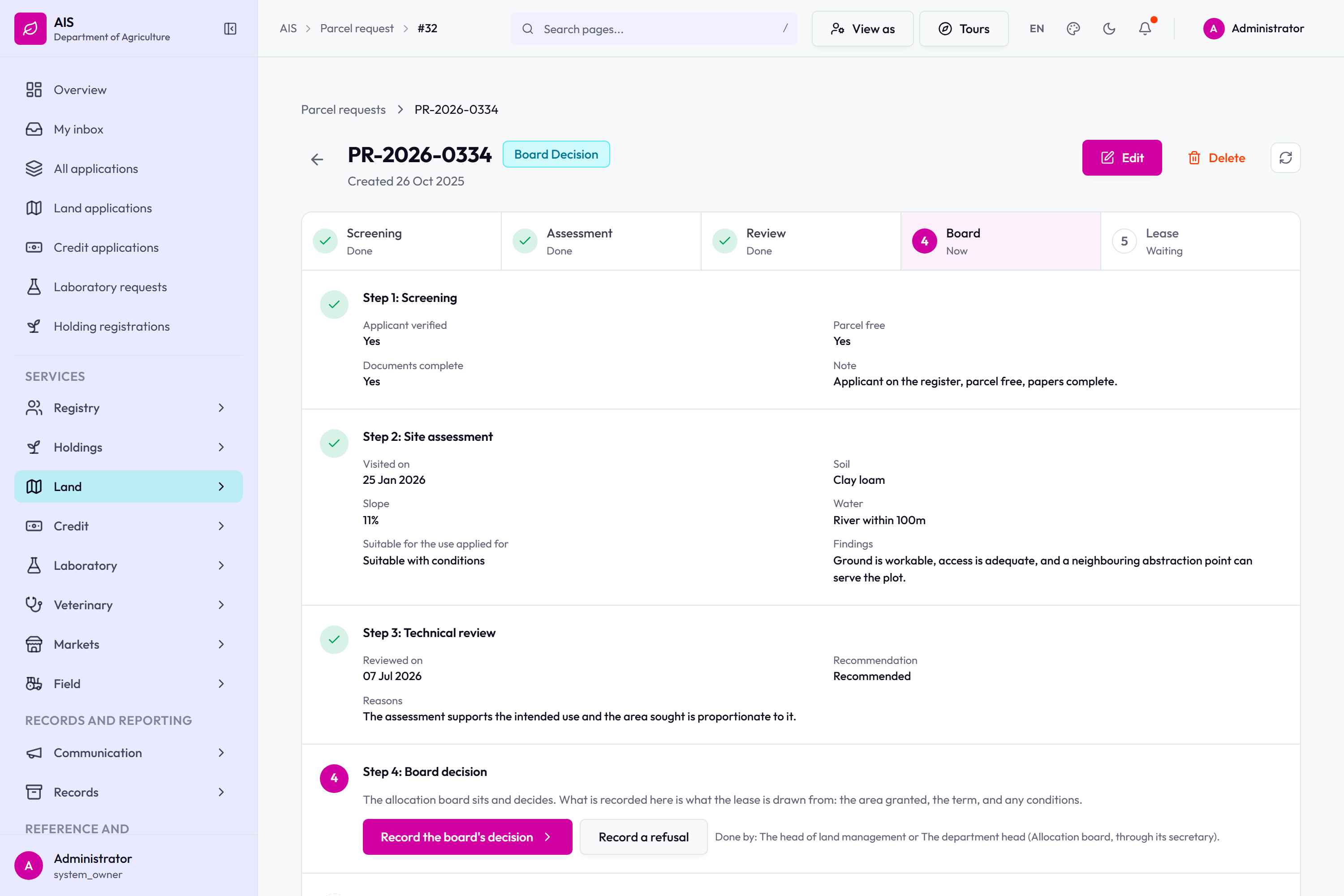
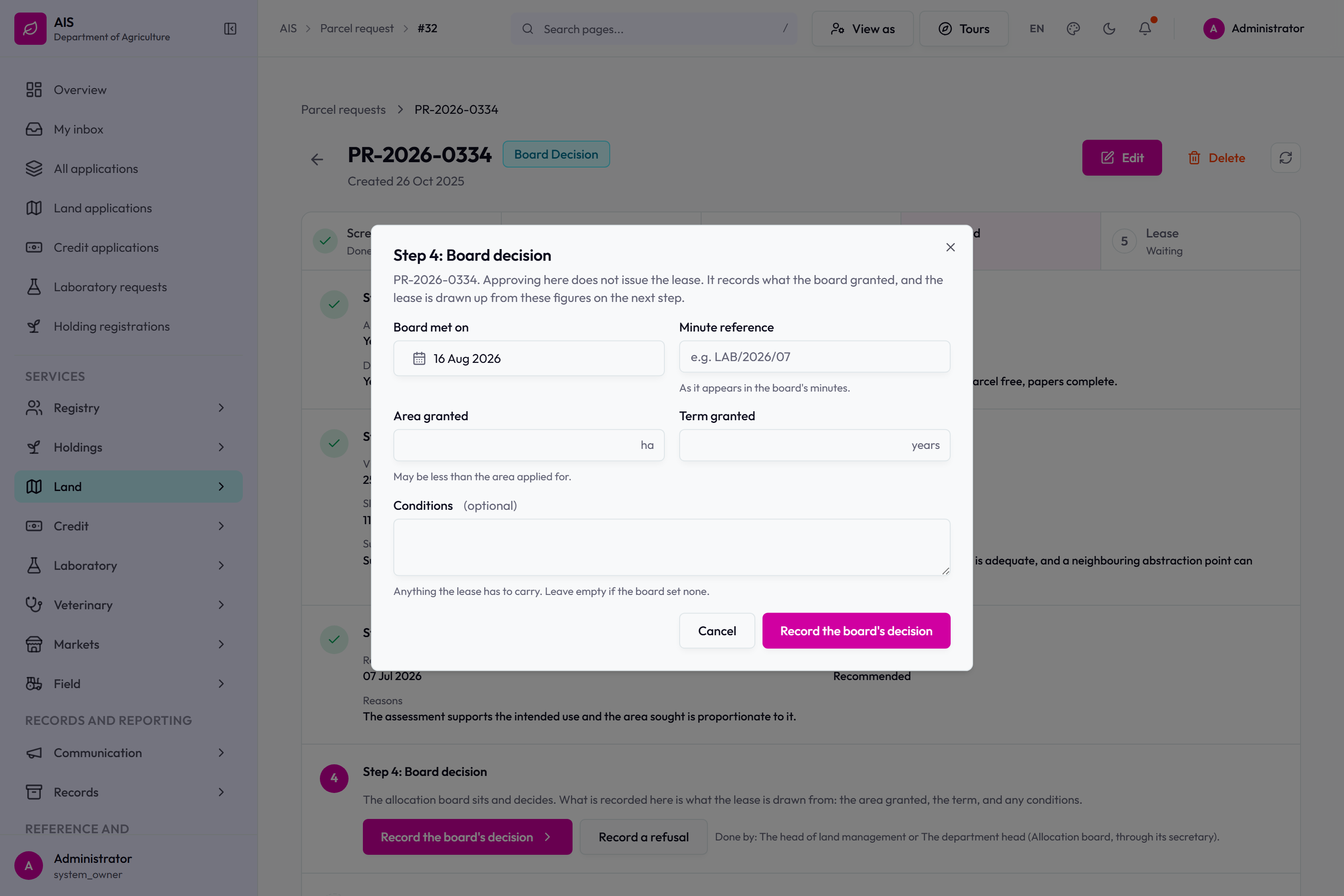
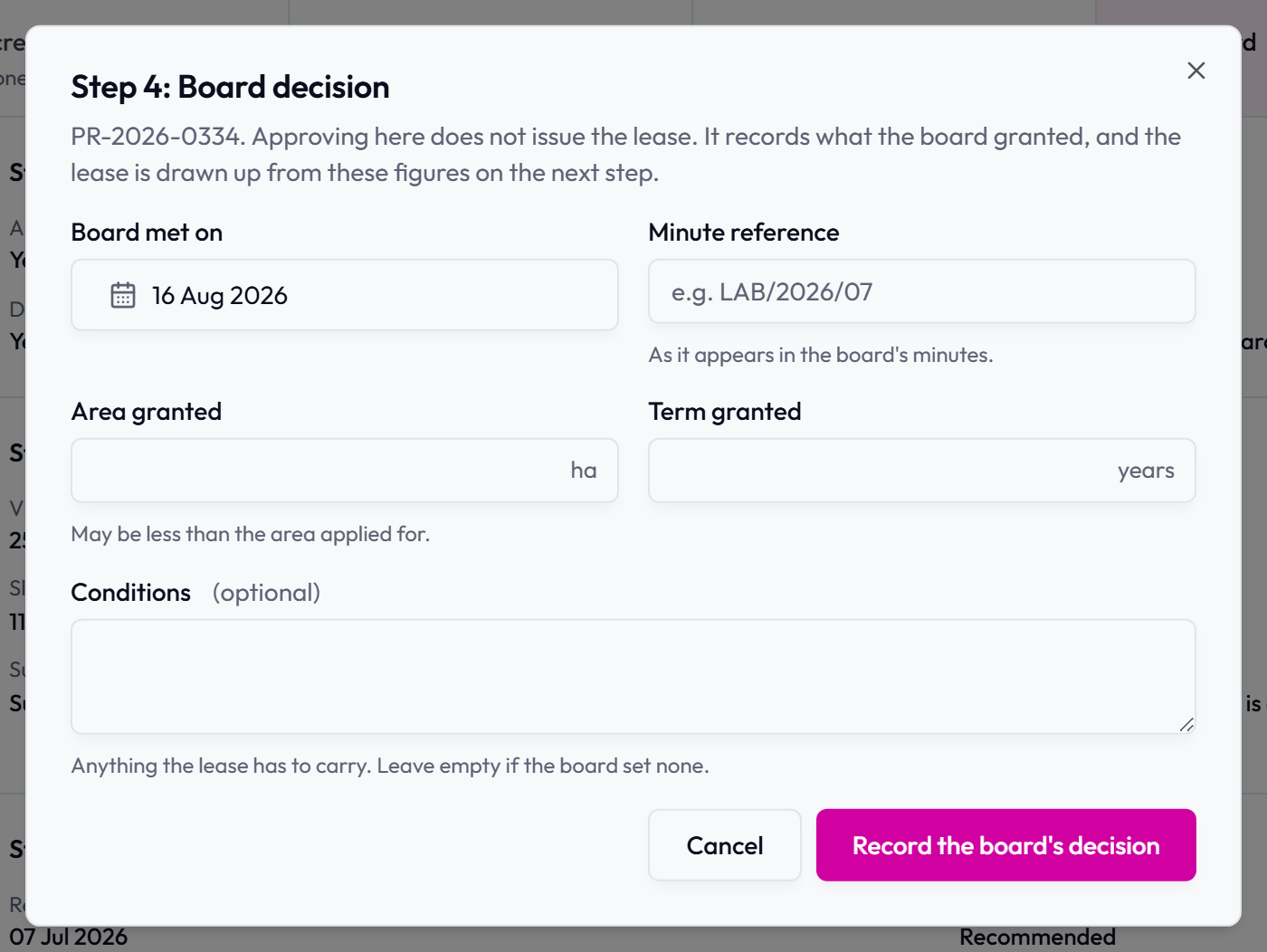
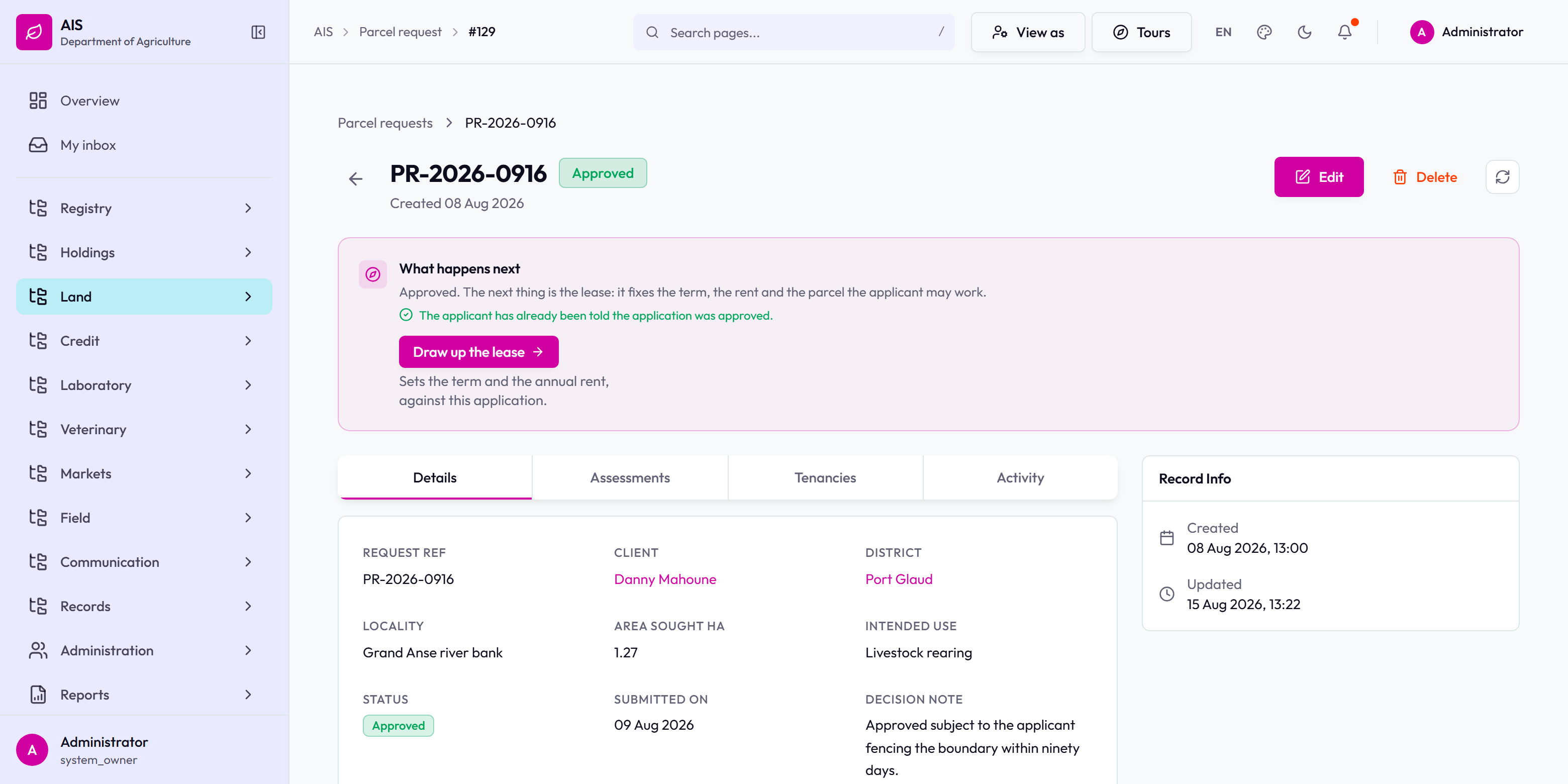
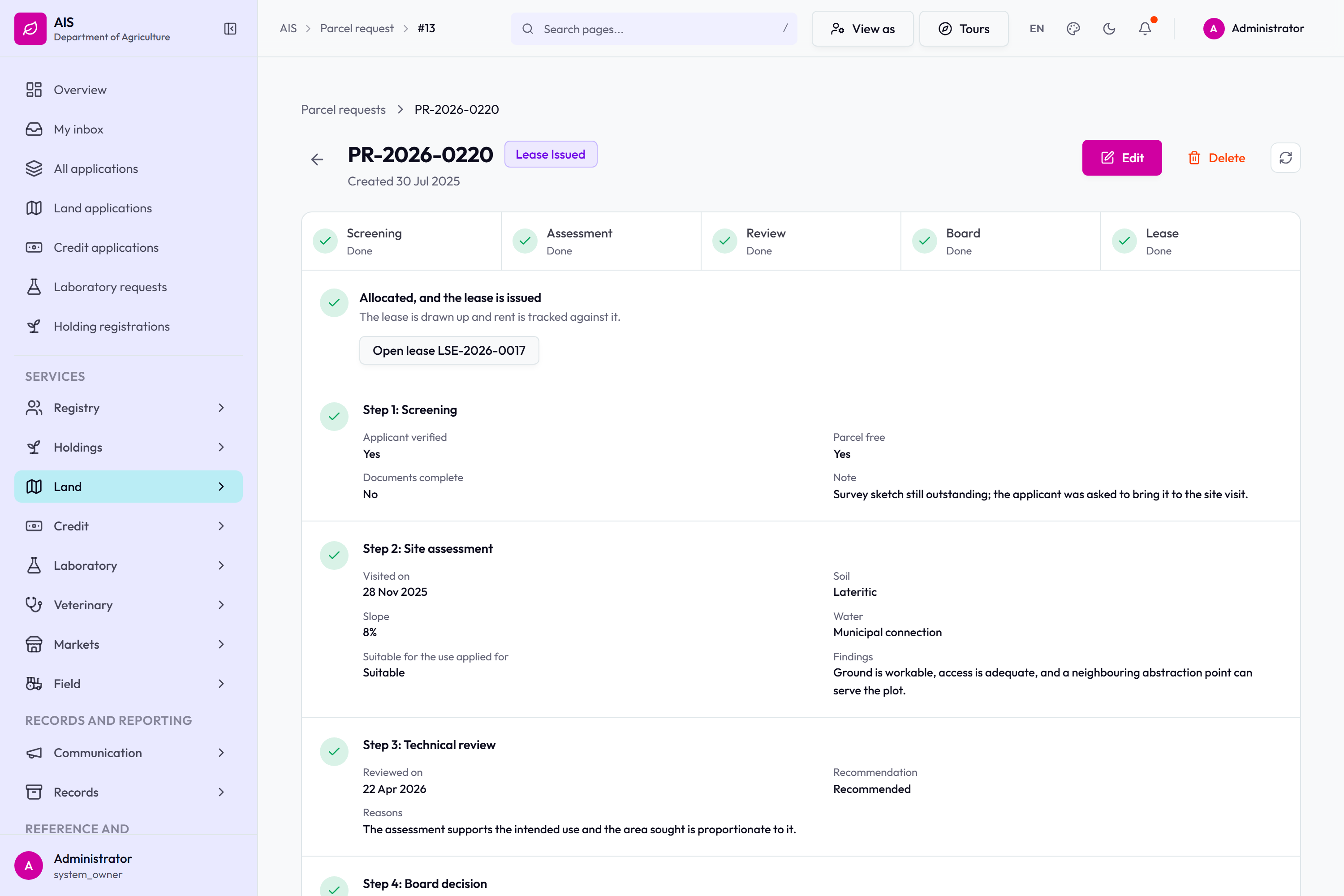
The land allocation queue: what is waiting, and the next step on each.PR-2026-0334 on its processing page. Steps 1 to 3 read back what they recorded. Step 4 has the action on it.Step 4 open: board met on, minute reference, area granted, term granted and conditions.The board decision form on its own. Approving here records what the board granted; the lease is drawn from those figures on the next step.PR-2026-0916 approved, with drawing up the lease named as the next thing to do.PR-2026-0220 finished: every step done, and the lease issued.
Agricultural credit
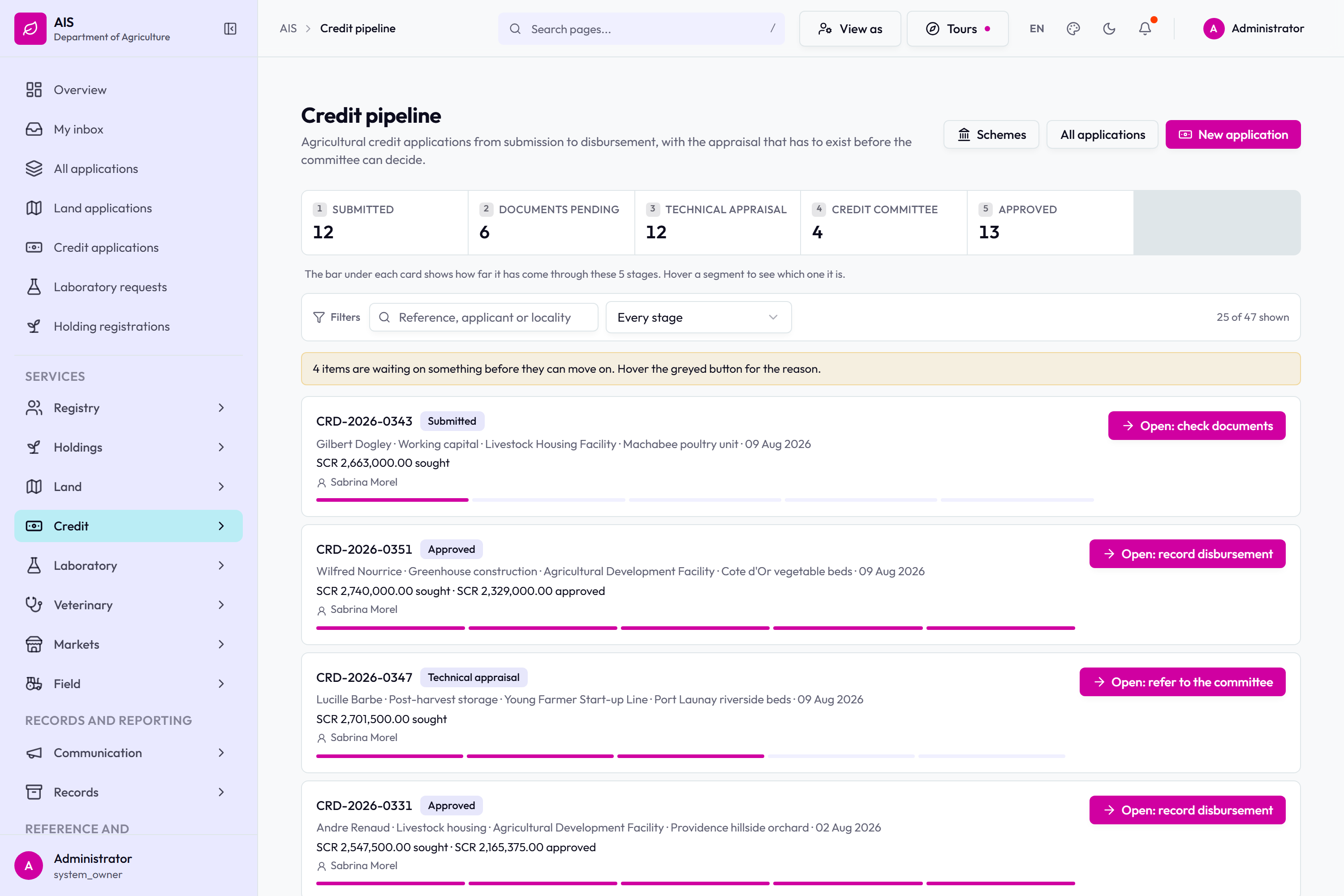
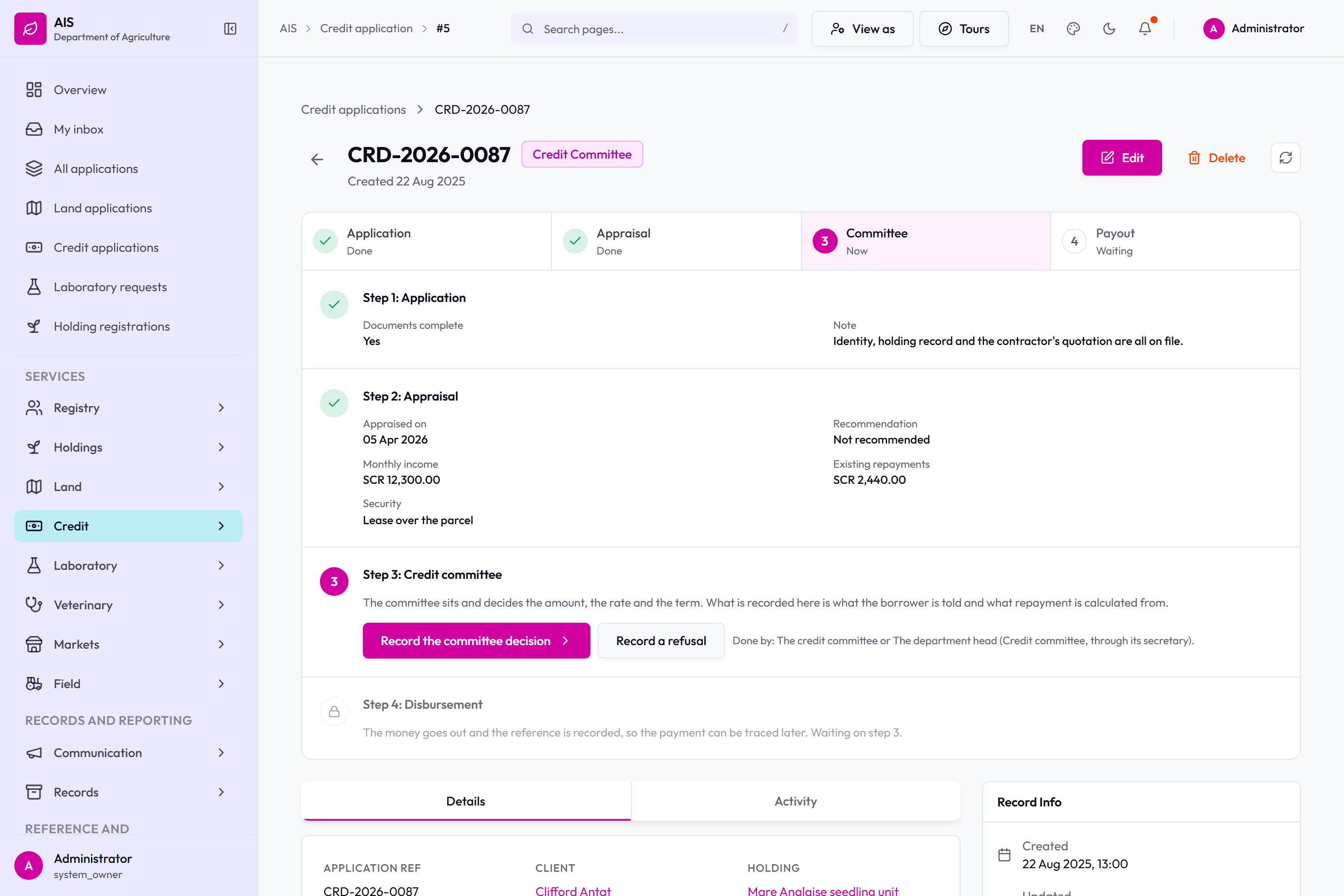
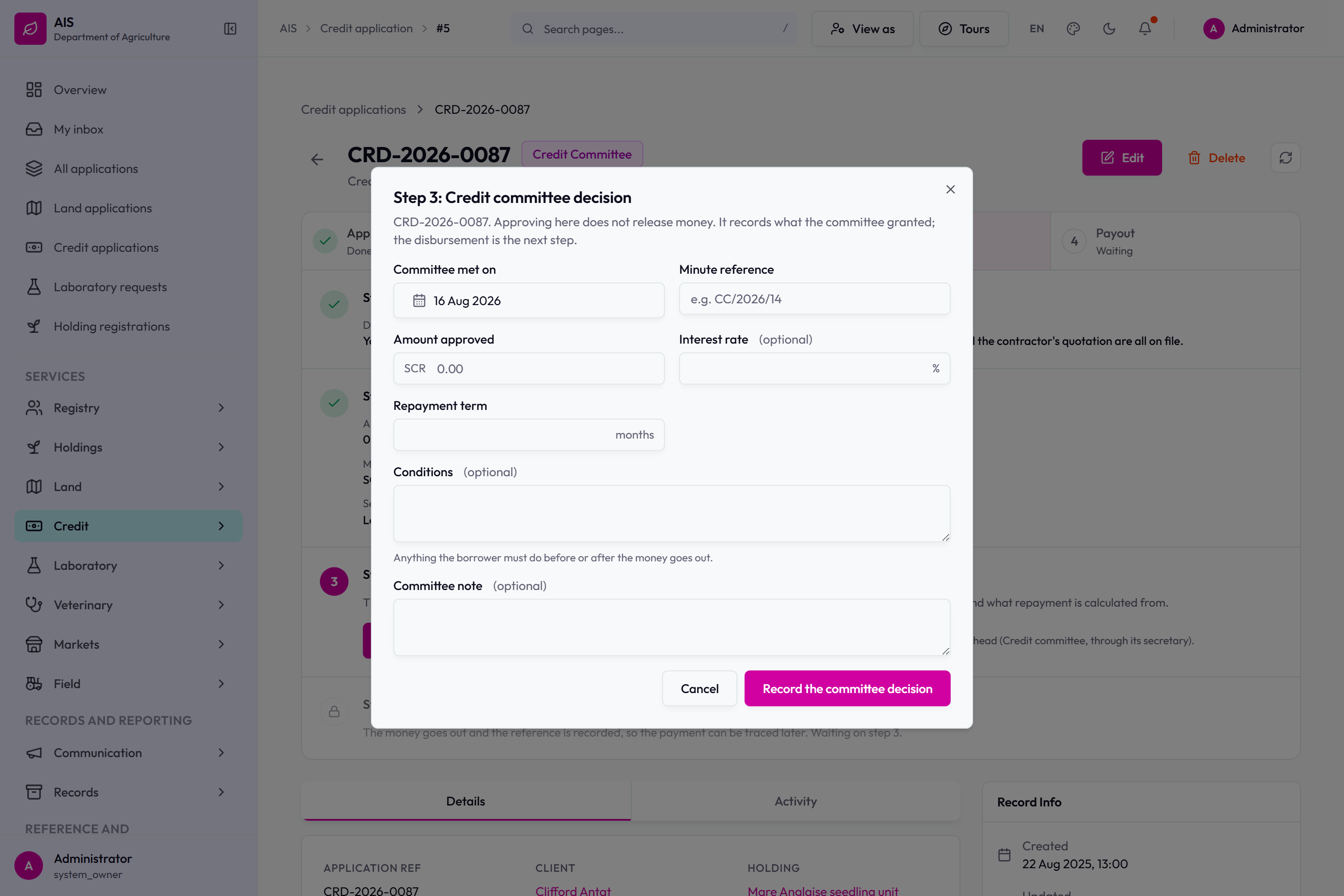
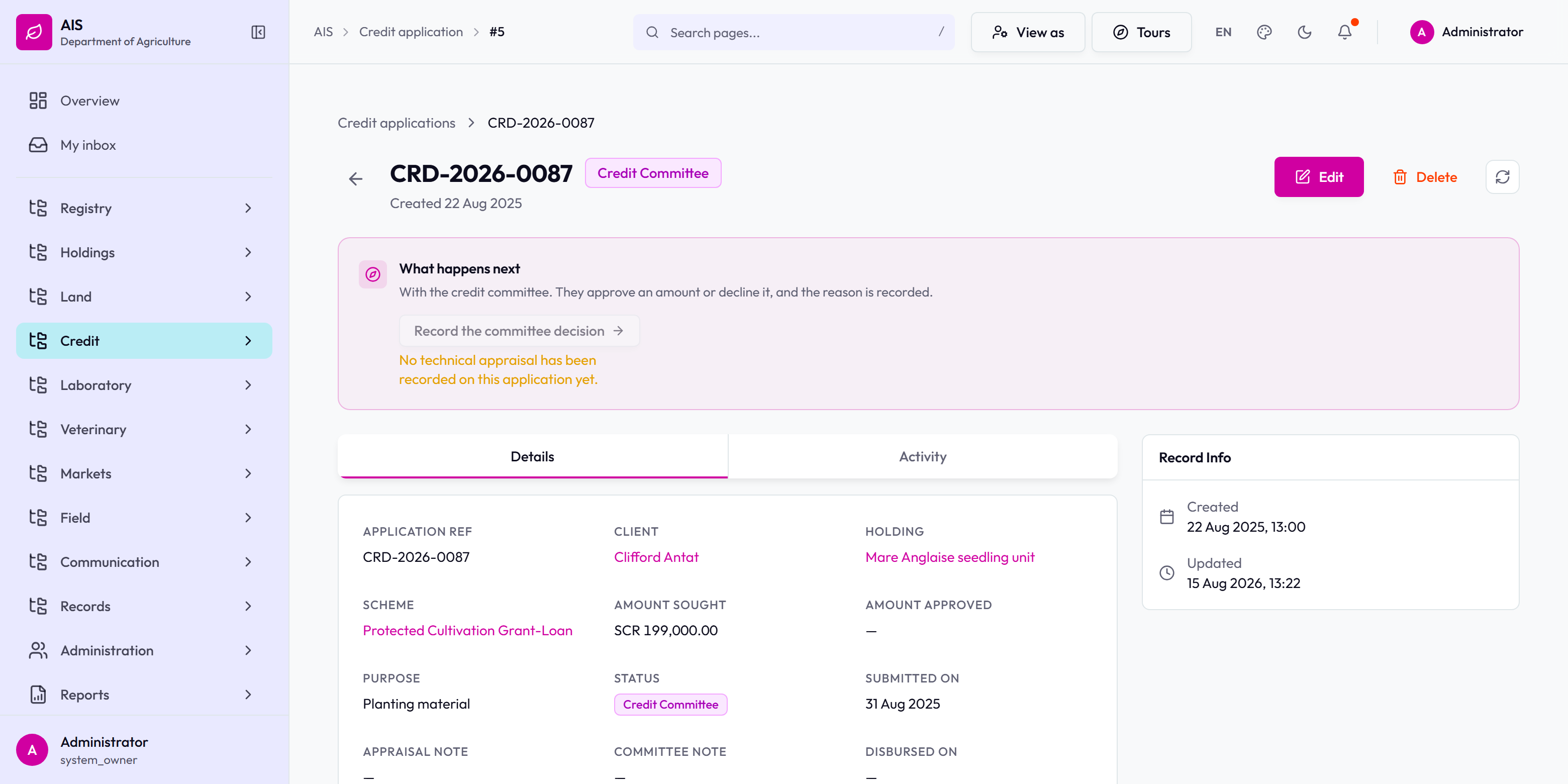
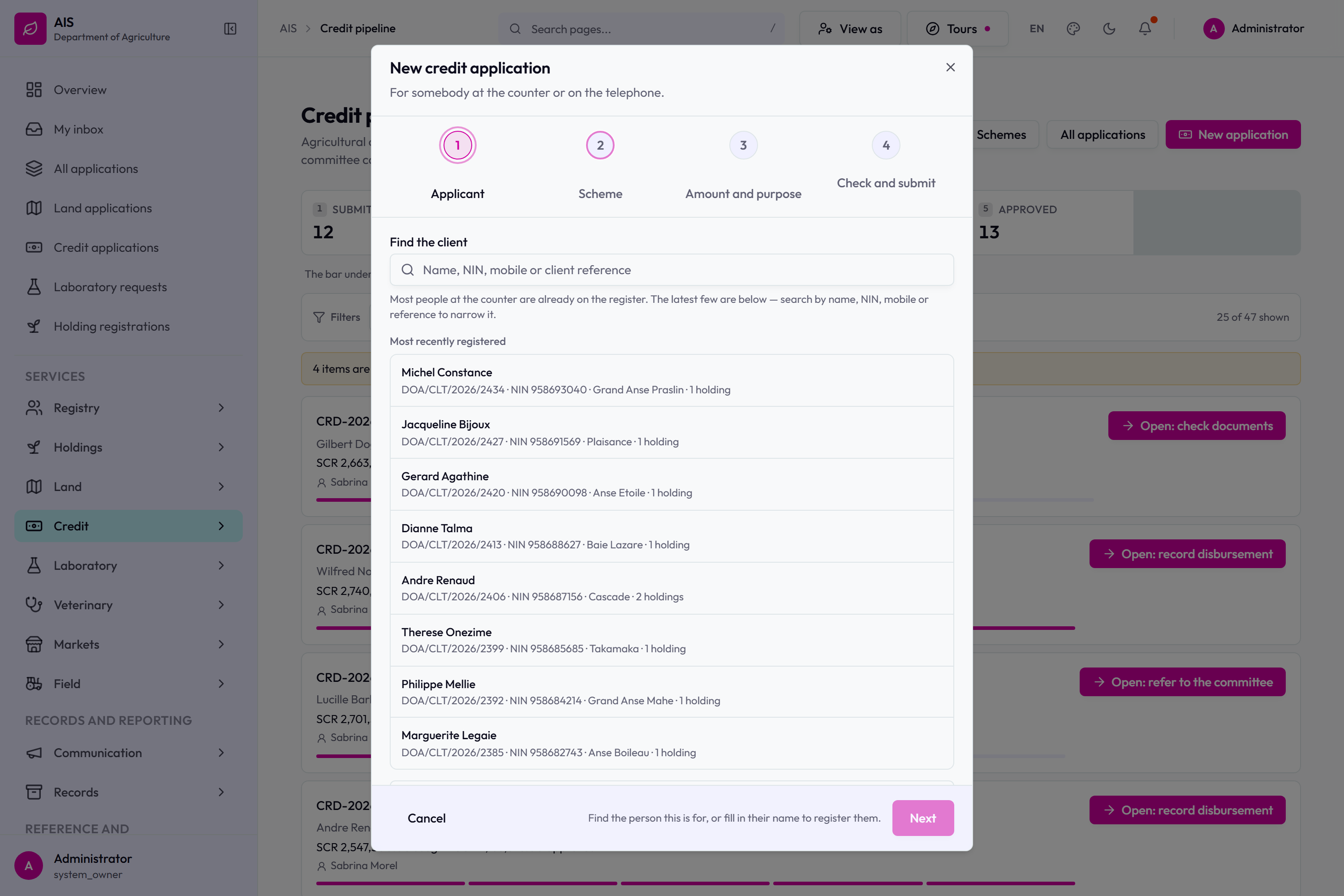
The credit pipeline queue.A credit application on its processing page.The credit committee step, open.The credit stepper: application and appraisal done, the committee step offering Record the committee decision and Record a refusal, disbursement waiting.A credit record with its next step stated at the top.Raising a credit application.
Sampling and laboratory
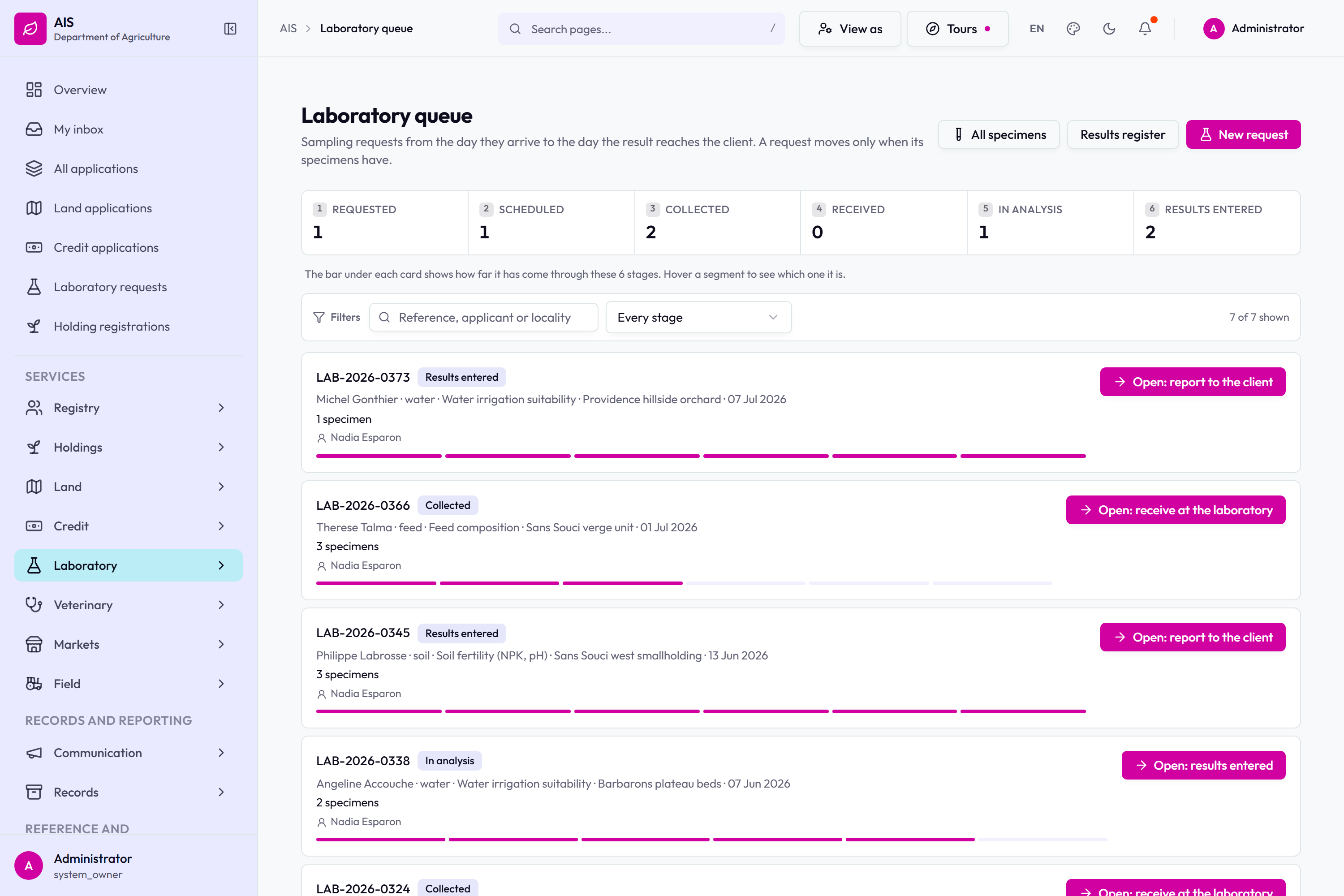
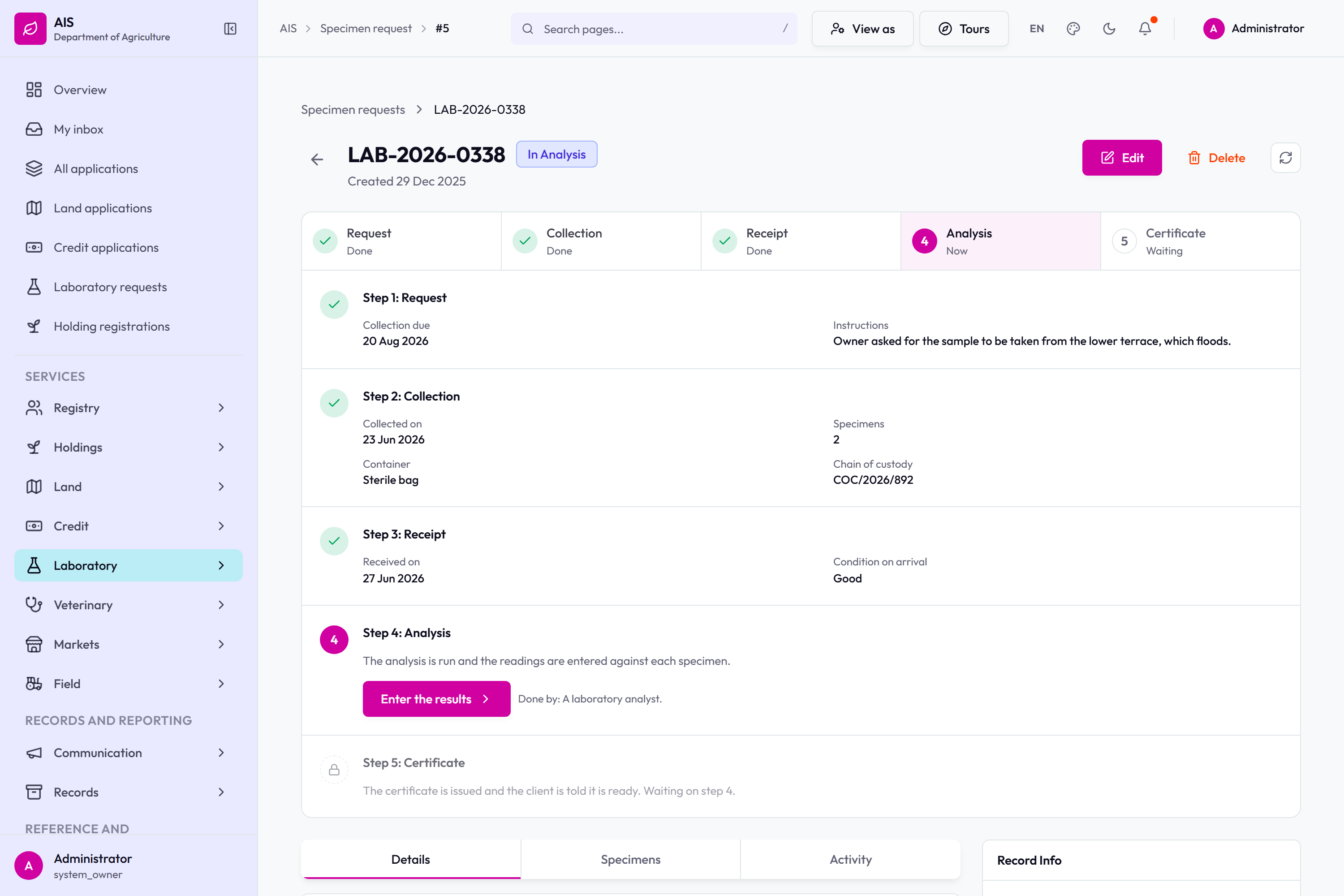
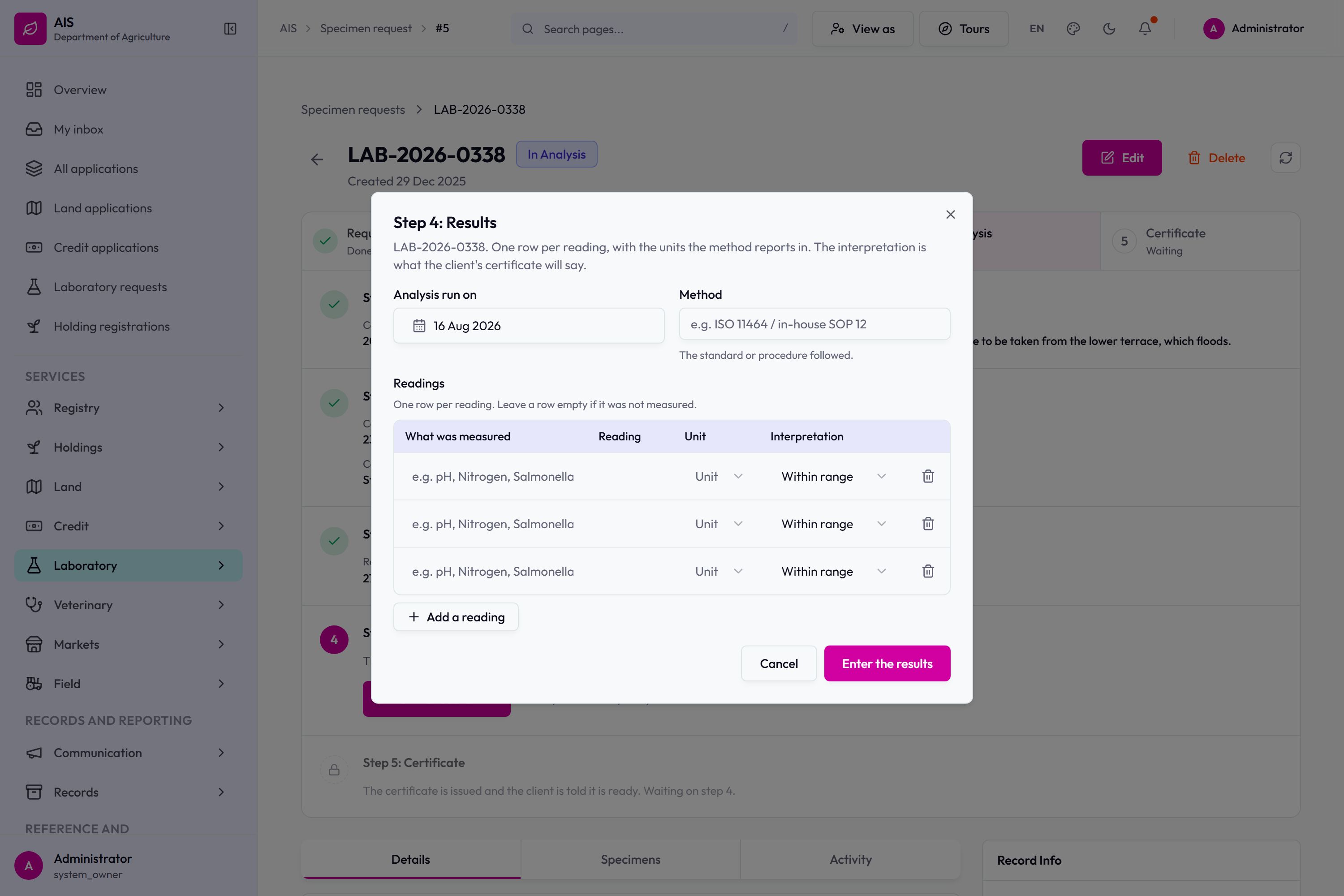
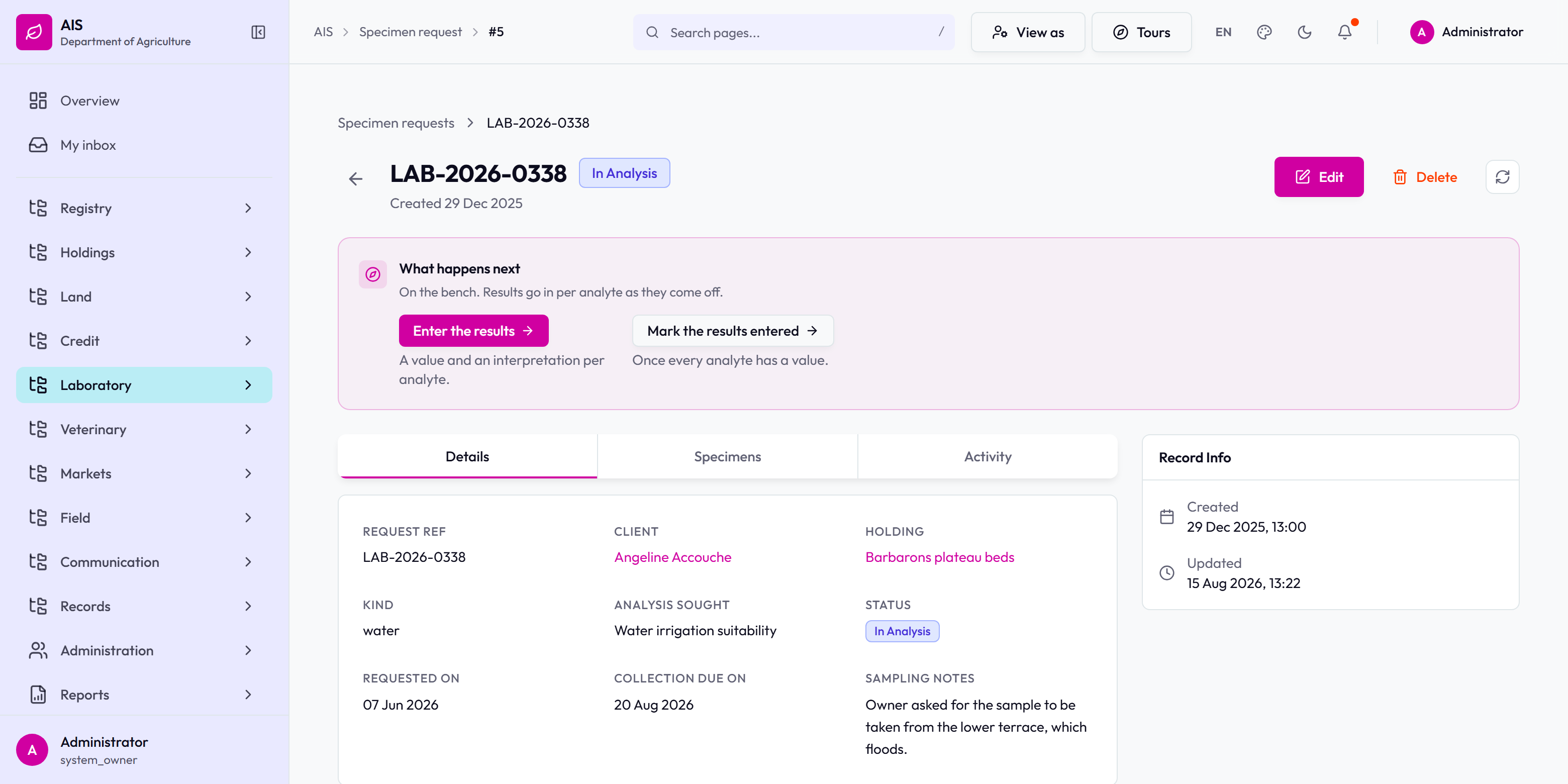
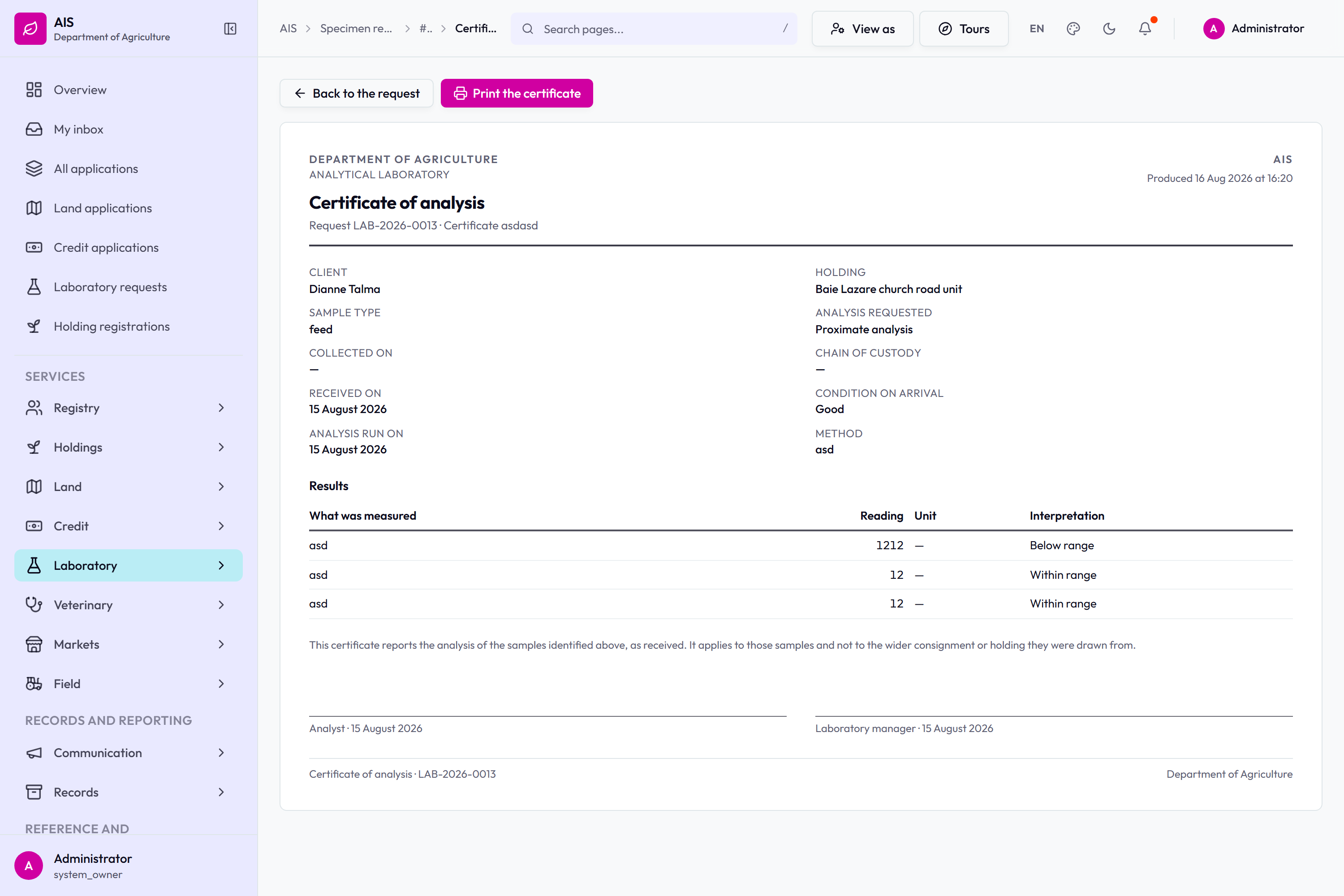
The laboratory queue.A specimen request on its processing page.Step 4: Results. One row per reading with its unit and interpretation, and the method followed.LAB-2026-0338 in analysis, with entering the results as the next step.
Holdings and the register
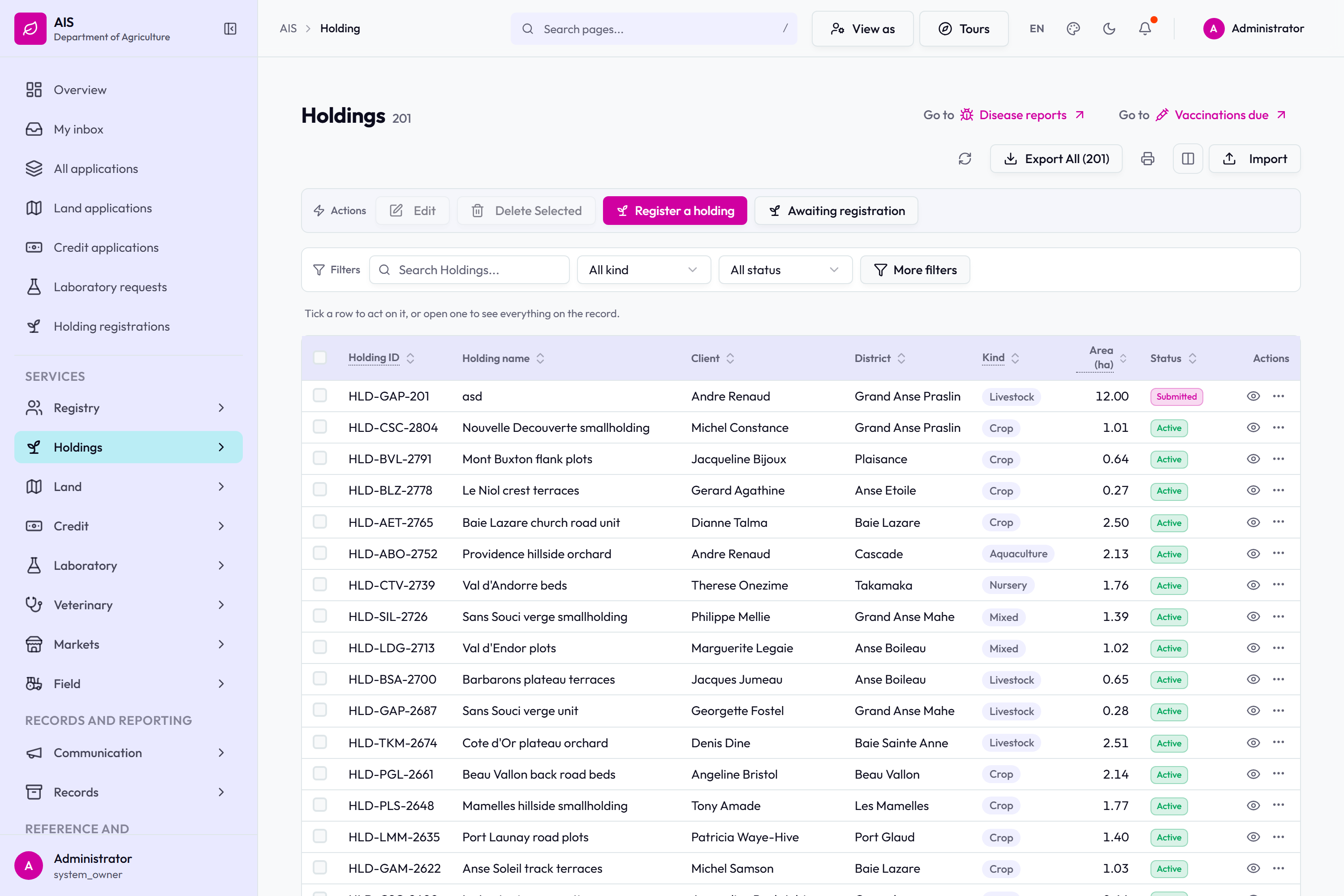
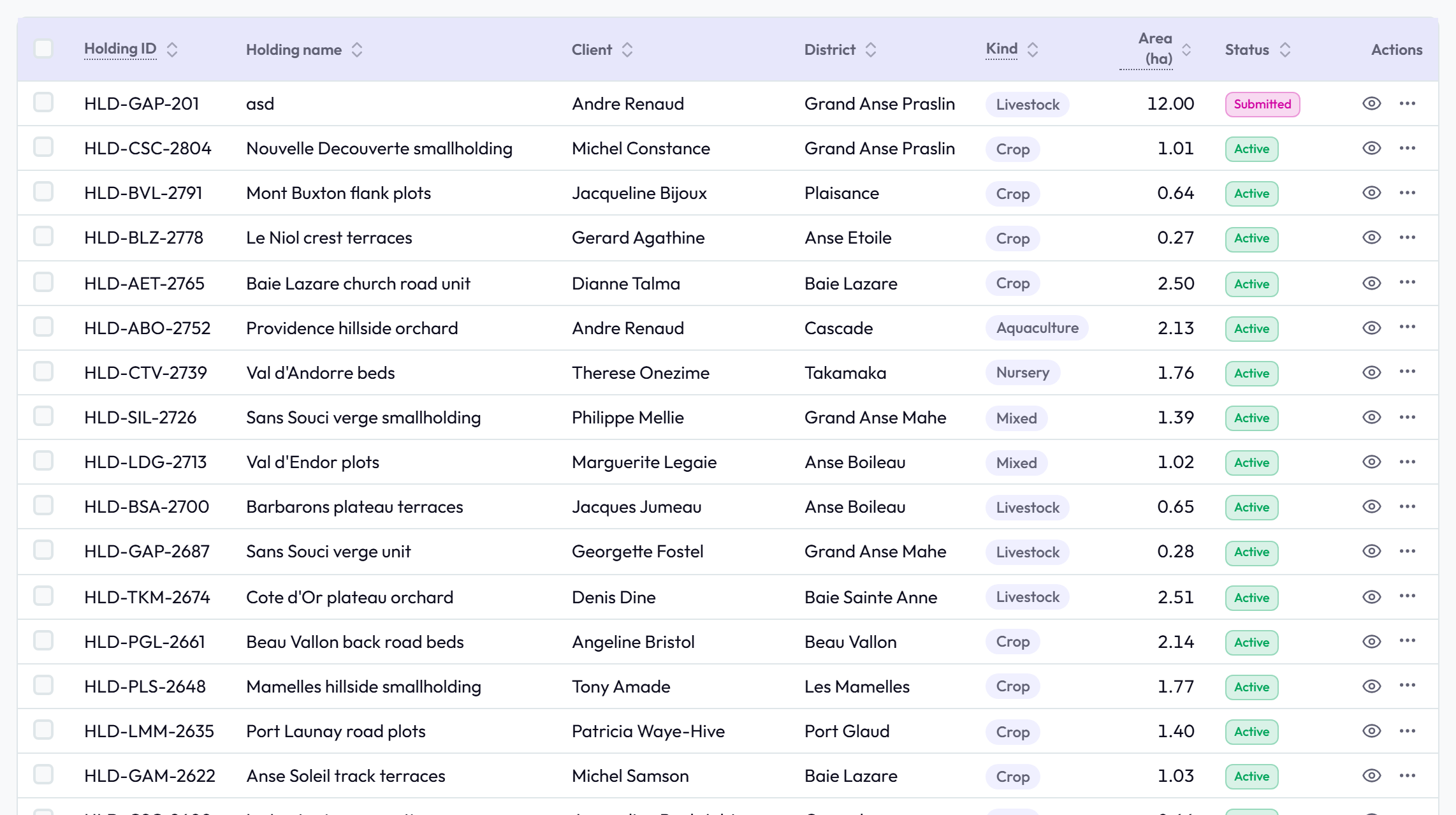
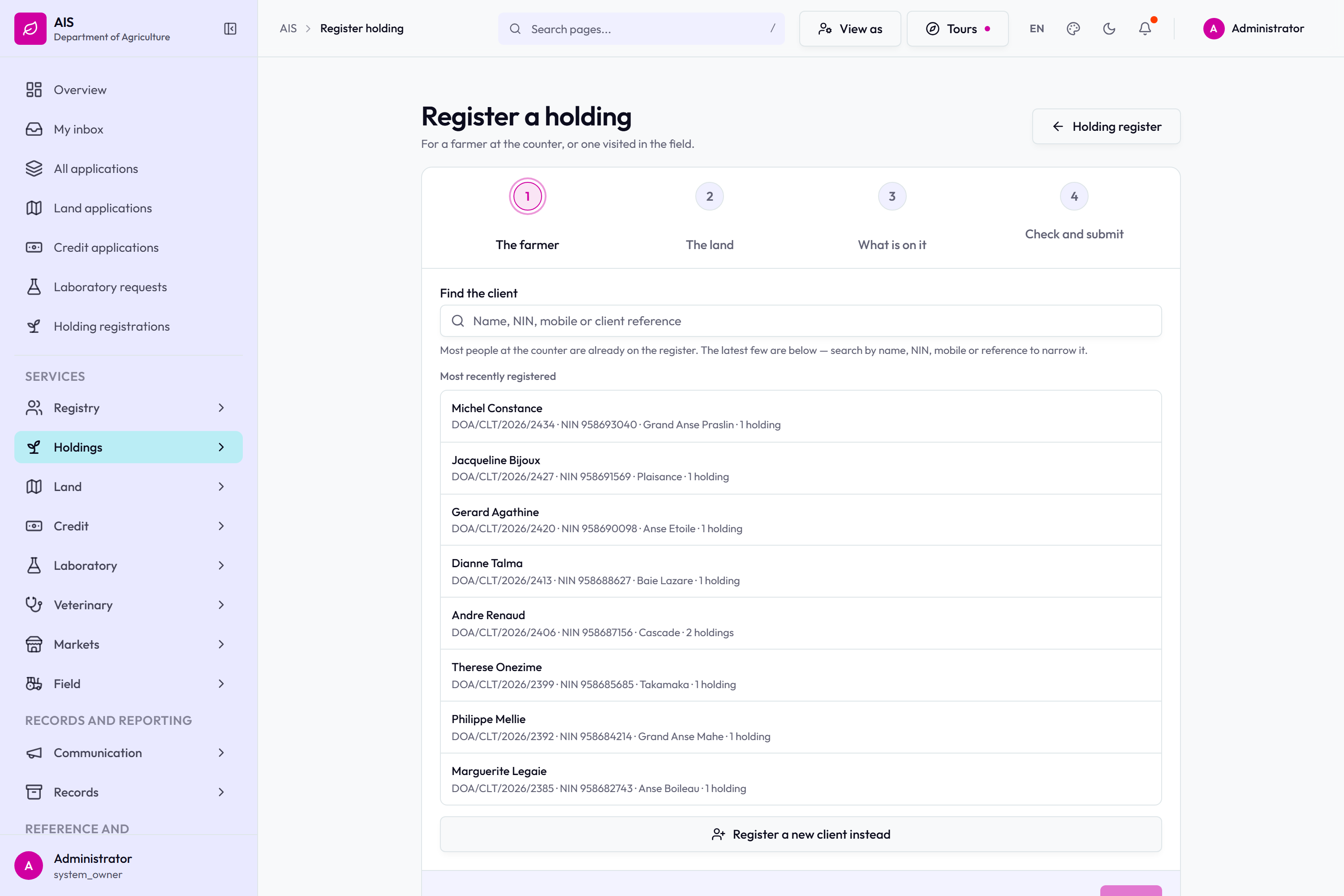
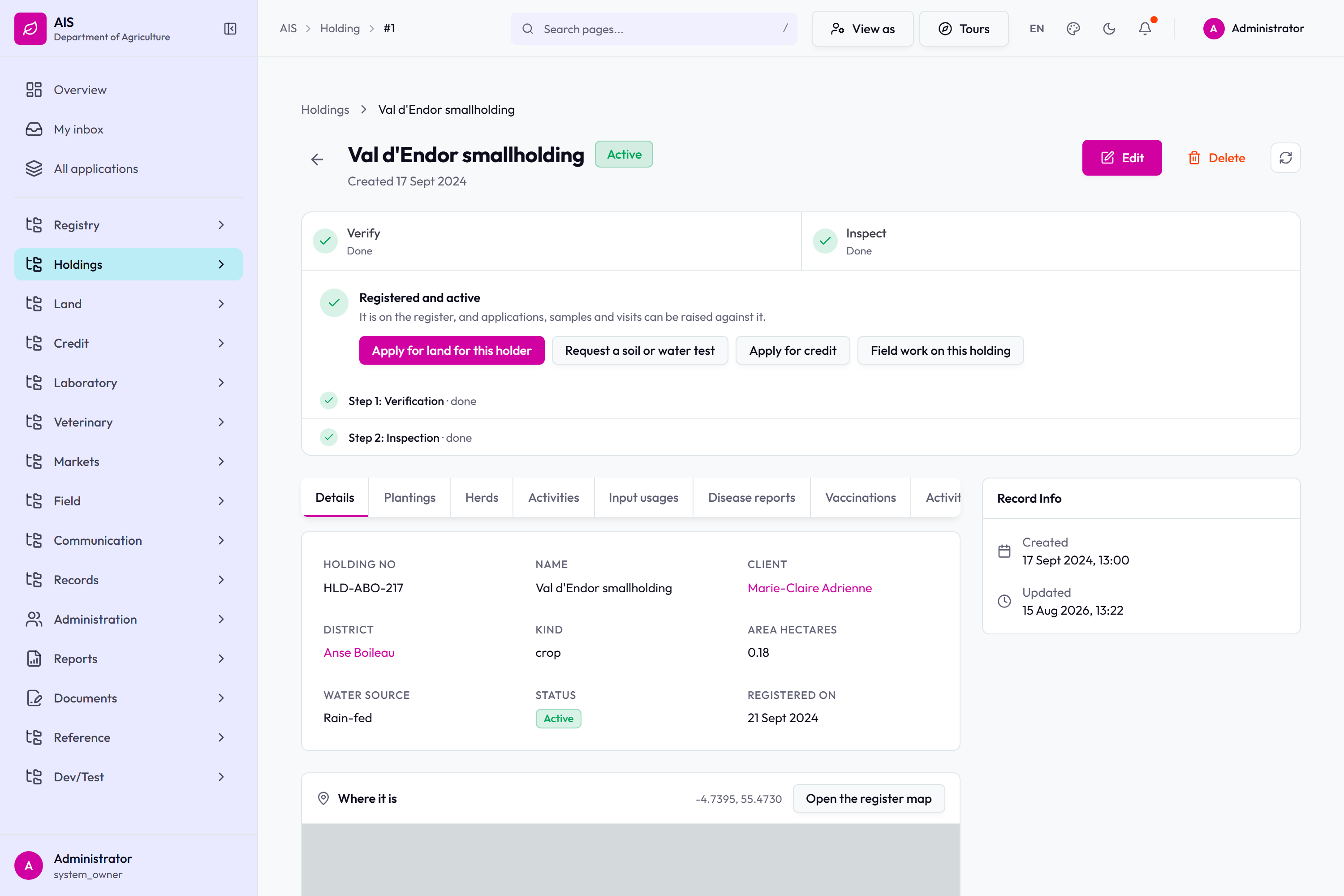
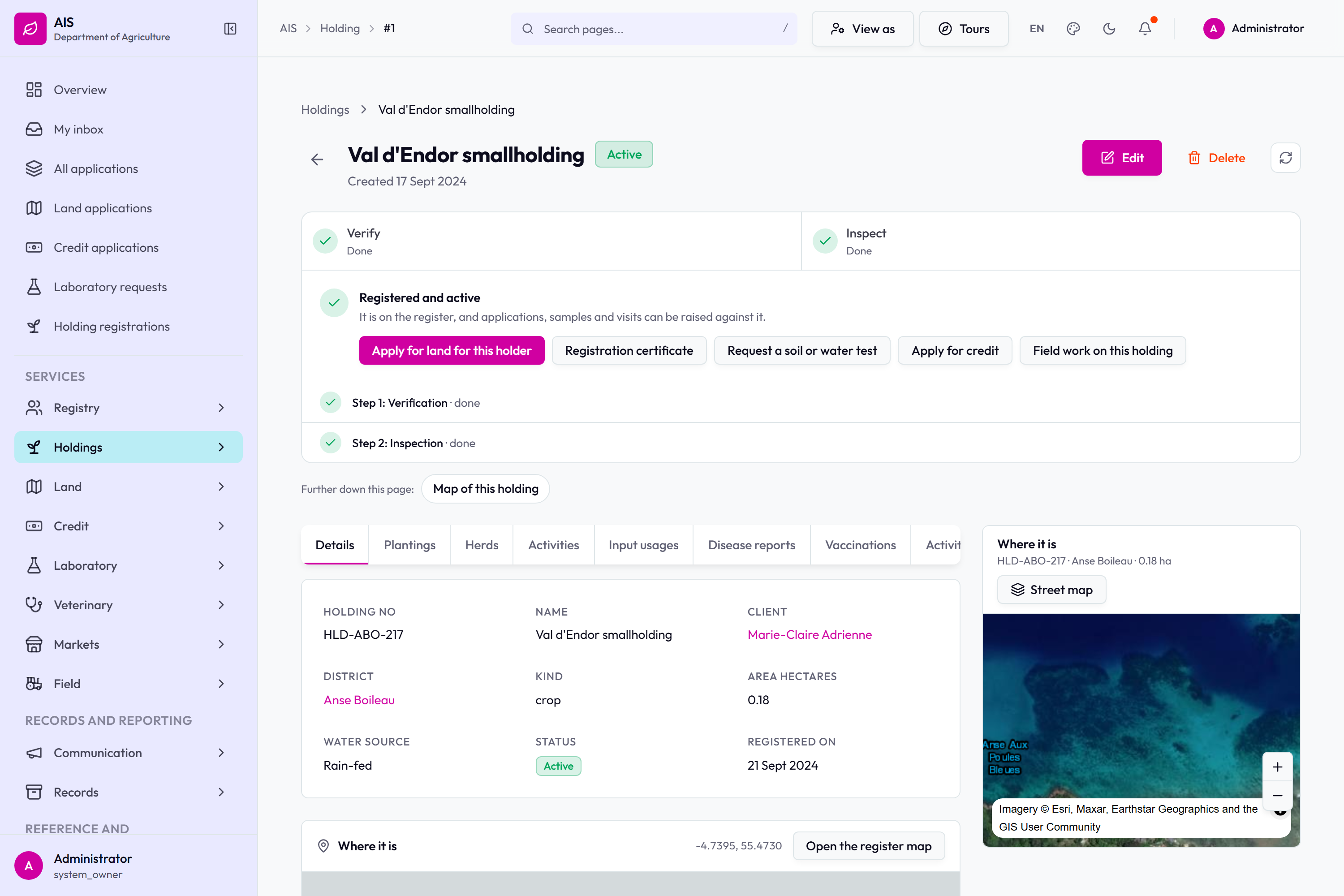
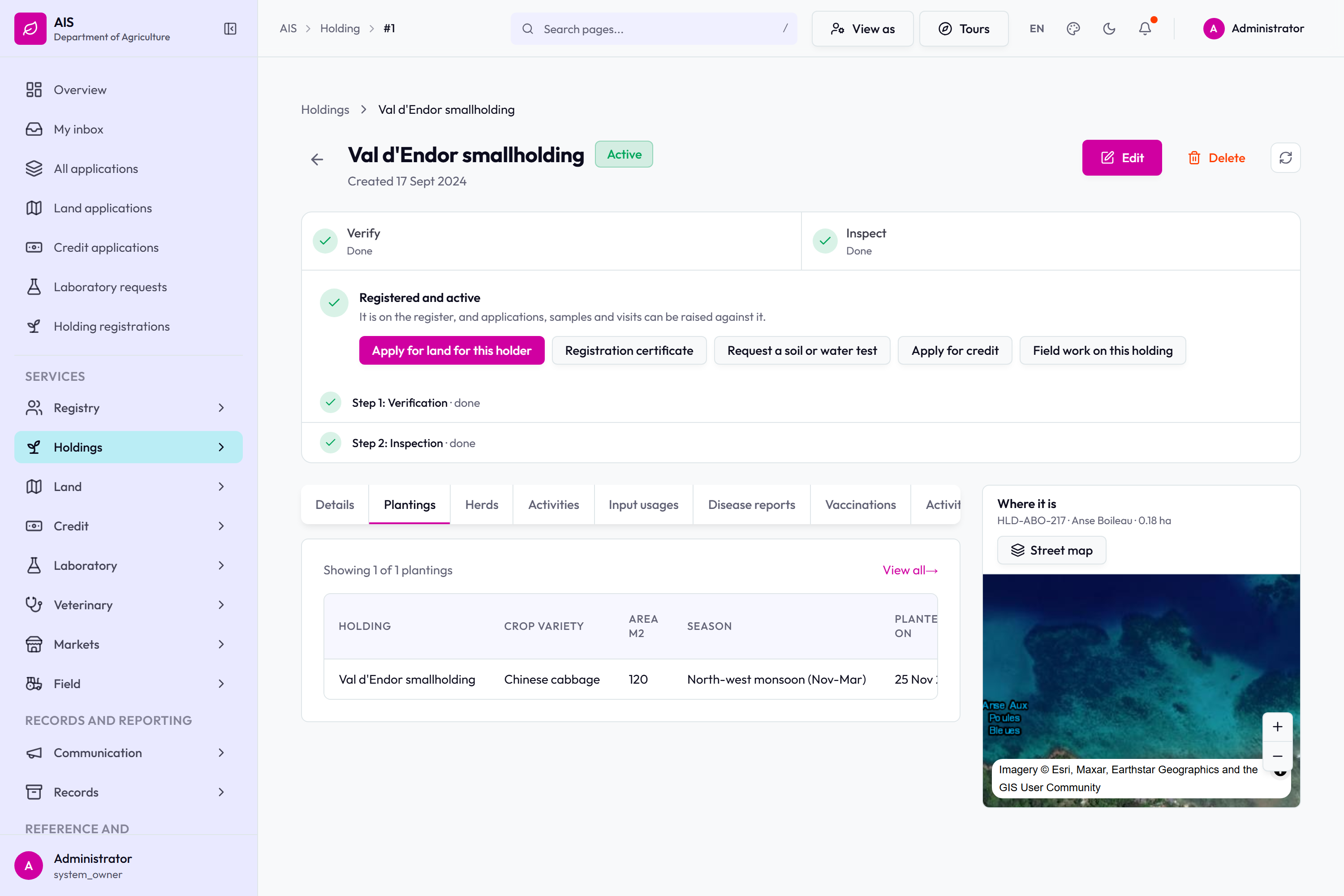
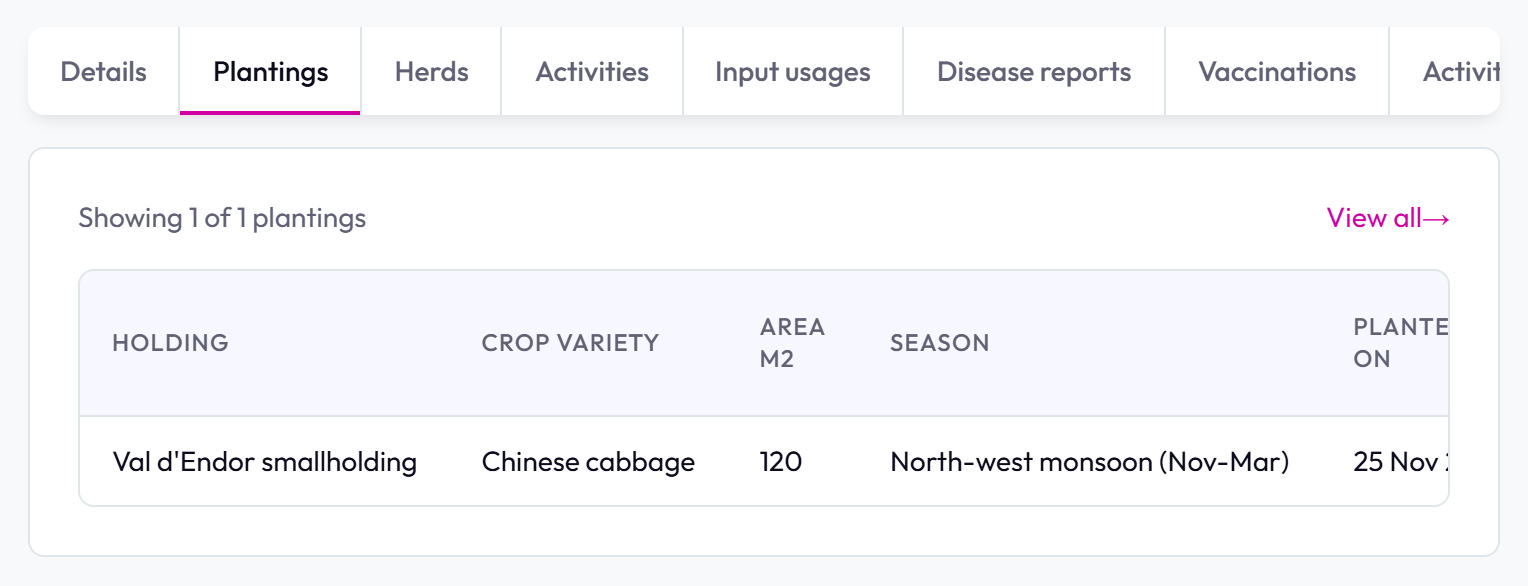
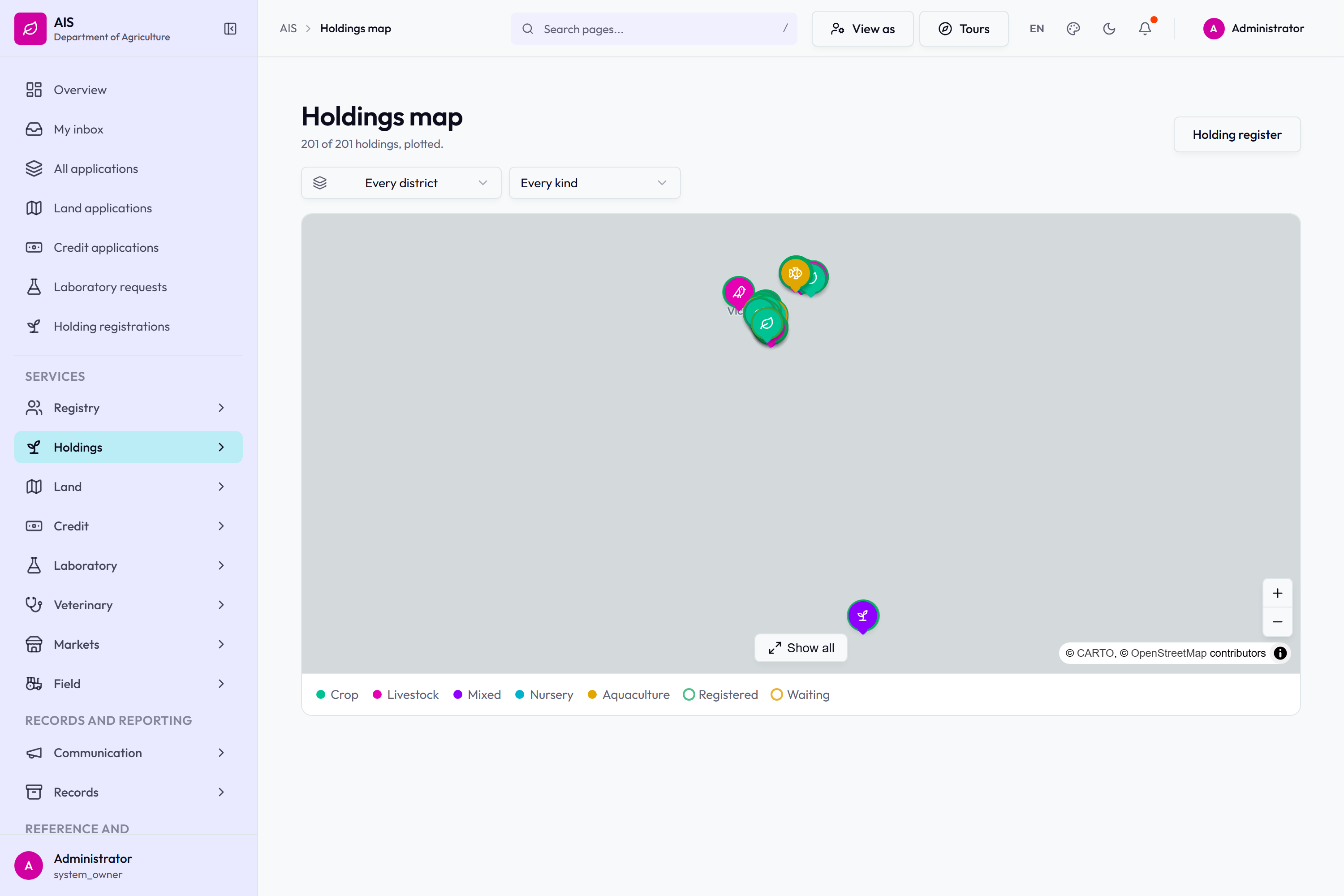
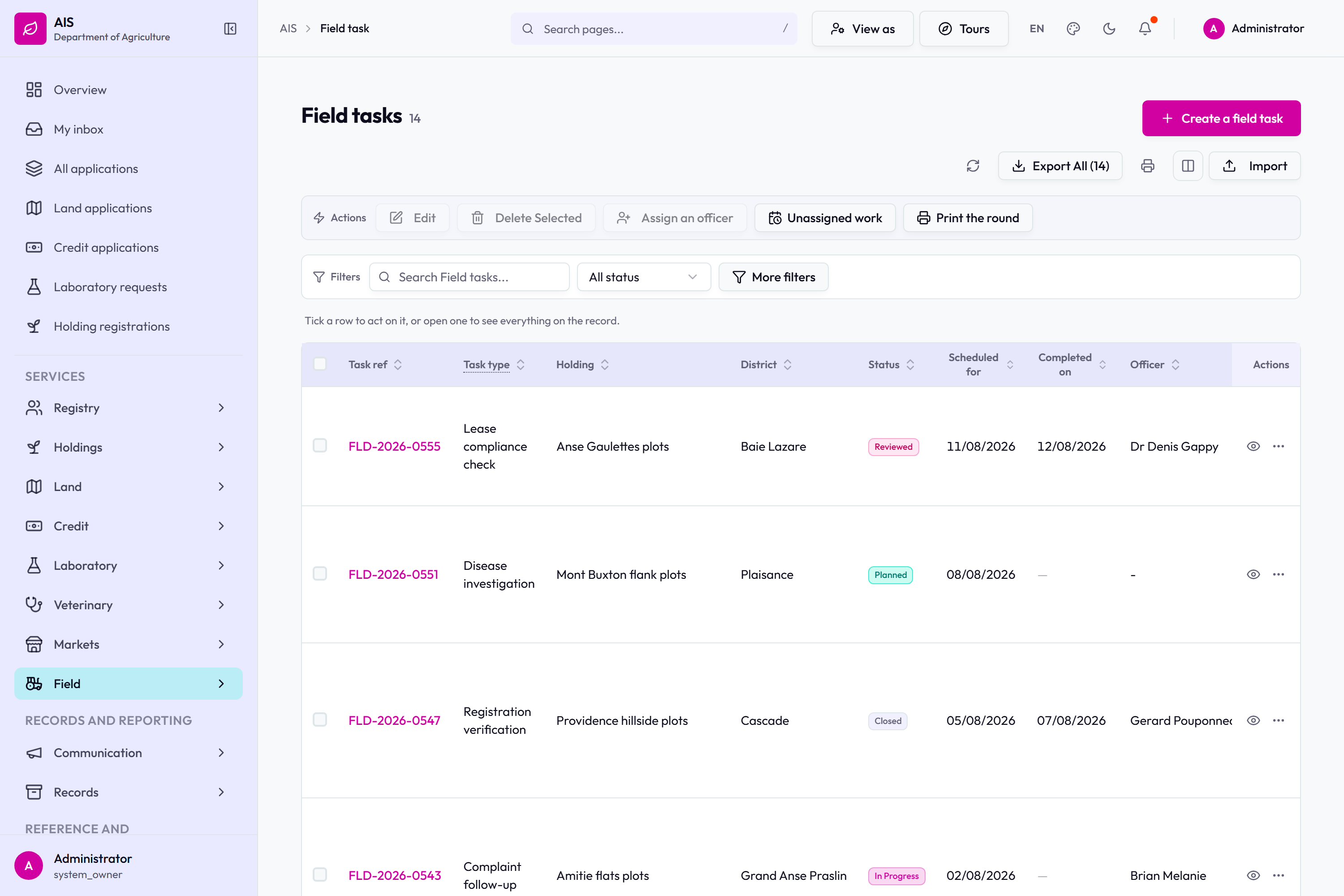
The holding register.The register table: holding ID, name, client, district, kind, area and status, with actions on every row.Registering a holding.The verification step on a holding registration.A registered holding, and what it now allows.The same holding with its registration certificate and its plot on the map.Val d'Endor smallholding: plantings, herds, activities, input usages, disease reports and vaccinations.The tabs on a holding, and the plantings table beneath them.201 holdings plotted, keyed by kind and by registration state.
Registry, tenancies and the field registers
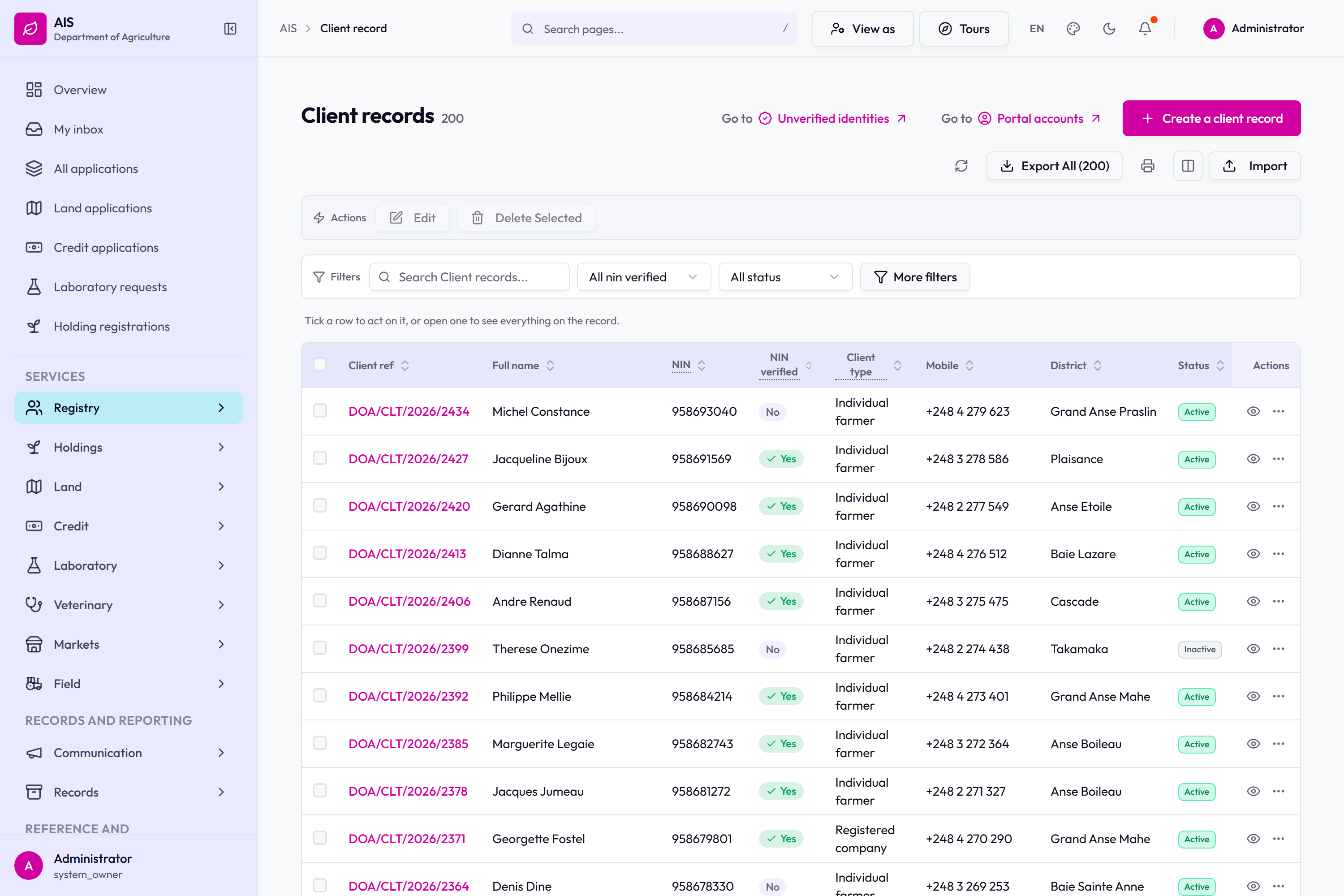
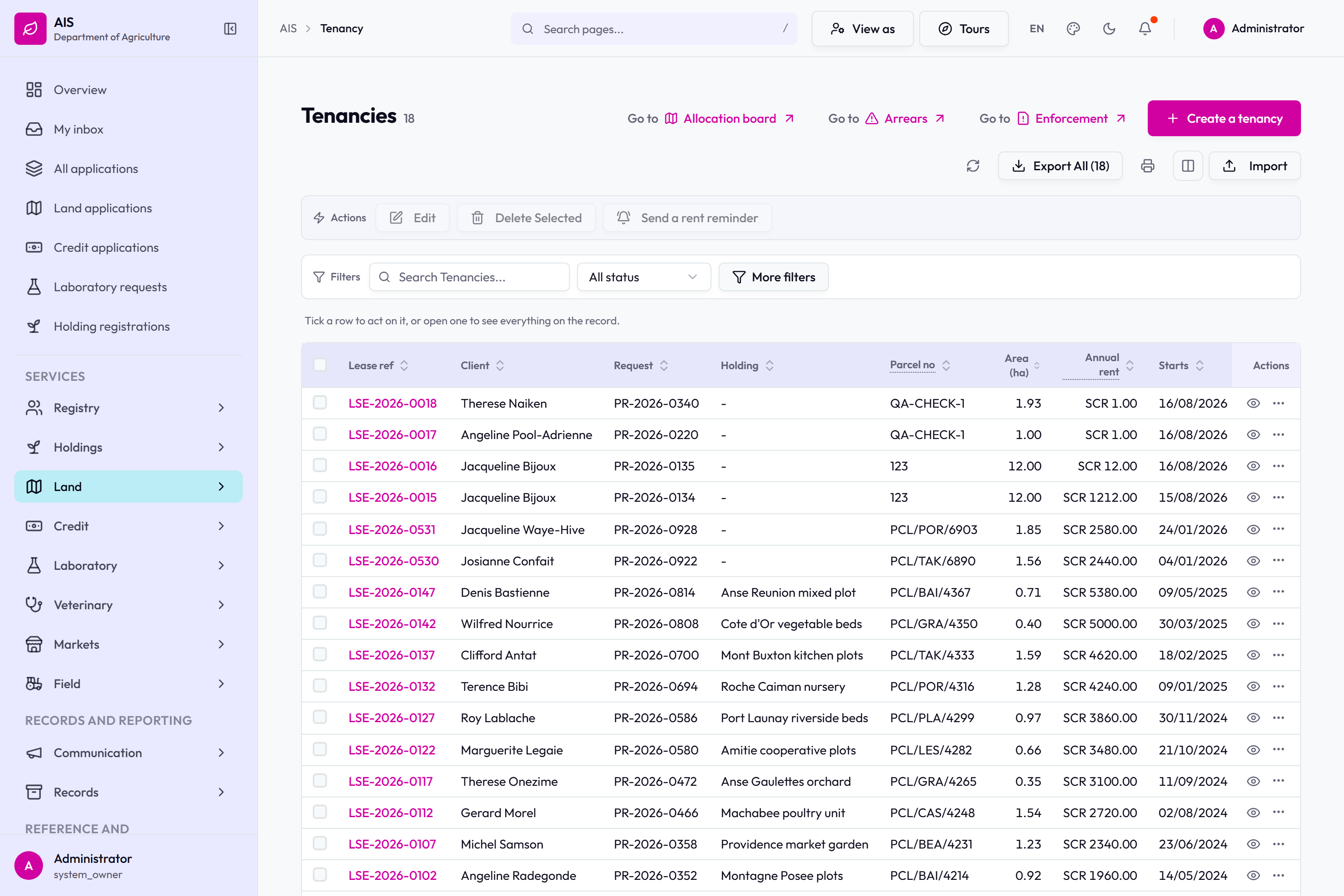
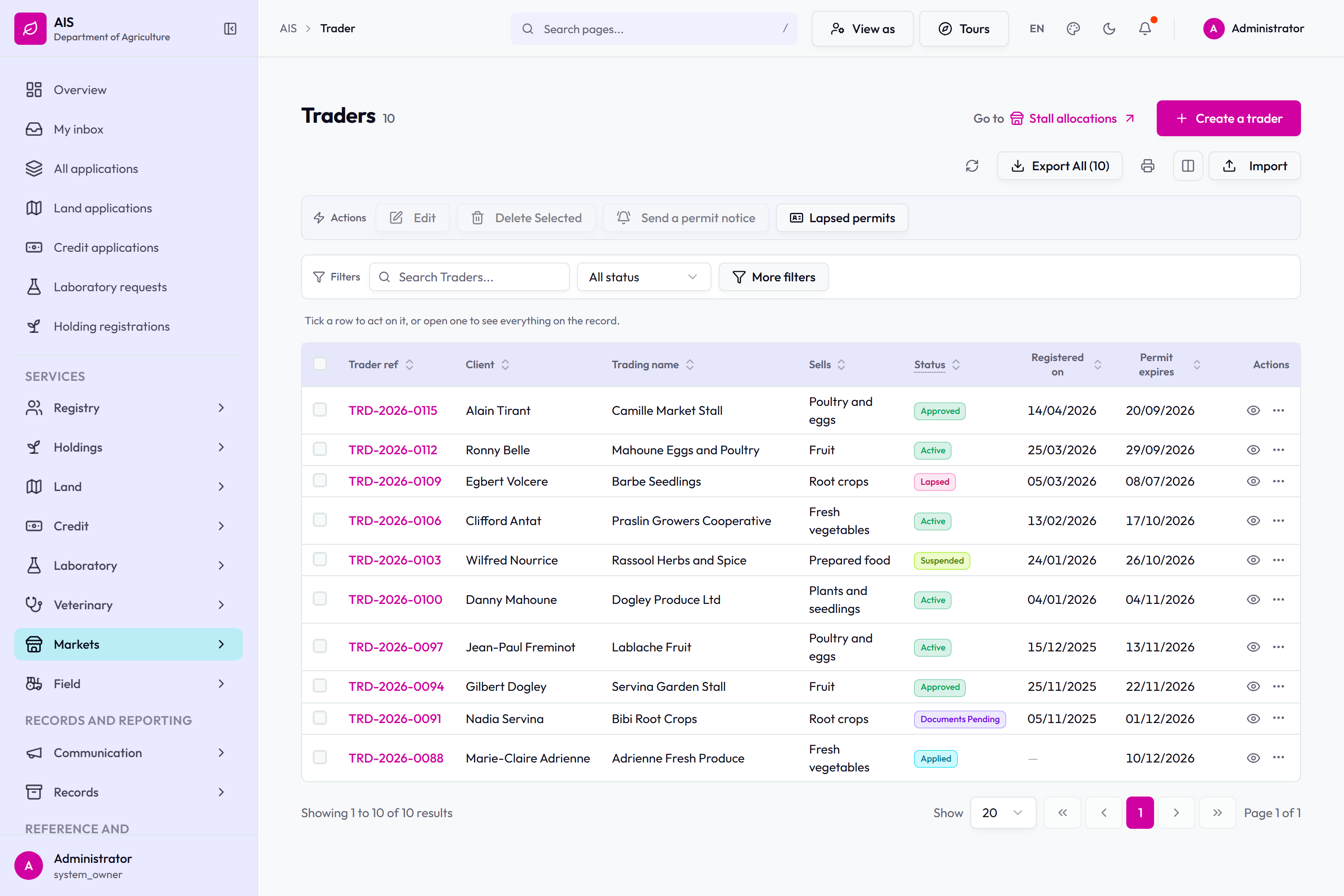
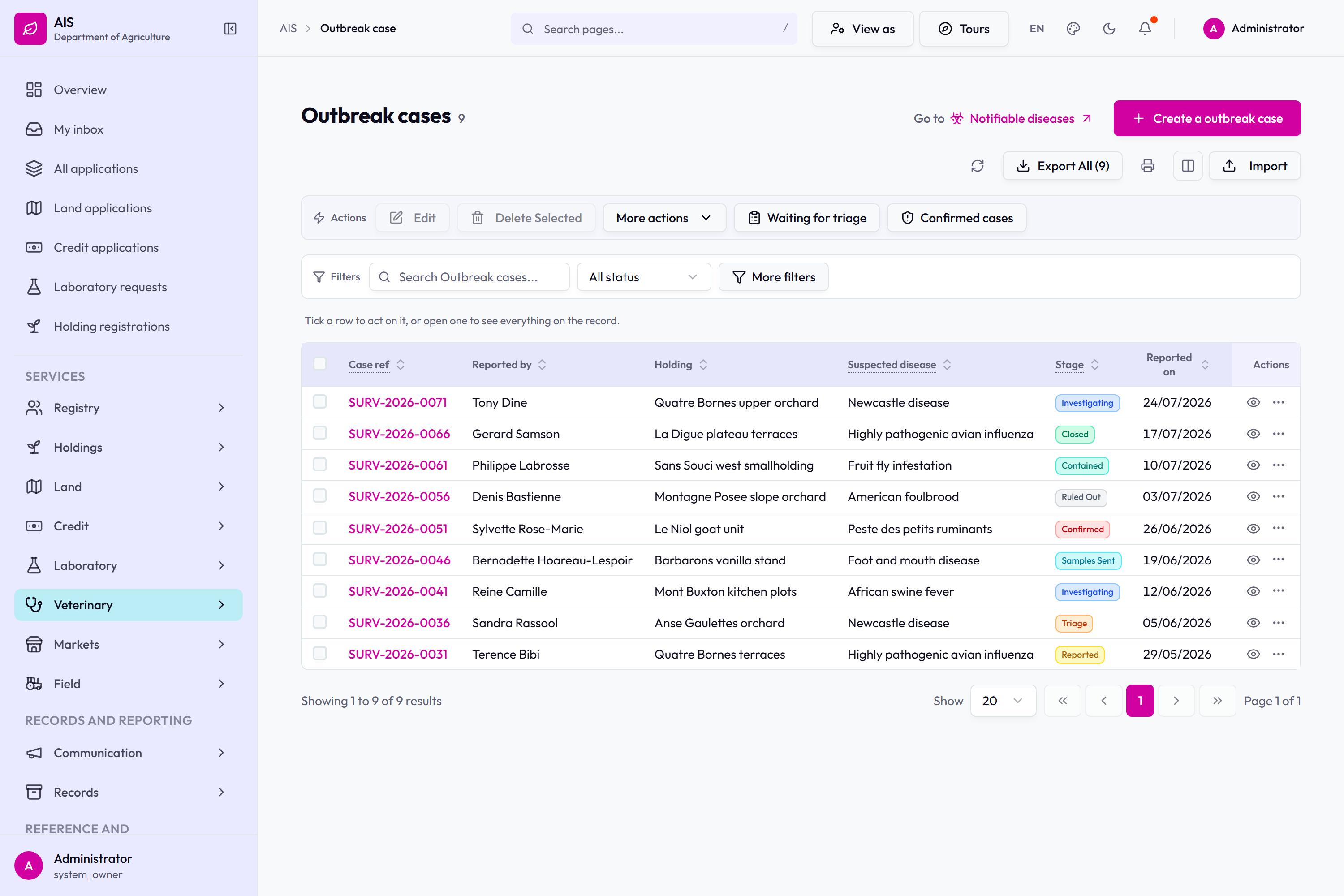
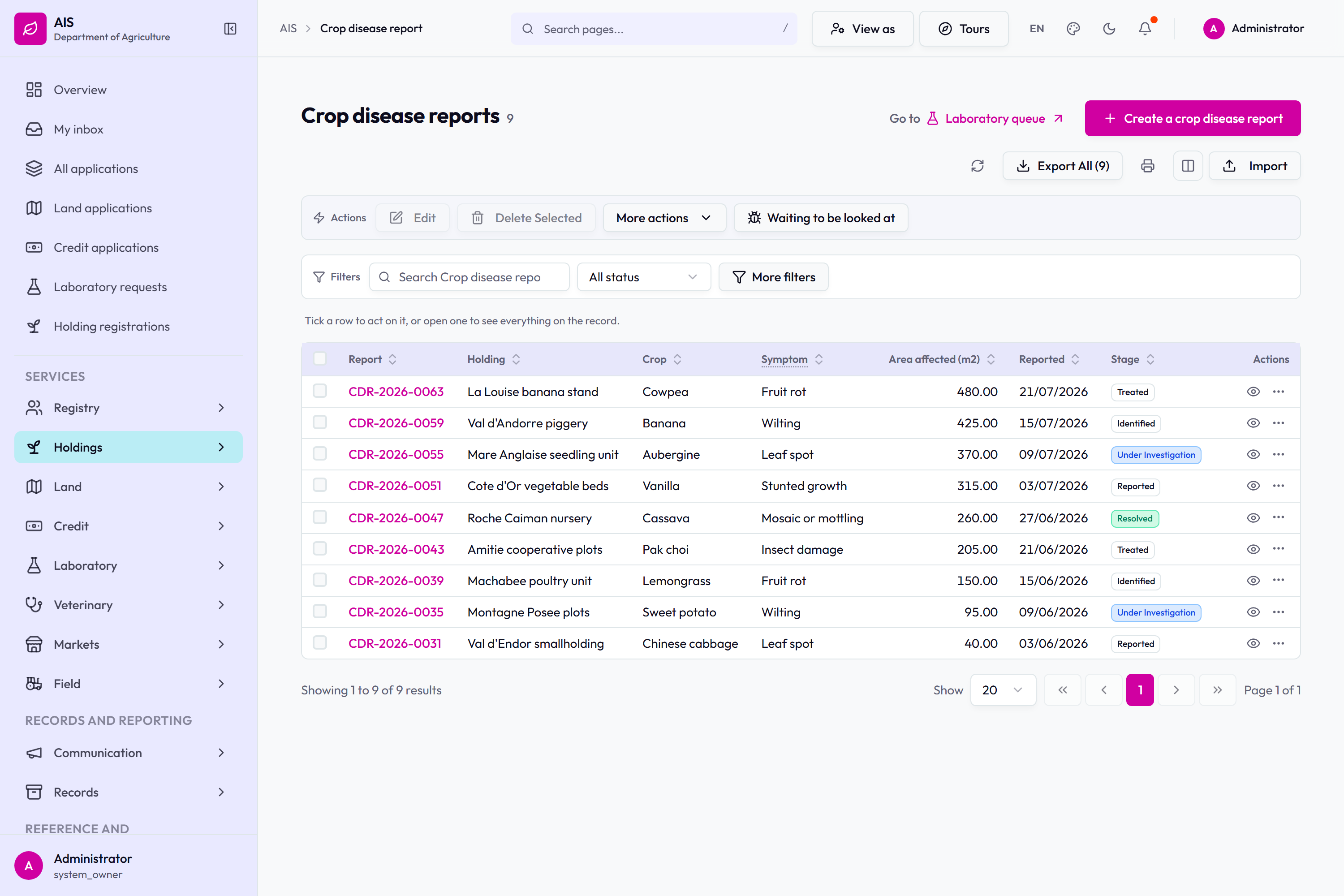
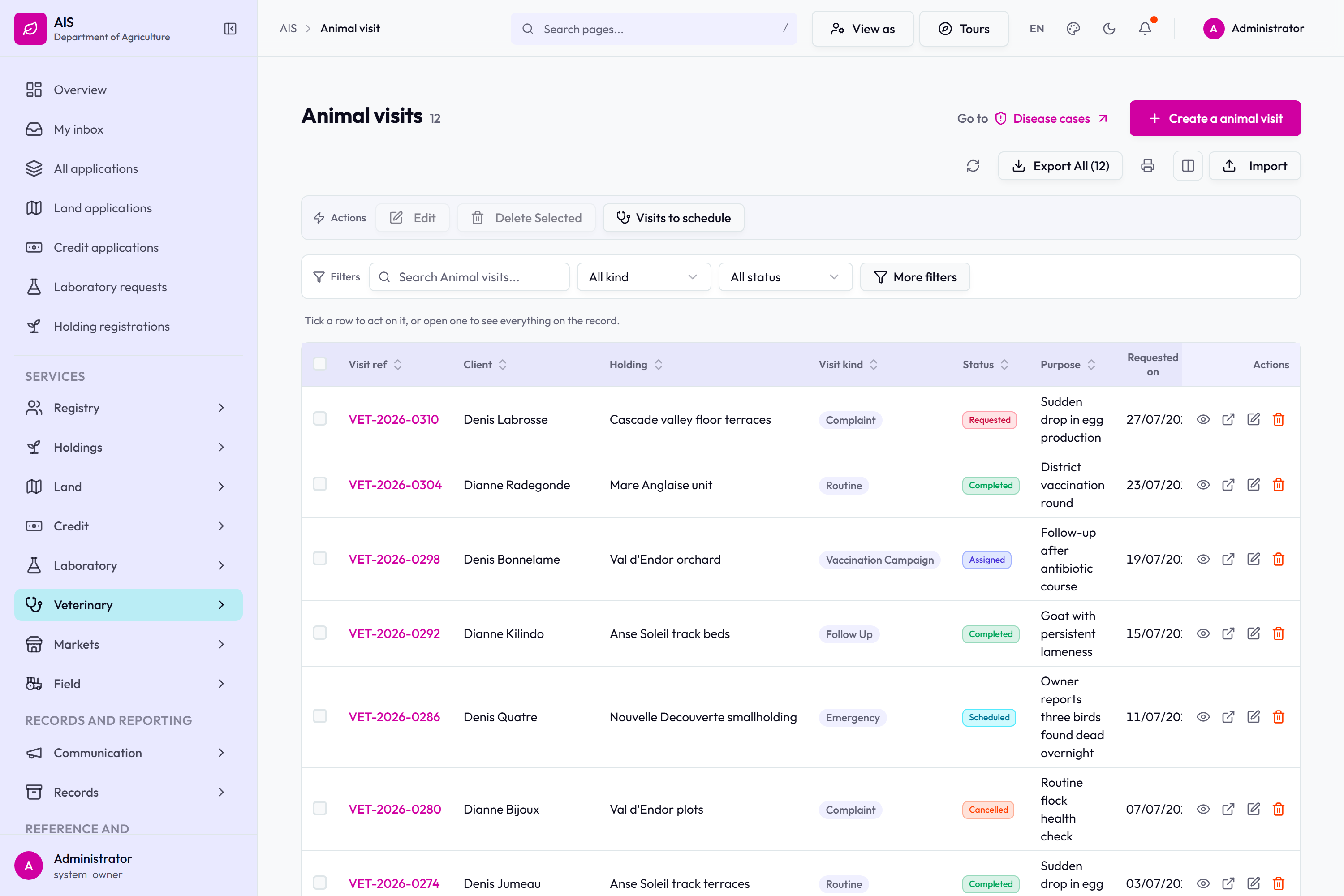
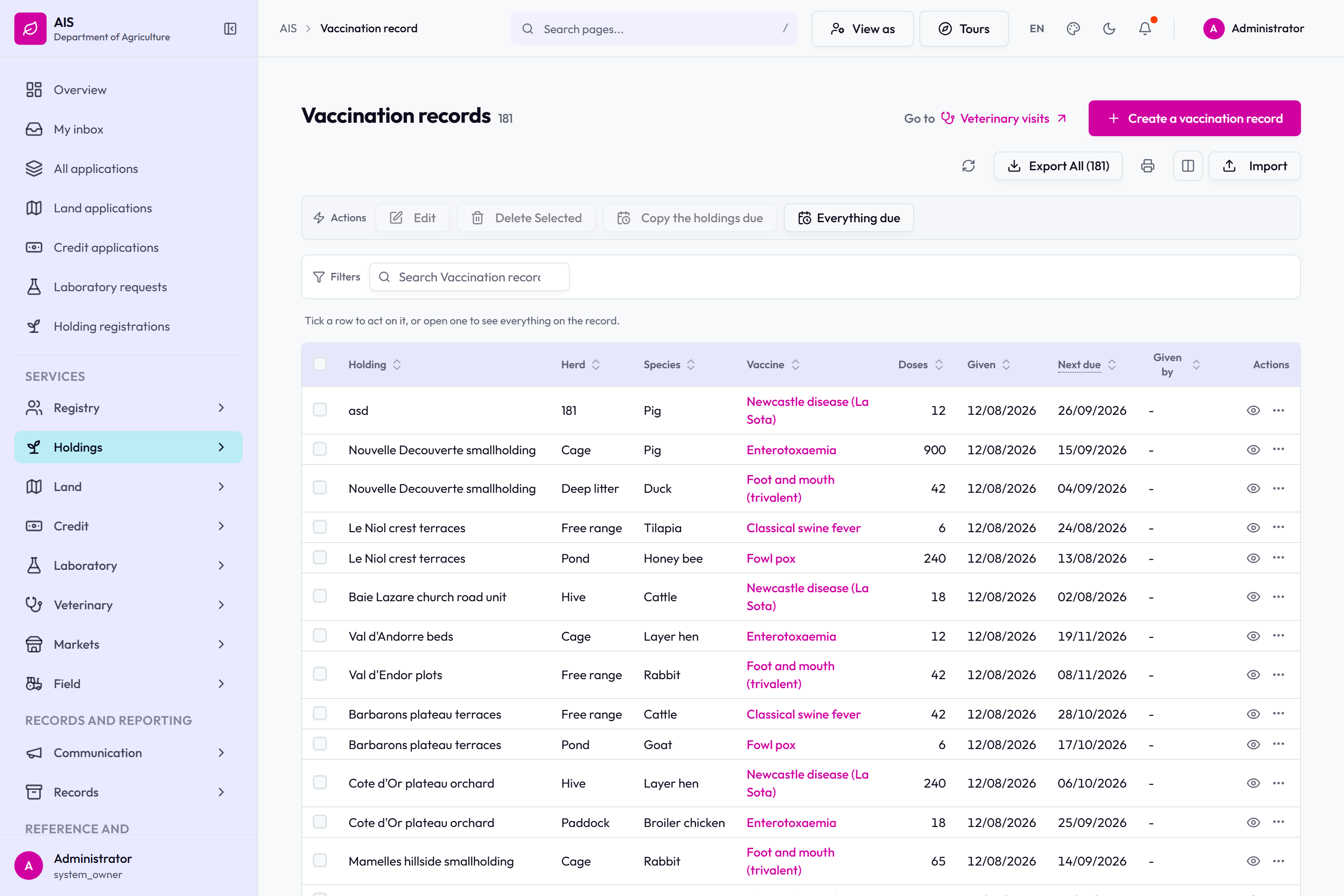
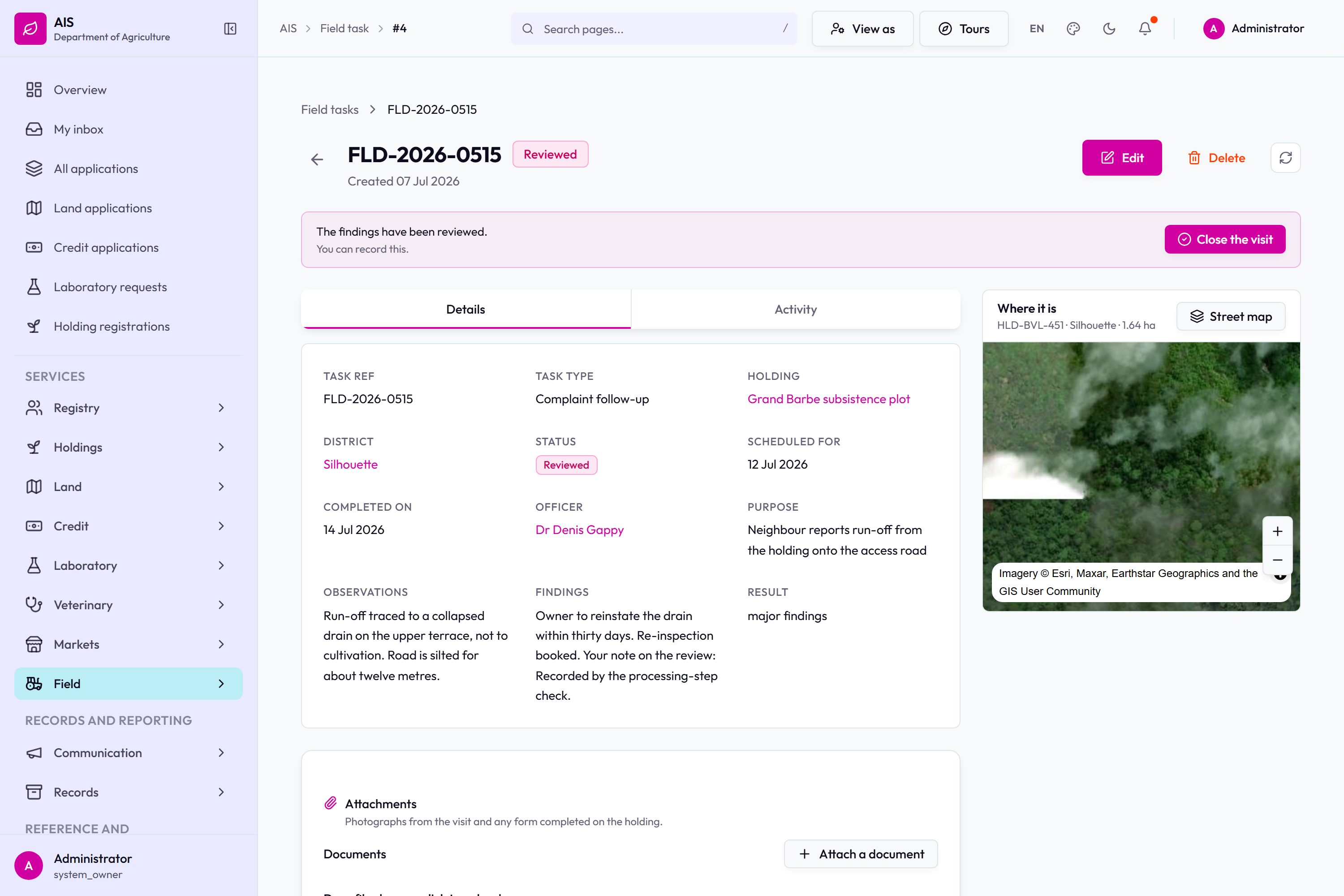
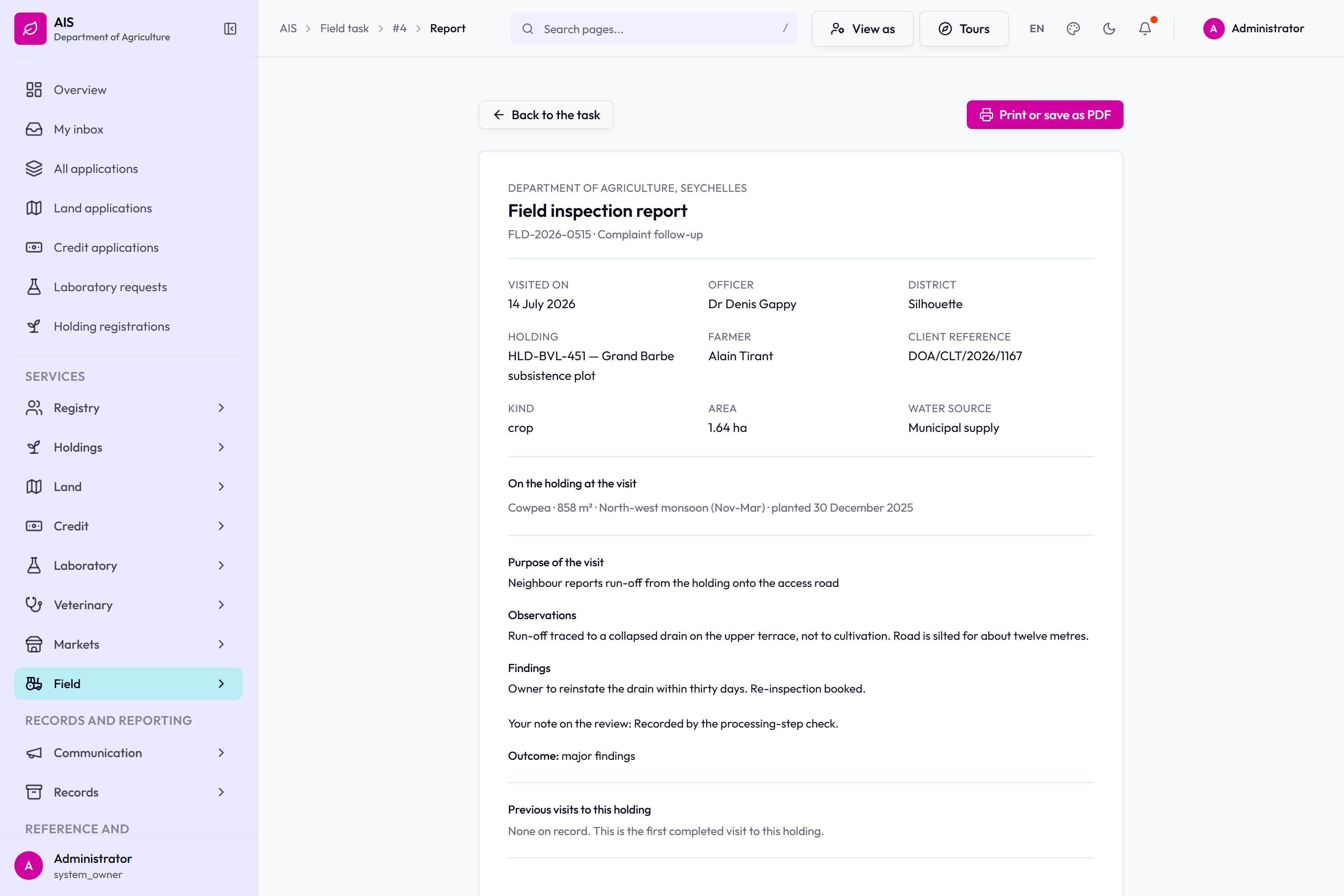
The client registry.The tenancy register.The market register.Disease surveillance.Crop disease reports: holding, crop, symptom, area affected and stage.Veterinary visits.Vaccinations.The field visit register.FLD-2026-0515 reviewed: observations, findings and result, with Close the visit offered.The review notice on a field task, with Close the visit beside it.
The farmer's portal
What a farmer sees. Four services can be started online, and the same four
can be filled in with an officer at a district office. Either way the application arrives
in the same place and is followed from the same list.
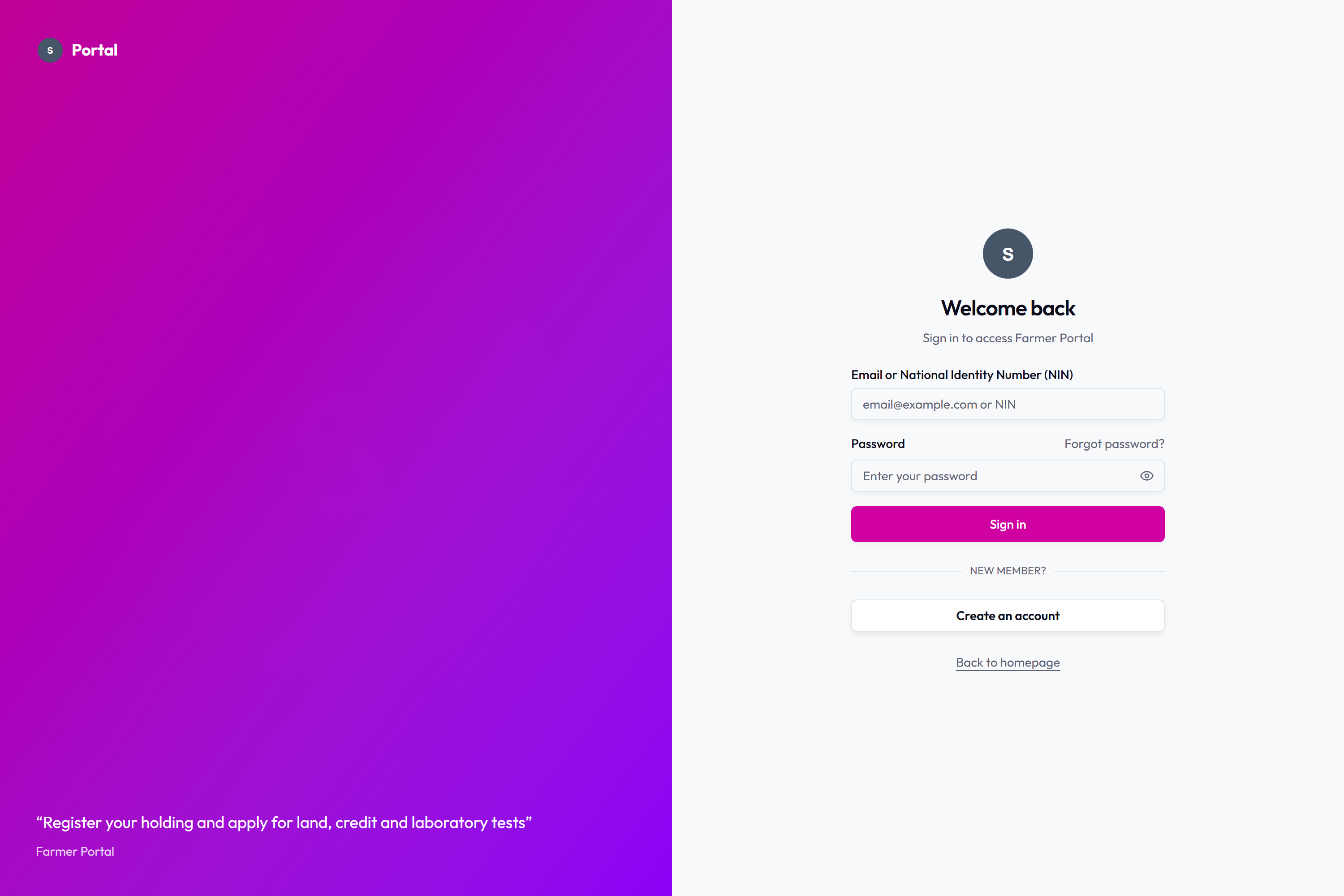
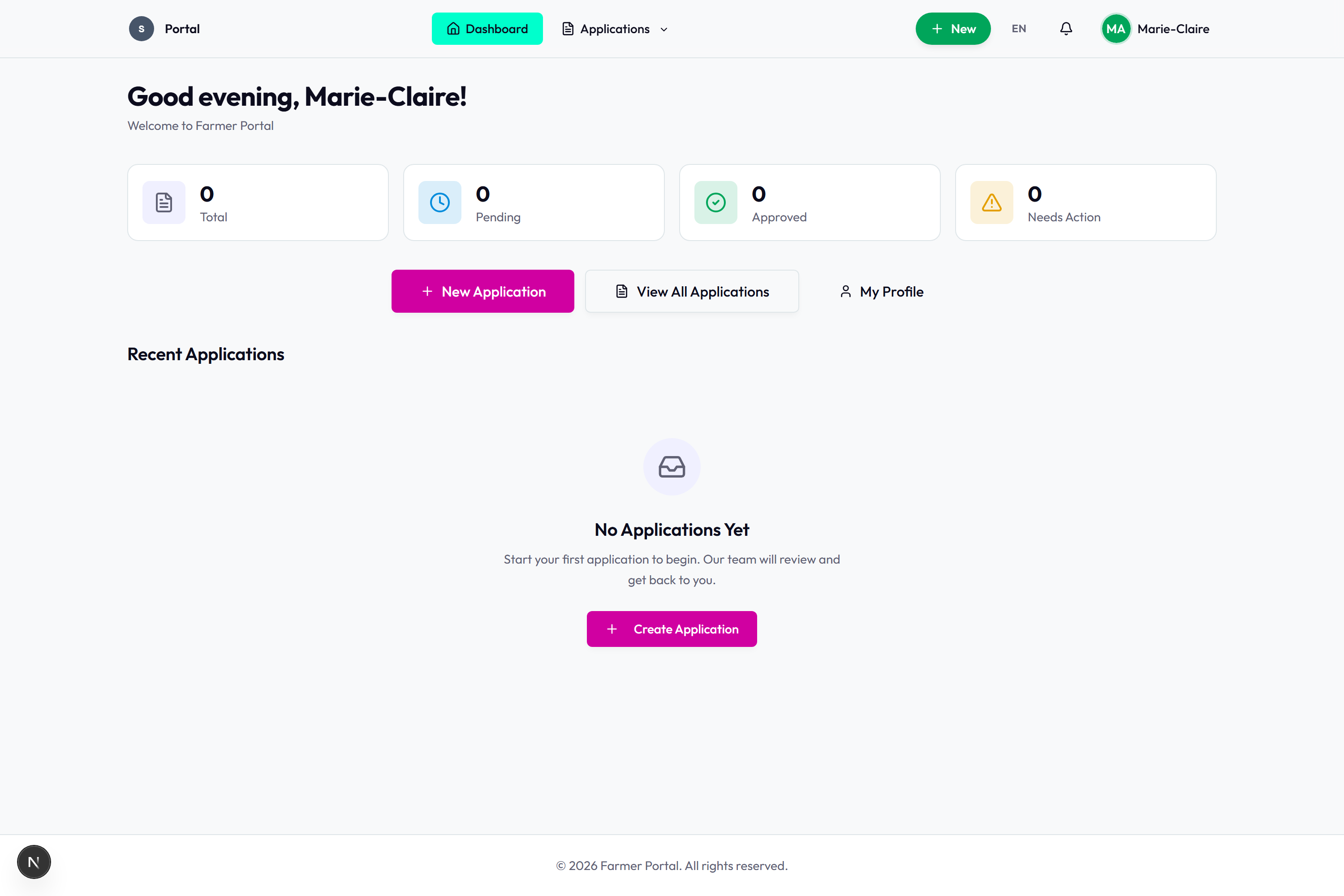
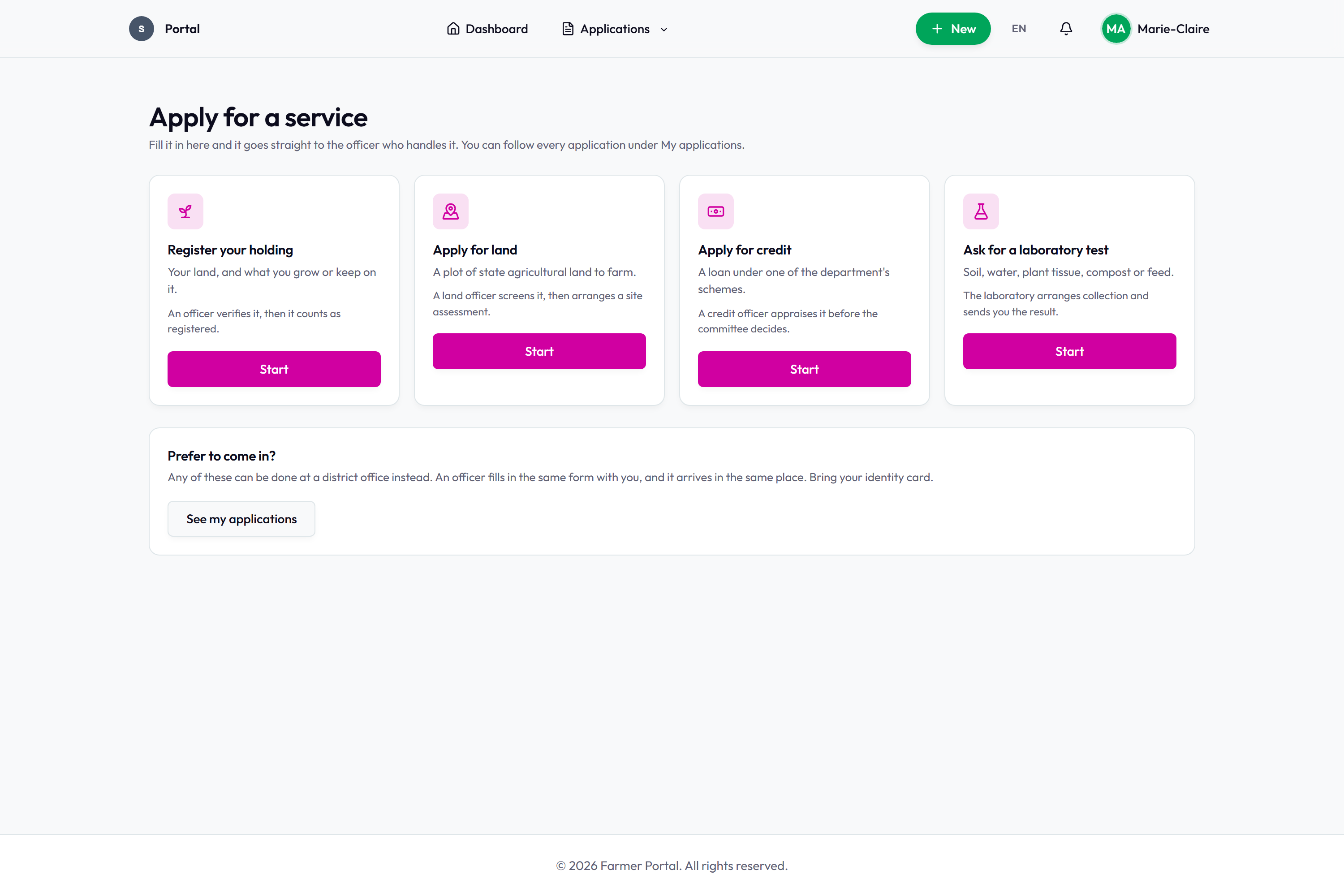
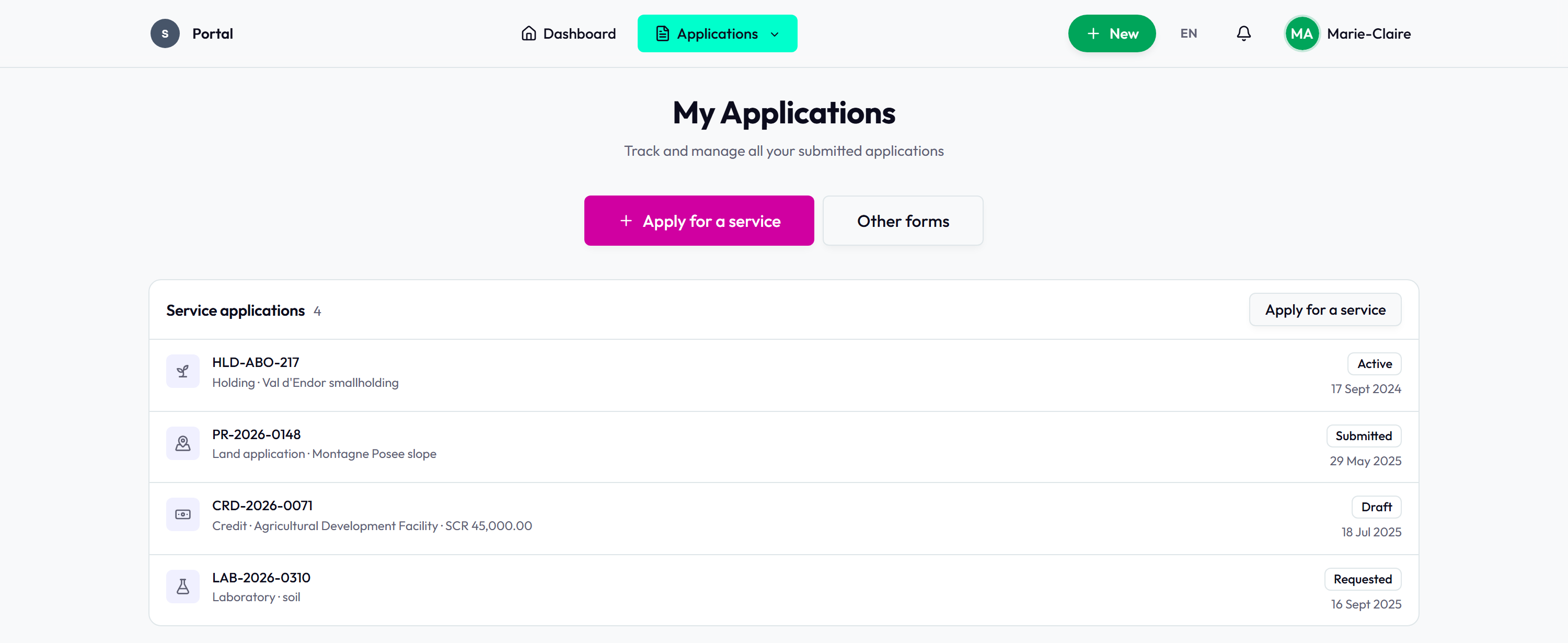
Signing in with an email address or a National Identity Number.The farmer's dashboard before any application has been made.The four services a farmer can start, and the note that any of them can be done at a district office instead.My applications: a holding, a land application, a credit application and a laboratory request, each with its state and date.
Reports, documents and administration
The standing reports over the live registers, the certificates the system
issues, the scanned paper backlog and its validation queue, and the screens an
administrator works in.
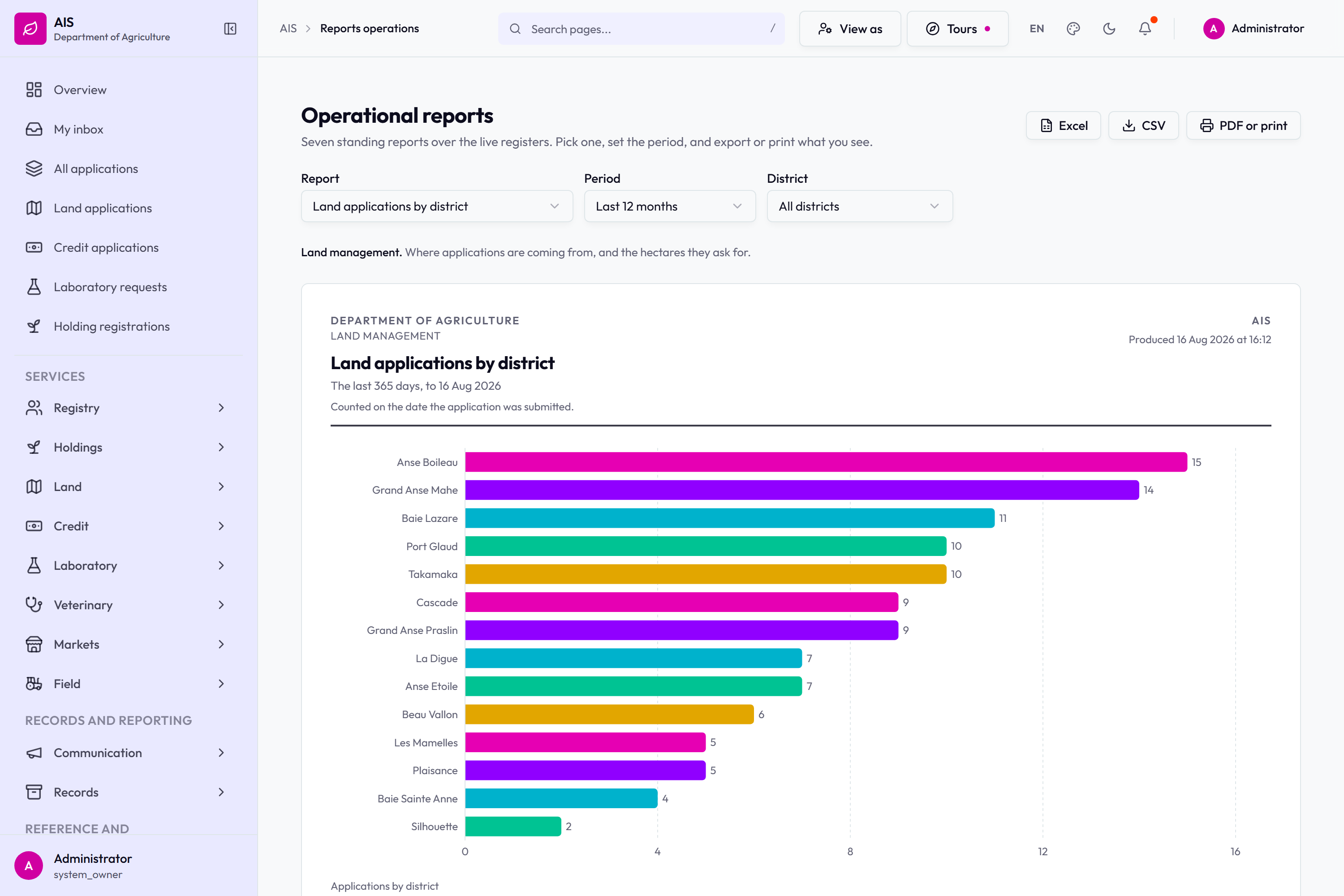
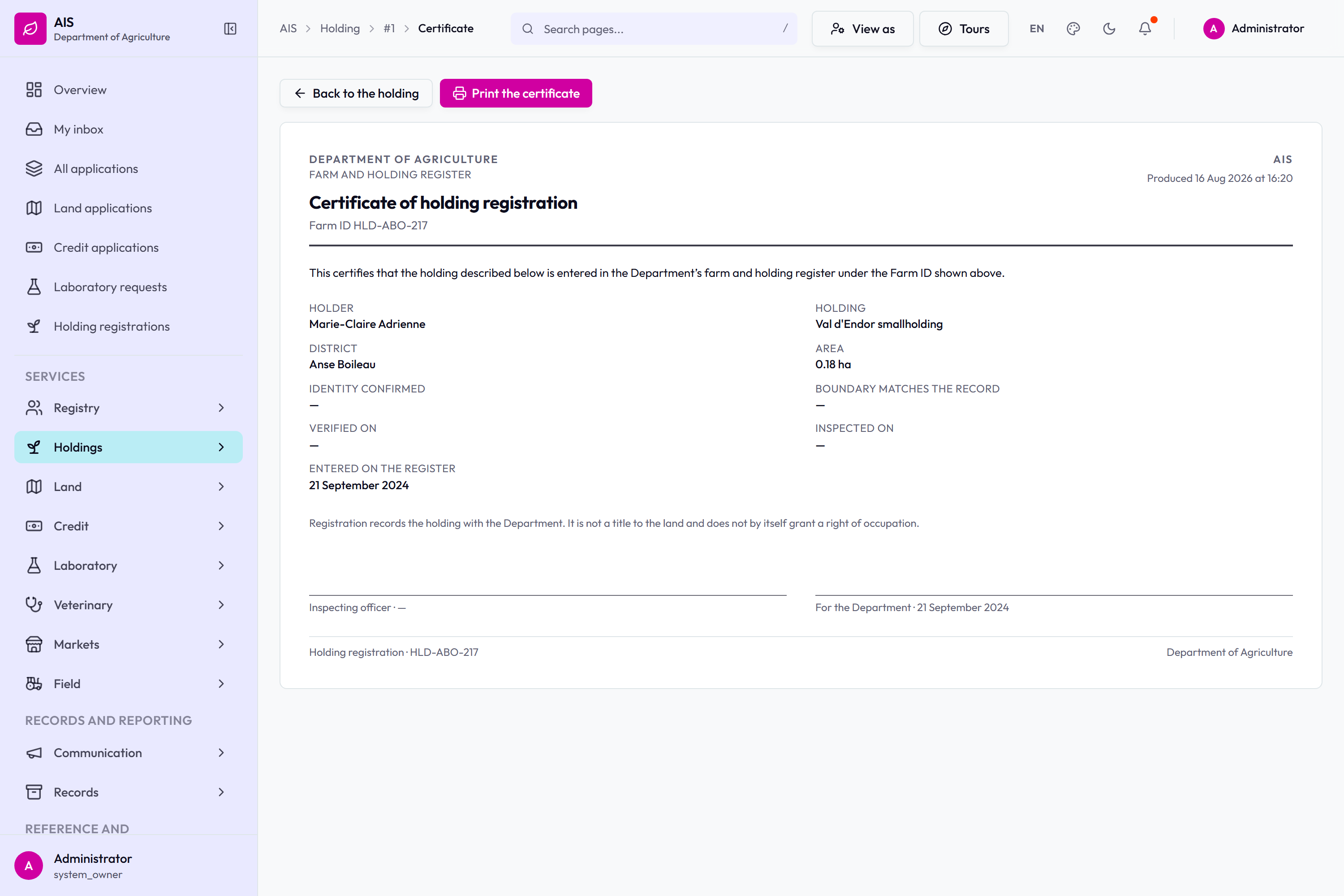
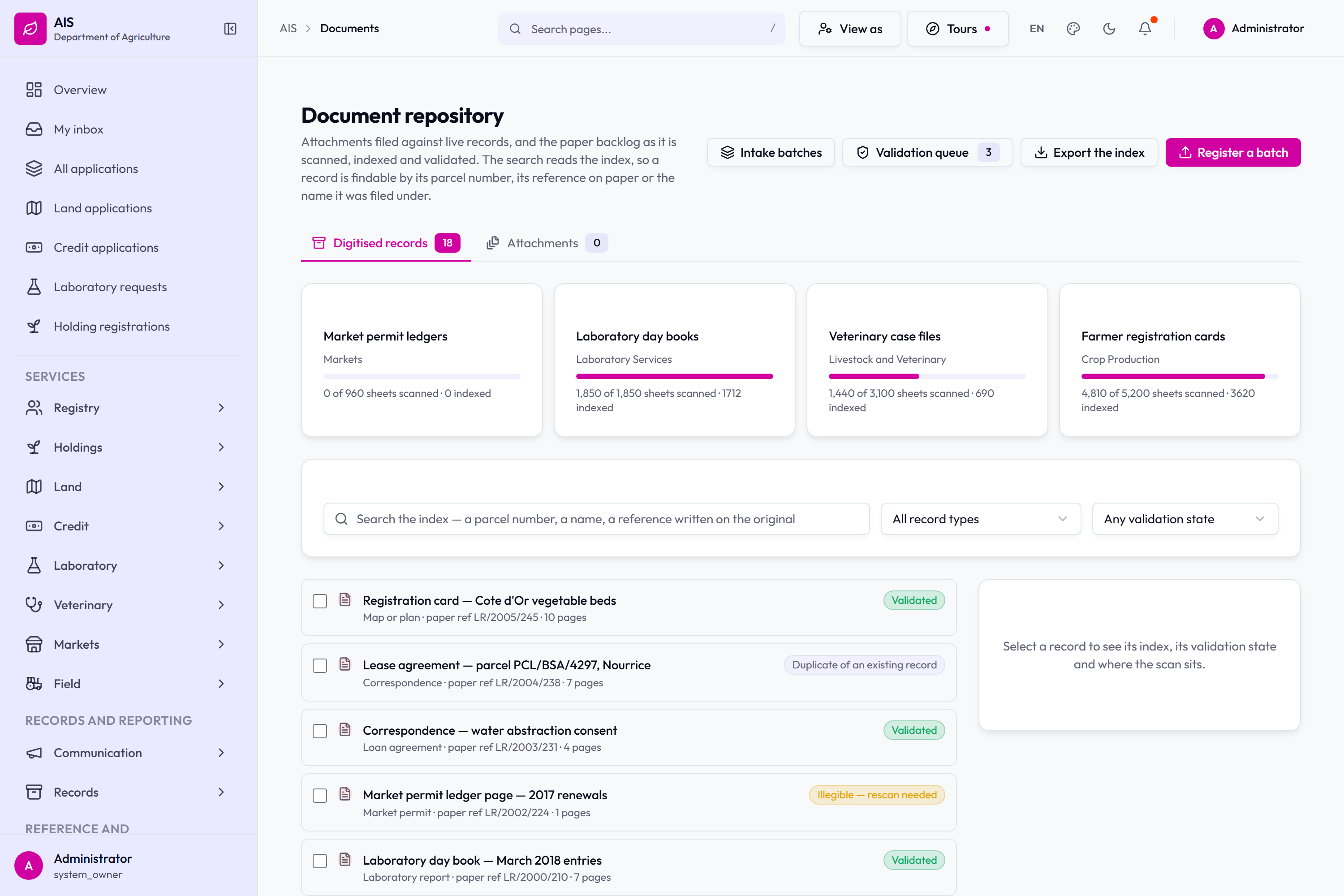
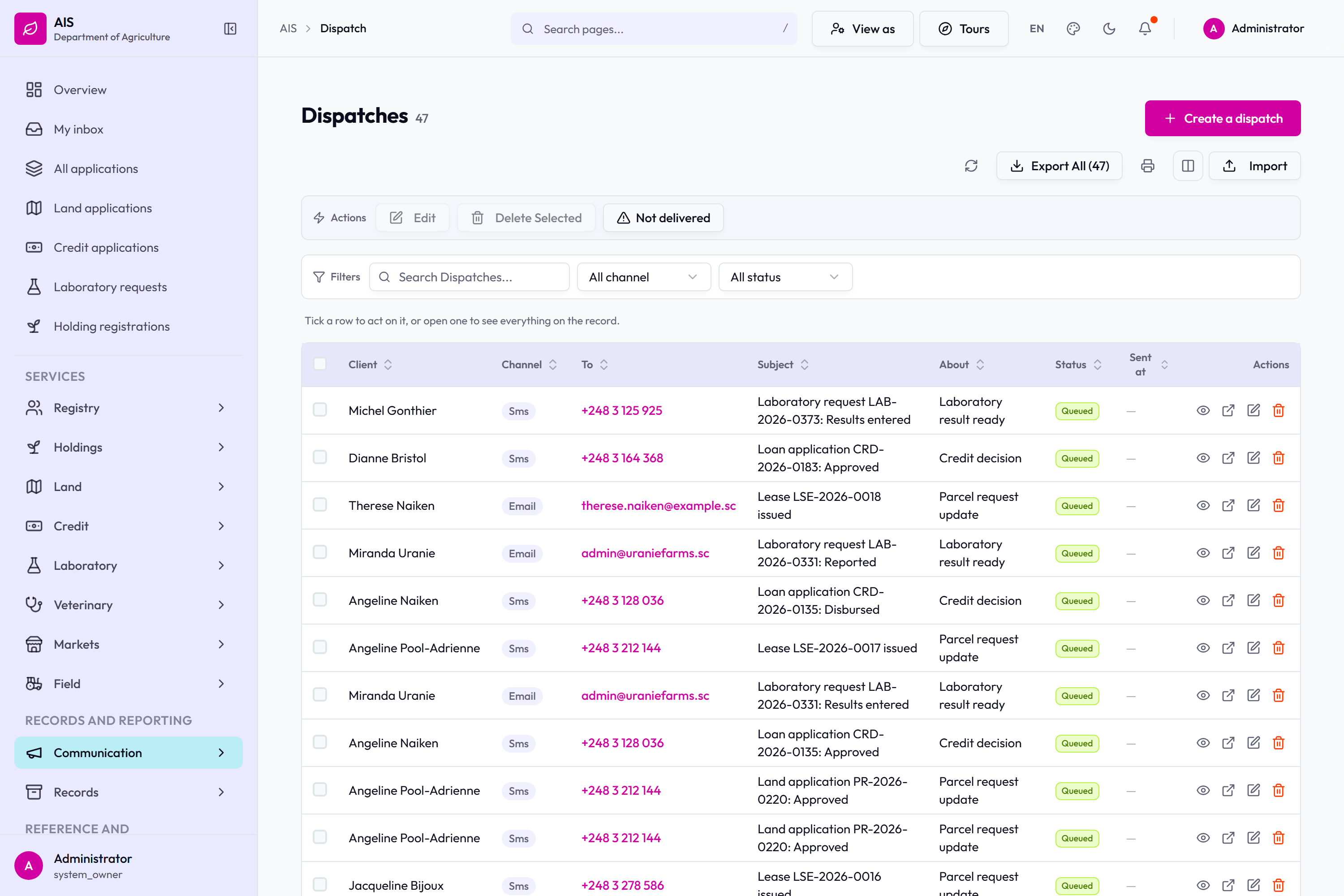
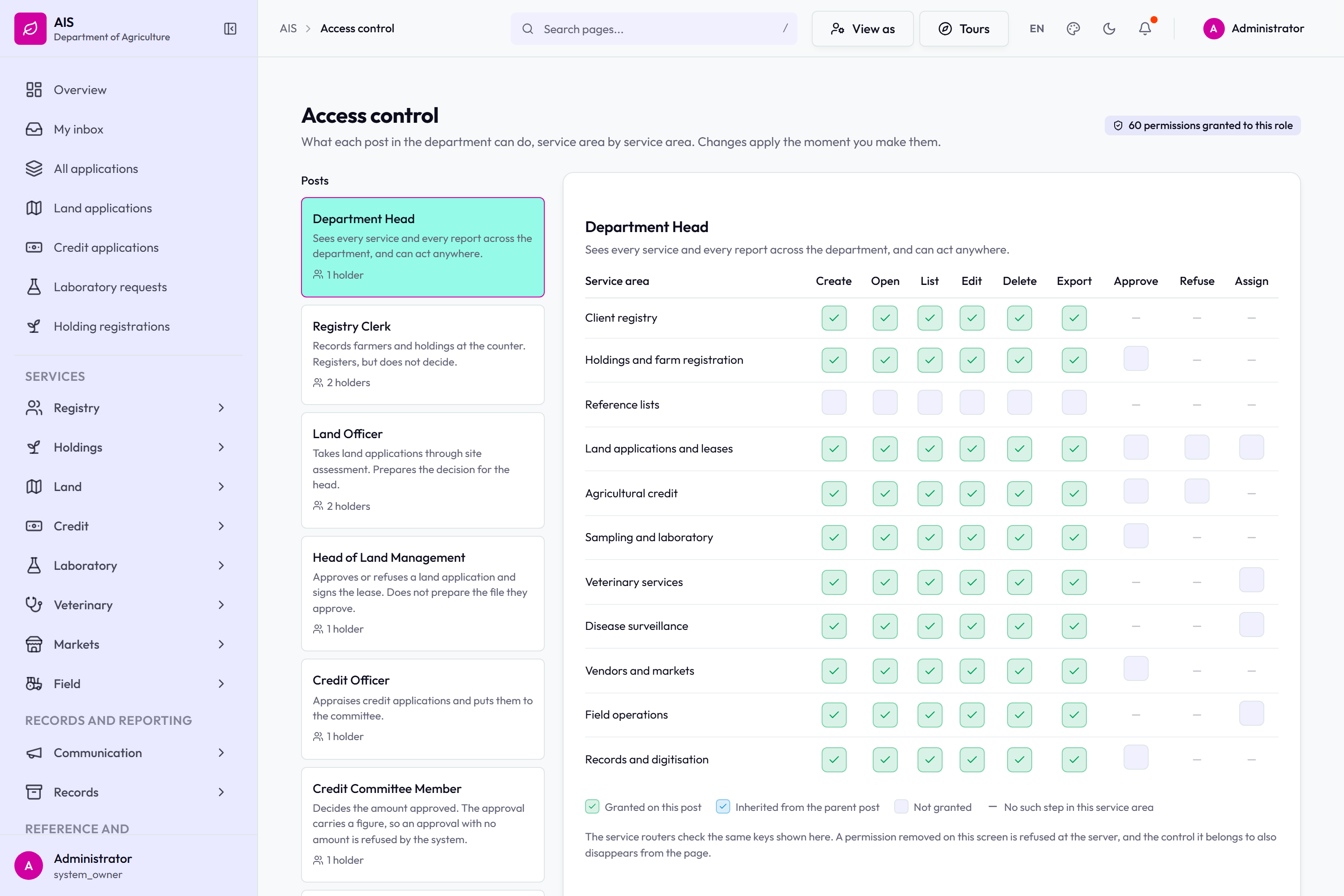
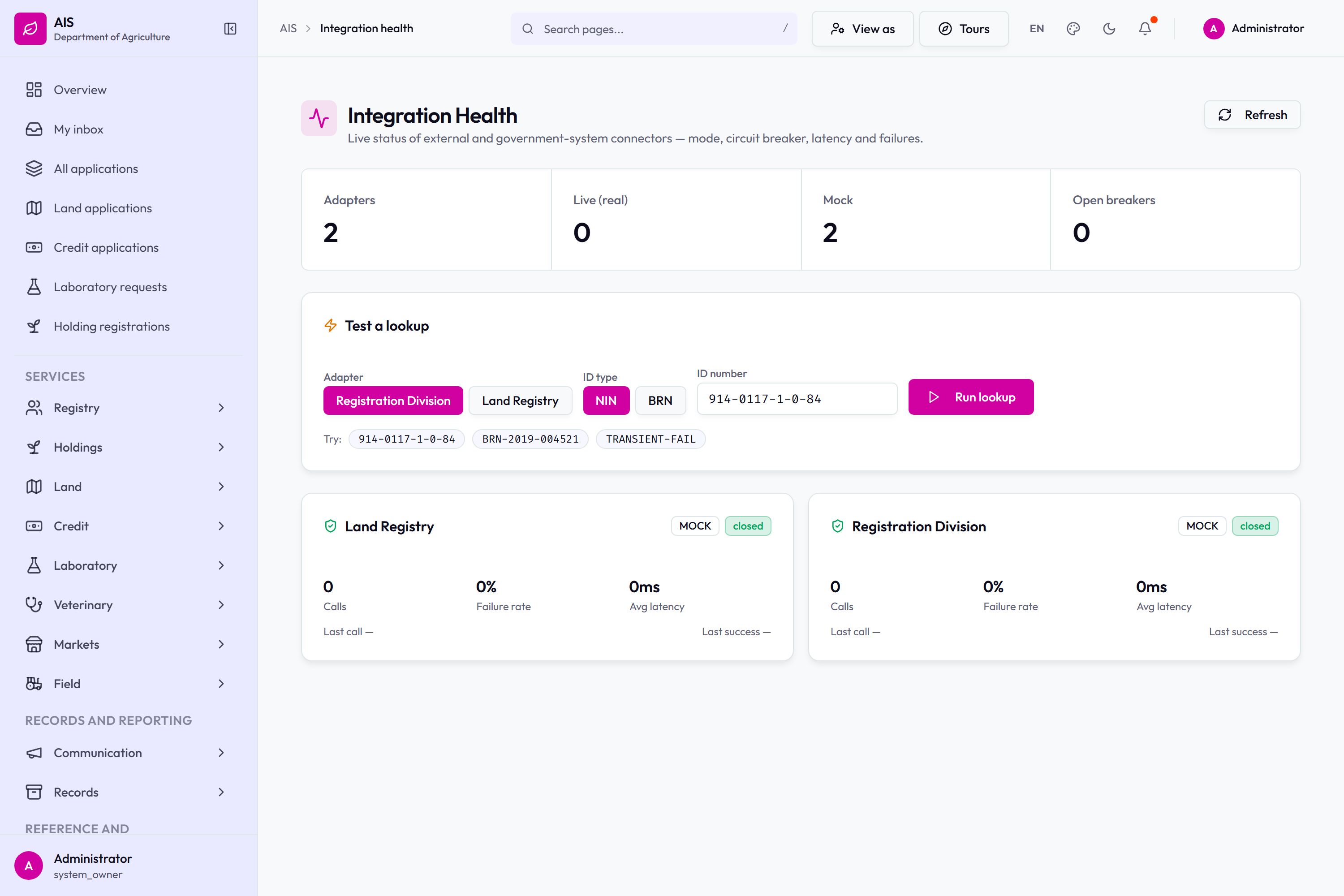
Operational reports: seven standing reports over the live registers, with Excel, CSV and print.The laboratory certificate.The holding registration certificate.The field operations report.The document repository: scanned batches, the validation queue, and a search across the index.Dispatches: what the system has queued to send, by channel and by subject.Access control: each post against each service area, and what the service routers check.Integration health.
Systems already delivered
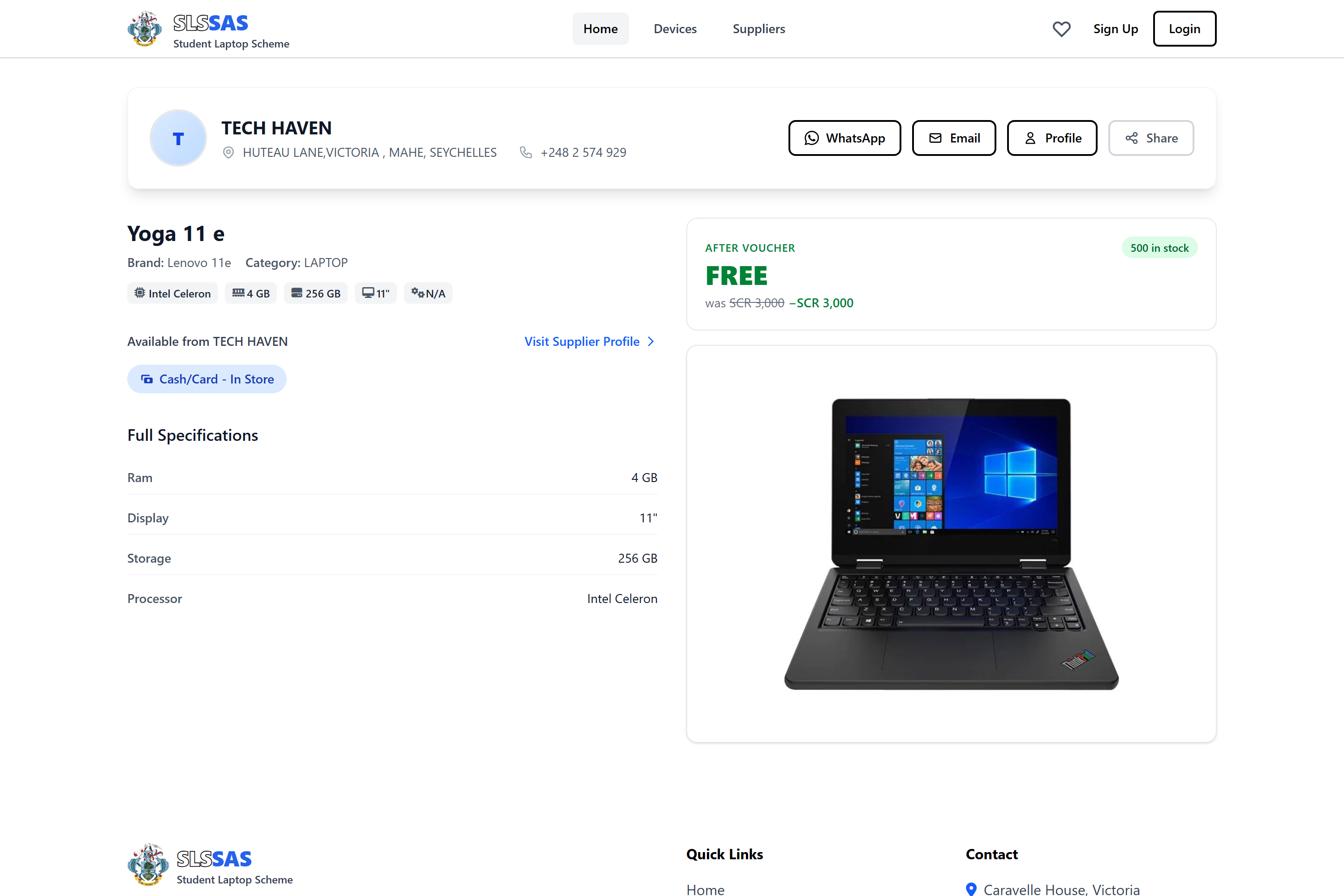
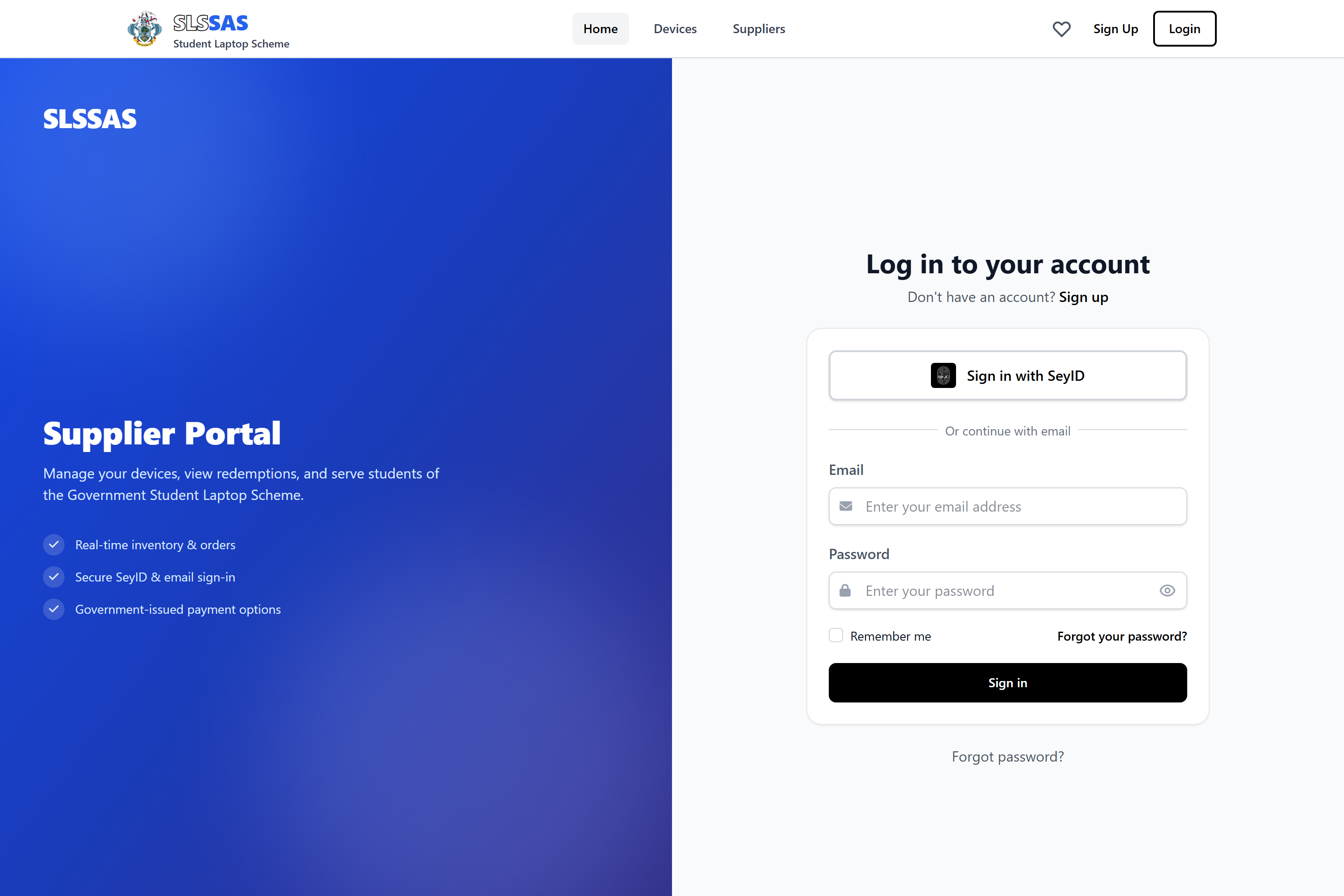
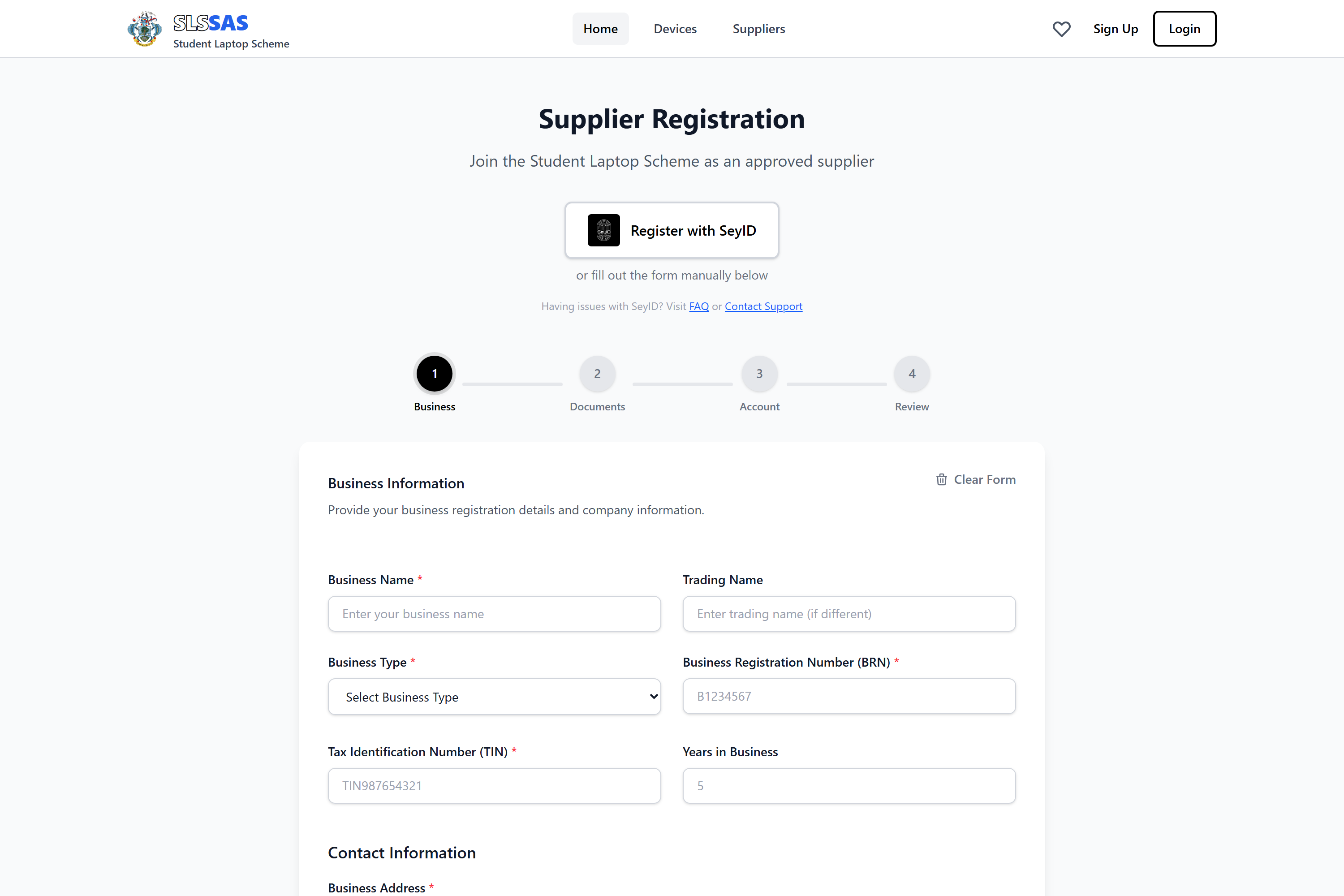
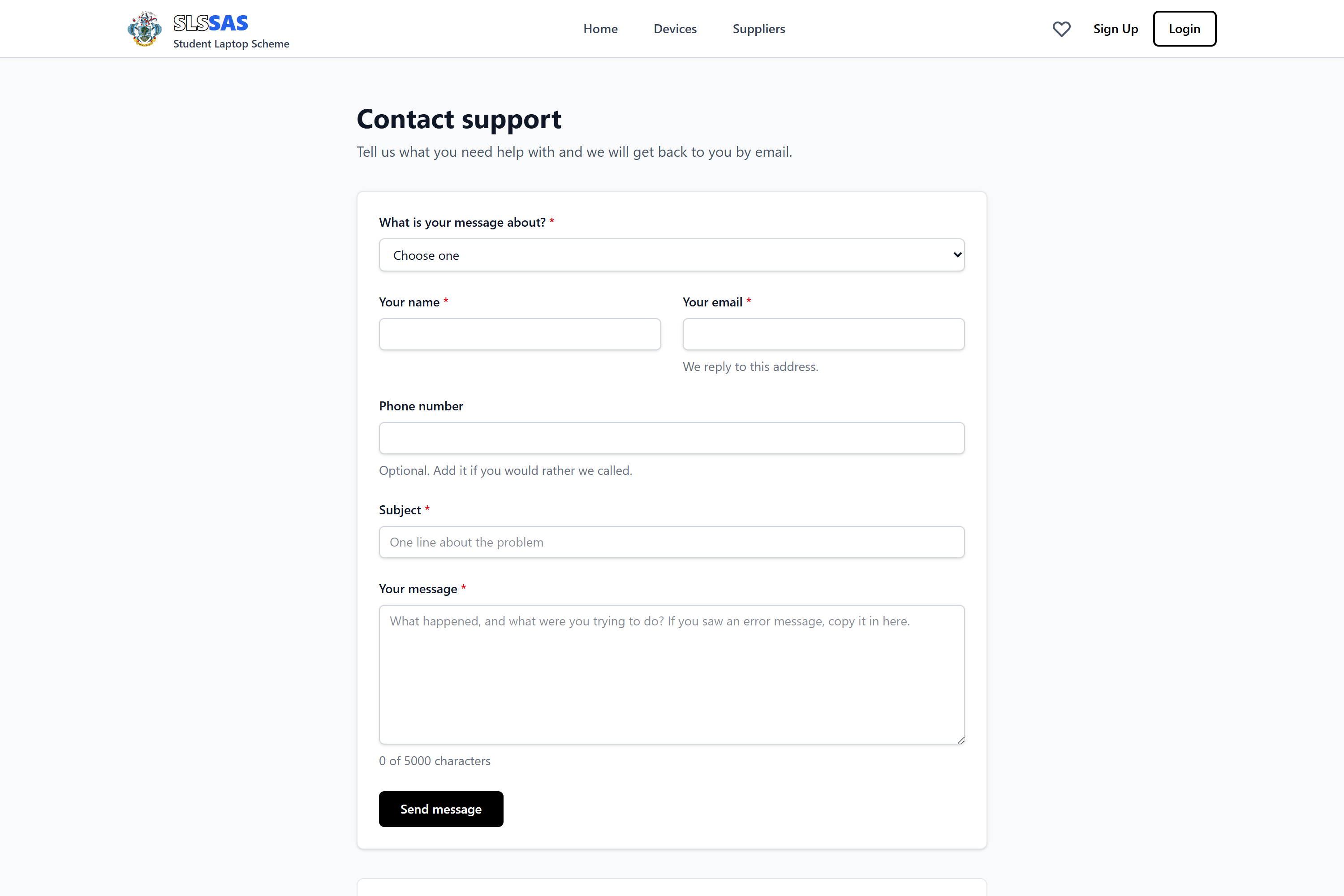
Screens from two systems this bidder has already built and delivered in
Seychelles. SLSSAS is the Student Laptop Scheme supplier and device platform for DICT.
The rest are the Seychelles Pension Fund member portal and its case reporting. Both are
in service.
SLSSAS, Student Laptop Scheme (DICT)
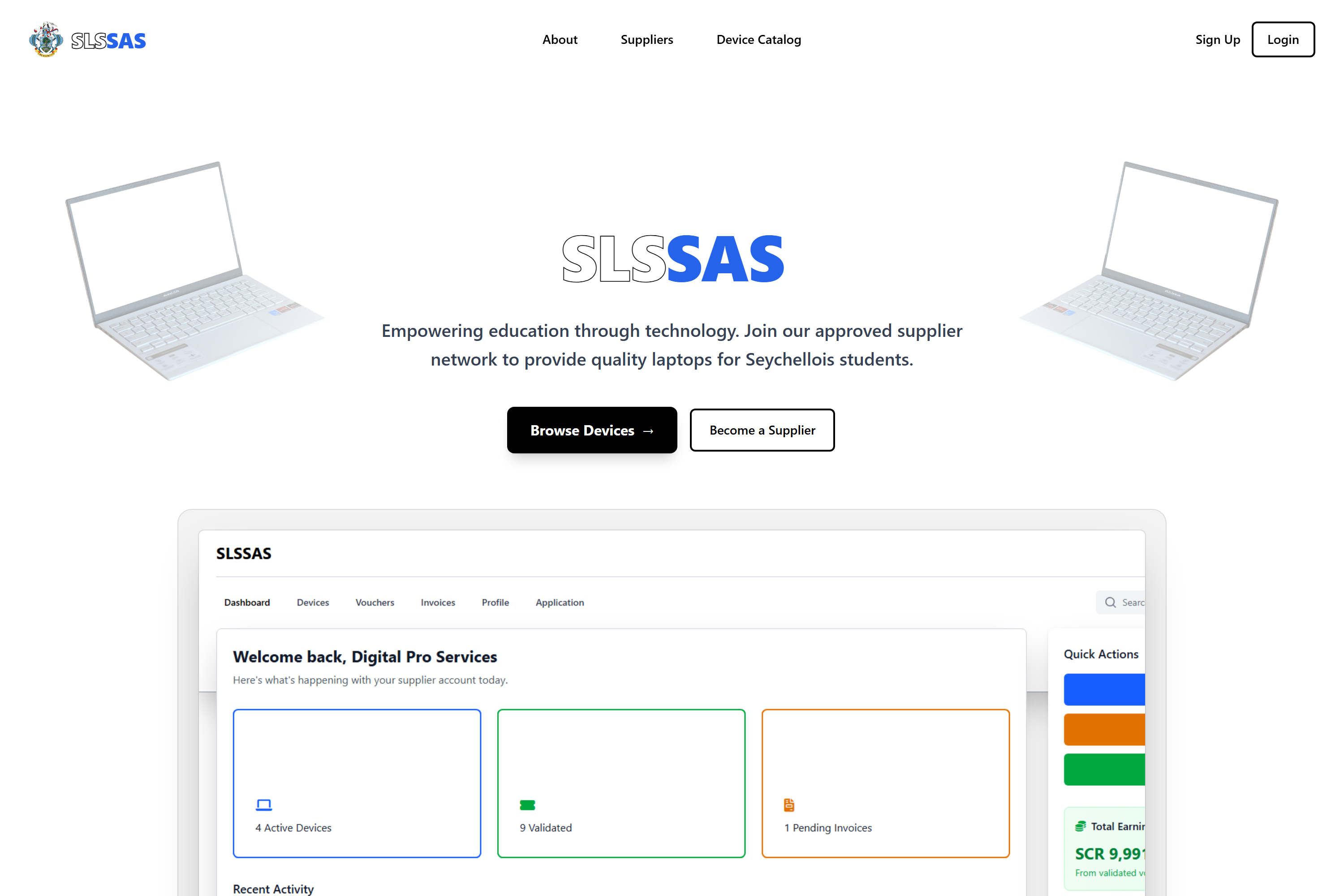
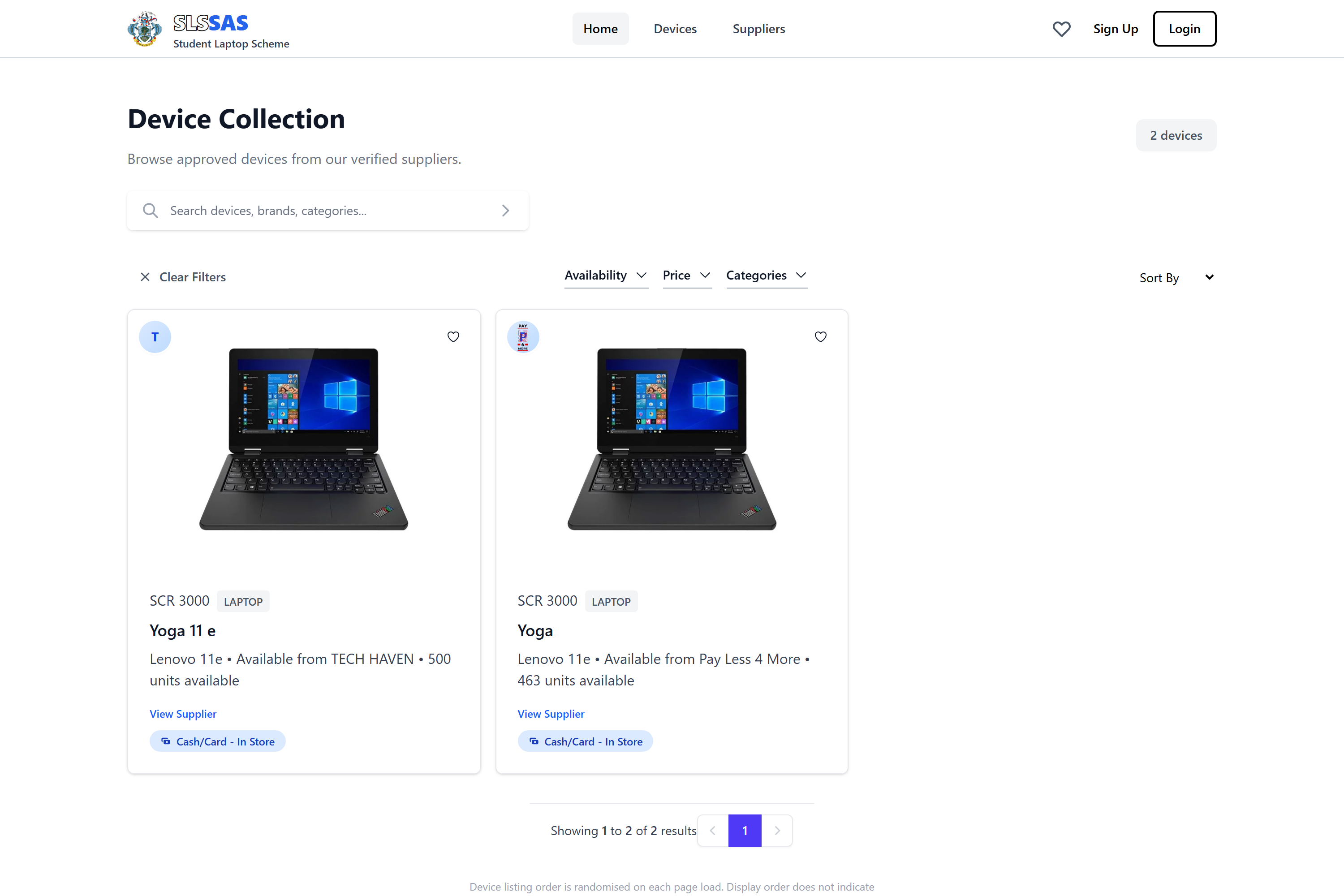
SLSSAS: the Student Laptop Scheme landing page.SLSSAS: the device collection, with availability, price and category filters.SLSSAS: a device, its full specification, and the supplier holding it.SLSSAS: the supplier portal sign-in, with SeyID alongside email.SLSSAS: supplier registration in four steps, with SeyID or a manual form.SLSSAS: the support form.
Seychelles Pension Fund
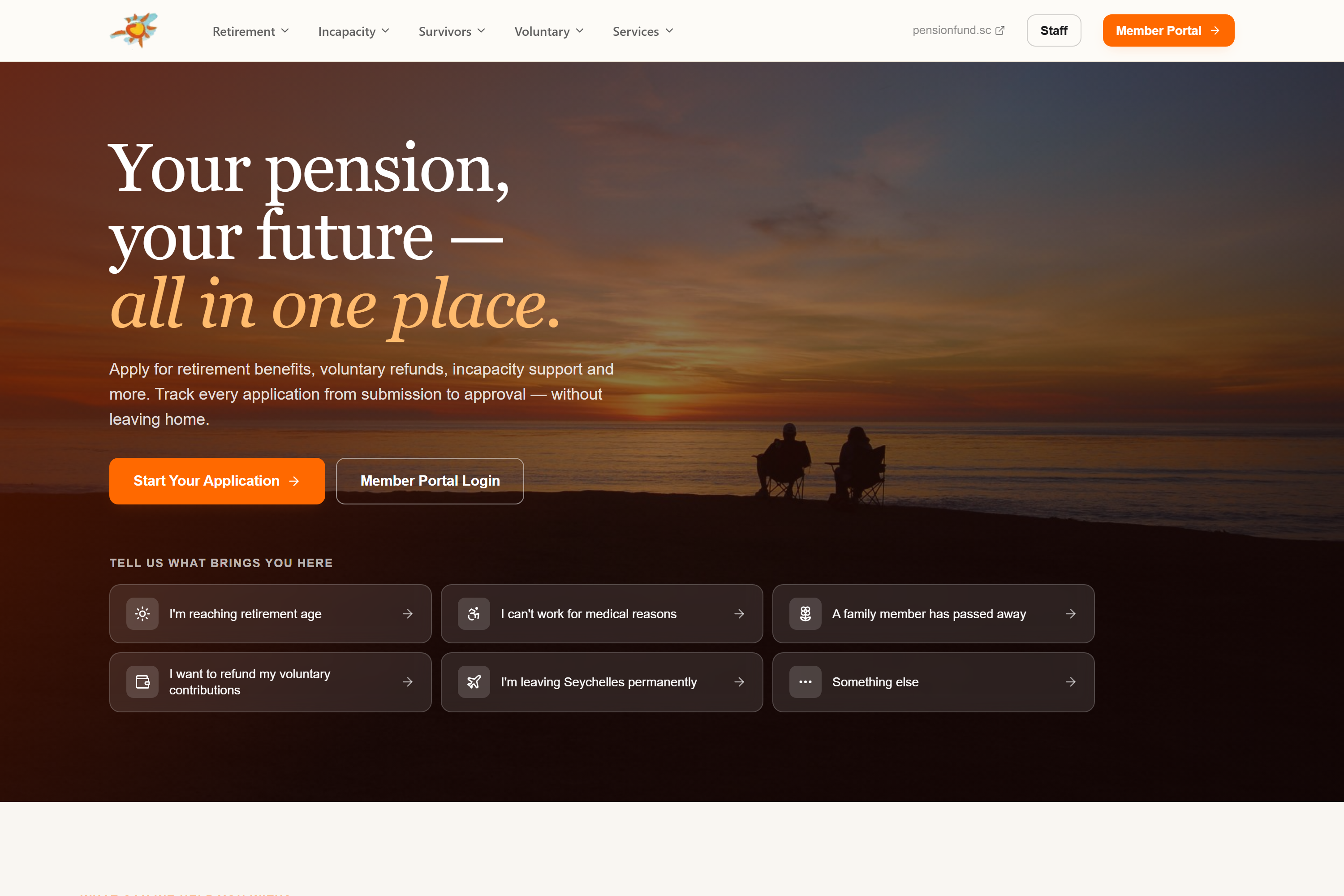
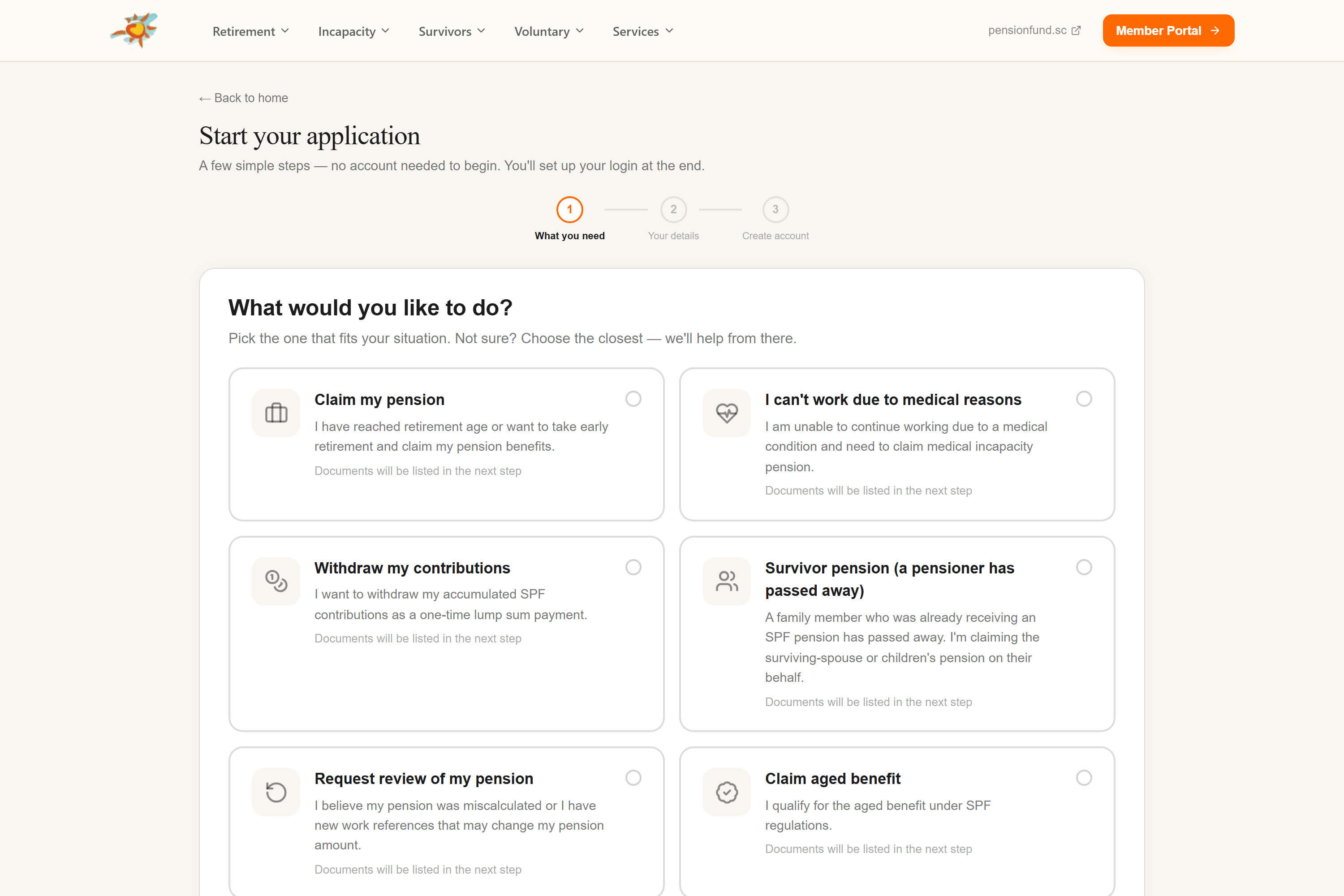
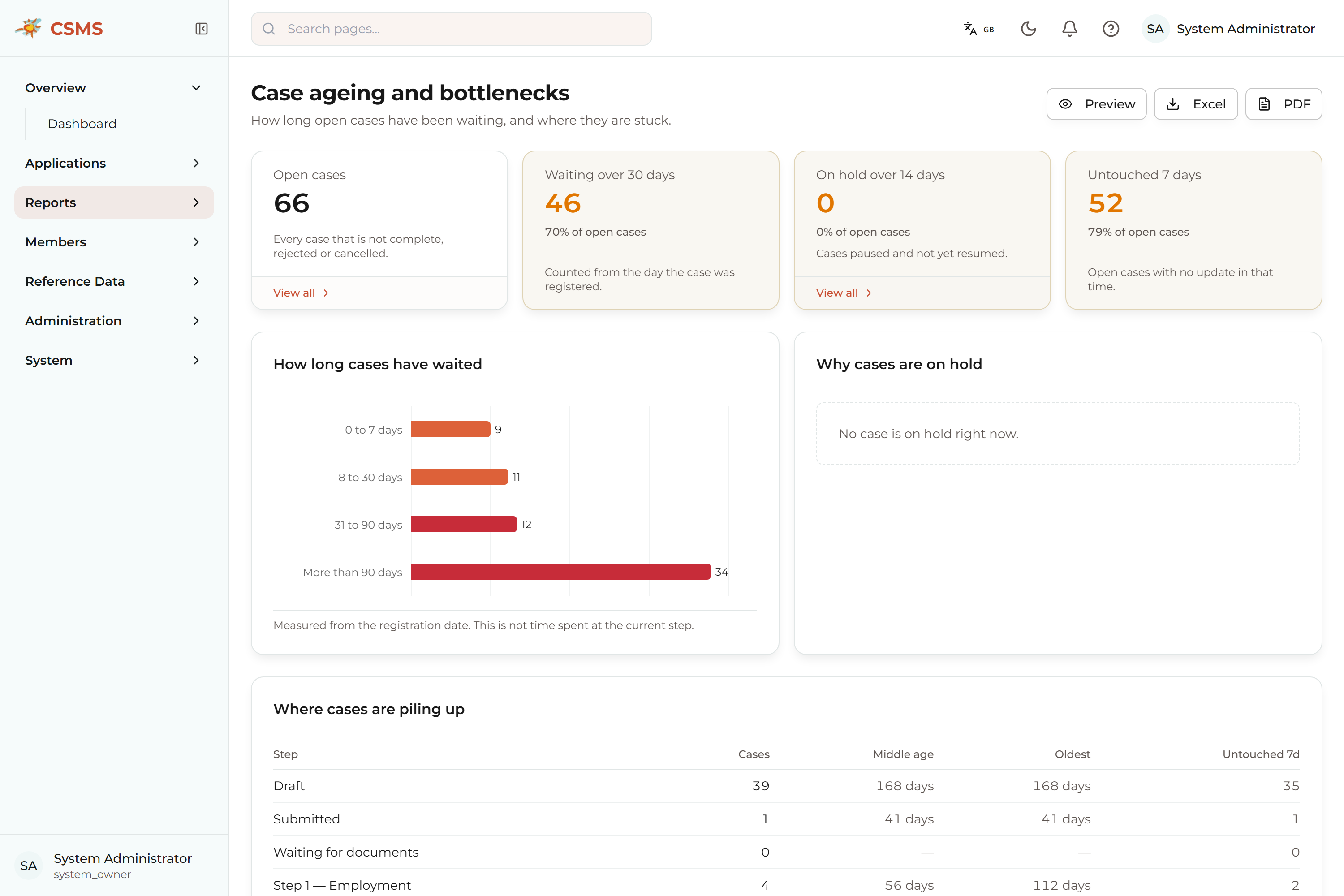
Seychelles Pension Fund: the member portal home, with six routes in by circumstance.Seychelles Pension Fund: starting an application, choosing the situation that fits.Seychelles Pension Fund: case ageing and bottlenecks, showing how long open cases have waited and where they are stuck.